web
You’re offline. This is a read only version of the page.
close
Skip to main content

Notifications

Announcements

No record found.

Community site session details

Community site session details

Session Id :
Microsoft Dynamics CRM (Archived)

Dynamics CRM exceeding its storage limit, but “Resources in use” say only 28% used

(0) ShareShare
ReportReport
Posted on by 65

We have a dynamics CRM online instance into which we are uploading about 2.2 million records.

We have done this before (several times) for trial instances with no problem. Usually they take up about 50% of the 5GB storage limit.

Last night we started doing the import into a new CRM instance - one that is linked to a sharepoint and an active office 365 account.

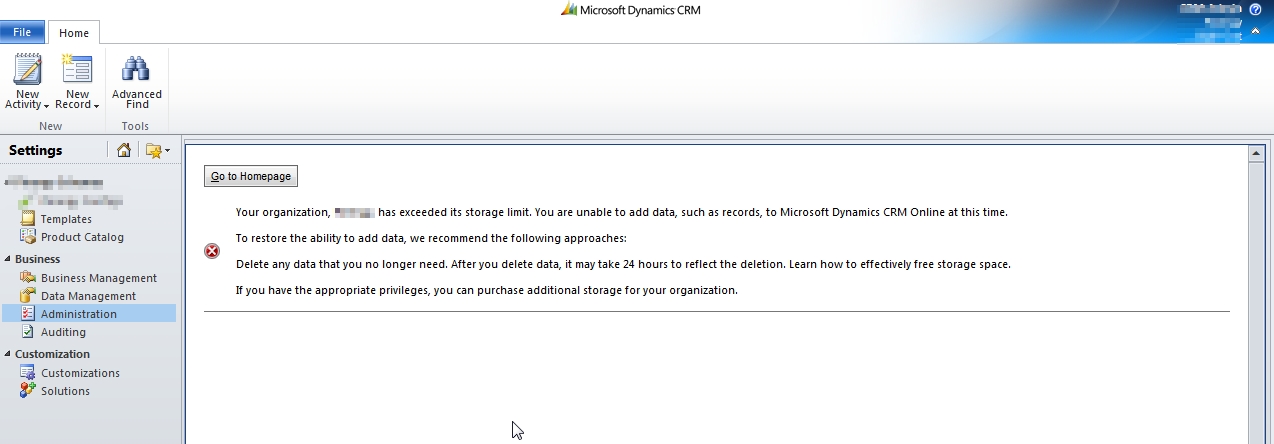
About 75% of the imports got in, but now we have an error message that is also displayed in the system notifications section of CRM. The message is "Your organization, XXXX, has exceeded its storage limit...".

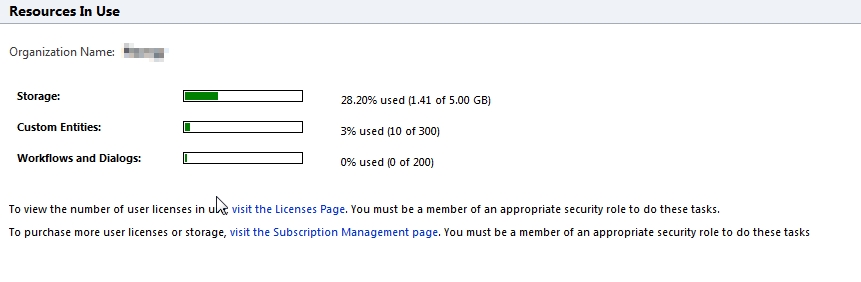
However, when I check on the "Resources in Use" page in CRM, it tells me that we have used only 28% of the 5GB limit.

Any ideas?
*This post is locked for comments

I have the same question (0)
  • AaronRic Profile Picture
    10,035 on at

    The Resources in Use data recalculates every 6 hours. I would recommend importing these in with smaller batches or purchase additional storage temporarily if this is a paid instance of CRM Online. If this is only a trial, the only option would be to import these in with smaller batches.

  • Cathal Brady Profile Picture
    65 on at

    We currently upload the data in batches of 10 records at a time currently. We don't use the CRM import facility for various reasons - we use the API. In similar systems where we have successfully uploaded ALL the records, we have only used 31% of the storage.

    We have also raised this issue with Microsoft and as of today it looks like there may be a bug in how the storage limits are being calculated in Dynamics for this instance. I expect to have a definitive  answer in the next 2 days. I will update this thread then.

  • Verified answer
    Cathal Brady Profile Picture
    65 on at

    Microsoft Support resolved this today.

    Their response to me included:

    "...The organization quote was unfortunately set incorrectly and the operations team have set it back to 5GB. The issue was on our side and was not caused by you or by importing the data..."

Under review

Thank you for your reply! To ensure a great experience for everyone, your content is awaiting approval by our Community Managers. Please check back later.

Helpful resources

Quick Links

Responsible AI policies

As AI tools become more common, we’re introducing a Responsible AI Use…

Neeraj Kumar – Community Spotlight

We are honored to recognize Neeraj Kumar as our Community Spotlight honoree for…

Leaderboard > 🔒一 Microsoft Dynamics CRM (Archived)

#1
SA-08121319-0 Profile Picture

SA-08121319-0 4

#1
Calum MacFarlane Profile Picture

Calum MacFarlane 4

#3
Alex Fun Wei Jie Profile Picture

Alex Fun Wei Jie 2

Last 30 days Overall leaderboard

Featured topics

Product updates

Dynamics 365 release plans



