web
You’re offline. This is a read only version of the page.
close
Skip to main content

Notifications

Announcements

No record found.

Community site session details

Community site session details

Session Id :
Finance | Project Operations, Human Resources, ...
Suggested Answer

Power BI setup: queries don't work

(3) ShareShare
ReportReport
Posted on by 43

Hello guys,

I'm trying to setup Power BI on SAT environment.

1. I did create an App Registration in azure and assigned the permissions.

2. PowerBi.com configuration done in Dynamics

3. faced a problem in deploying the files, but signed up in app.powerbi.com and was able to deploy.

4. after deploying, all the queries don't work (like the tables are not there)
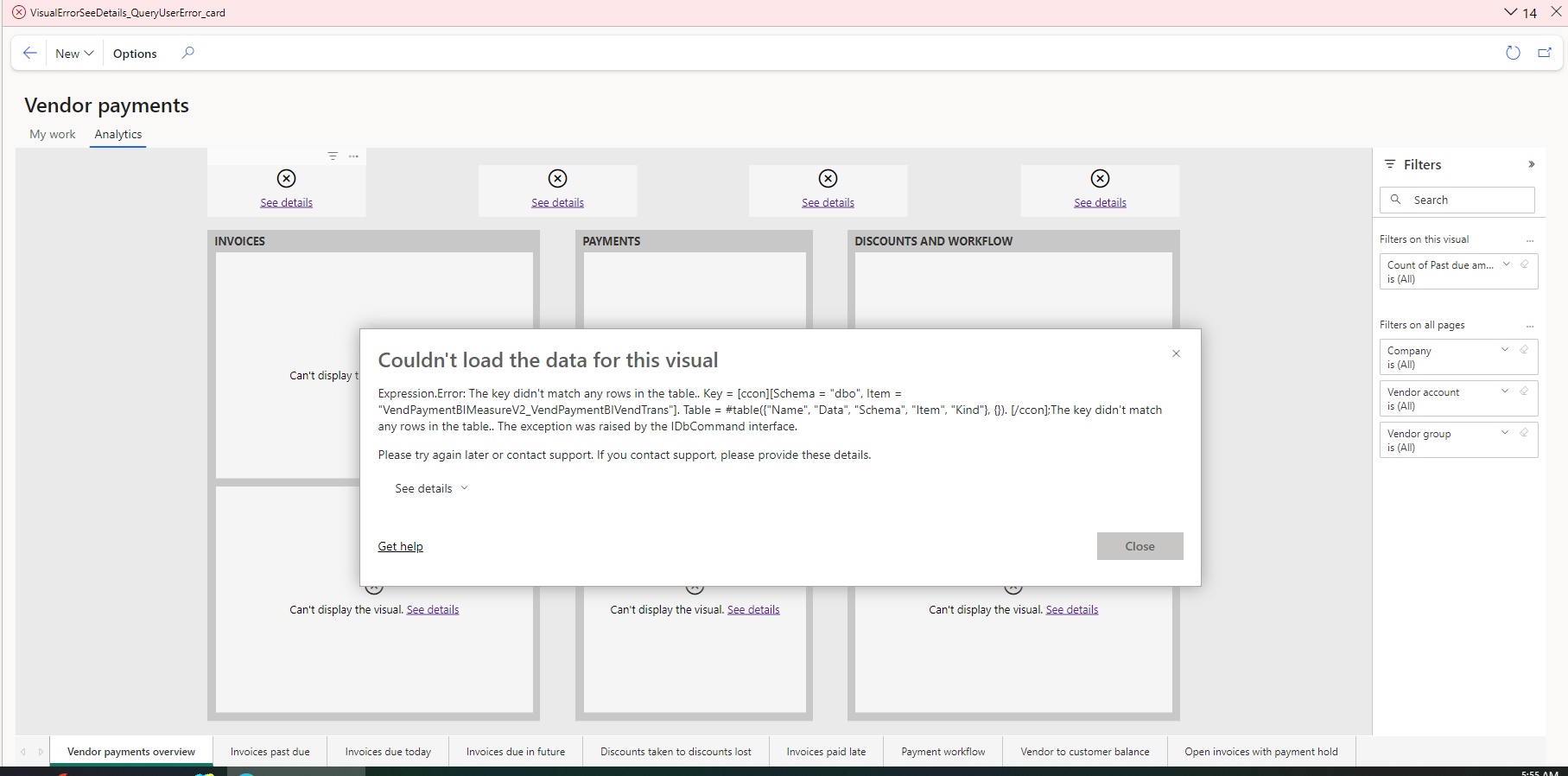
Kindly assist.

Thanks in advance.

I have the same question (0)
  • AhmedFad Profile Picture
    43 on at

    this is another type of error:

    Couldn't load the data for this visual
    
    Invalid object name 'dbo.LedgerCovLiquidityMeasurement_LedgerCovForecastActual'.. The exception was raised by the IDbCommand interface.
    
    Please try again later or contact support. If you contact support, please provide these details.

  • AhmedFad Profile Picture
    43 on at

    anybody can help?

  • Community member Profile Picture
    2 on at
    Hi
     have the same, any solution?
     
  • AhmedFad Profile Picture
    43 on at
    In my case it was the batch job failing.
     
    go to Batch Jobs > search for Full Reset > then try to force it to run again.
    * schedule it after 5 minutes or more.
    * change the status so that it runs again.
     
     
    also, sometimes I needed to enable all entity stores (refresh all) even if not related to the dataset you are targeting directly.
     
    let me know if it works.
  • Suggested answer
    Navneeth Nagrajan Profile Picture
    2,438 Super User 2025 Season 2 on at
    Hi AhmedFad,
     
    All your pre-requisite steps are fine but there are a few steps that were missed in the data push to get the reports refreshed.
    1. Ensure that this batch called Deploy Measures has been executed successfully.
     
     
    2. Also, ensure that the entity store setup under System Administration -> Setup -> Entity store has been set to run at least once in a day. If step number 1 is completed successfully, step number 2 will work successfully too.
     
    The reports should show up the right set of data. 
  • CU23091834-0 Profile Picture
    2 on at
    Pase por el mismo problema


    la solución fue entrar a BatchJob y filtre en Job description por "Restablecimiento completo"

    clic en el Job ID y nos manda a la siguiente ventana


    y solo cambie el estatus a Waiting 

    fui a al mecen de entidades y actualice las medidas LedgerCovLiquidityMeasurement, esperar a que se actualice y listo

Under review

Thank you for your reply! To ensure a great experience for everyone, your content is awaiting approval by our Community Managers. Please check back later.

Helpful resources

Quick Links

Responsible AI policies

As AI tools become more common, we’re introducing a Responsible AI Use…

Neeraj Kumar – Community Spotlight

We are honored to recognize Neeraj Kumar as our Community Spotlight honoree for…

Leaderboard > Finance | Project Operations, Human Resources, AX, GP, SL

#1
André Arnaud de Calavon Profile Picture

André Arnaud de Cal... 467 Super User 2025 Season 2

#2
Martin Dráb Profile Picture

Martin Dráb 420 Most Valuable Professional

#3
BillurSamdancioglu Profile Picture

BillurSamdancioglu 241 Most Valuable Professional

Last 30 days Overall leaderboard

Product updates

Dynamics 365 release plans
