web
You’re offline. This is a read only version of the page.
close
Skip to main content

Announcements

Community site session details

Community site session details

Session Id :
Microsoft Dynamics AX (Archived)

Workflow cannot run and not showing error

(0) ShareShare
ReportReport
Posted on by

hello,

ax expert

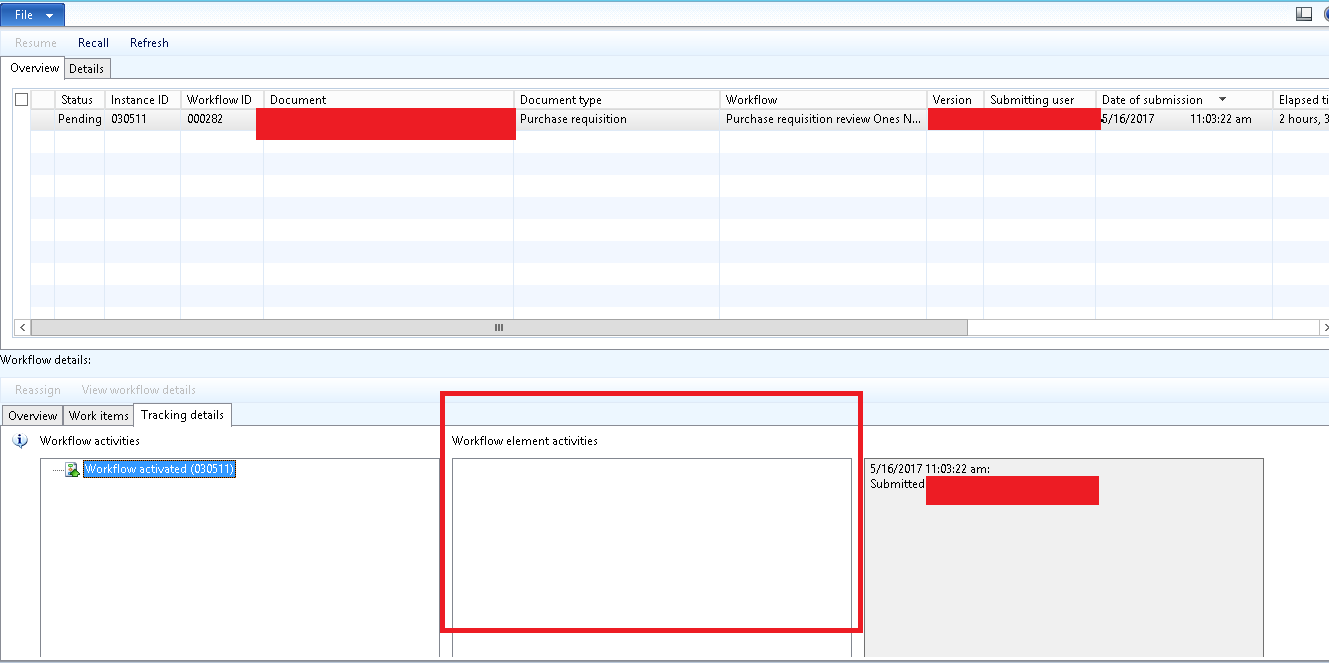
I want to ask about workflow dynamics ax 2012, after move database ax 2012 in another server, when I try to create a purchase requisition and then submit, the workflow PR not run. see the image below :
3823.WORKFLOW-ERROR.png

in line red, not showing workflow activities. 

What I have to do to fix this problem ?

thank you

*This post is locked for comments

I have the same question (0)
  • Anand AX Profile Picture
    2,172 on at

    Hi Wihman Setiawan,

    Have you tried running "Tutorial_WorkflowProcessor" Form after the submission of workflow?

  • Community Member Profile Picture
    on at

    not, I dont know about workflow processor (function) , can you explain me about that ?

    thank you Anand S

  • Anand AX Profile Picture
    2,172 on at

    Hi Wihman Setiawan,

    Refer the below links.. You will get idea about it...

    community.dynamics.com/.../176405

    blogs.msdn.microsoft.com/.../dynamics-ax-workflow-quick-tips

    dyntips.com/.../trigger-workflow-manually

    And to setup Batch process, Refer it

    technet.microsoft.com/.../gg731944.aspx

  • Suggested answer
    Community Member Profile Picture
    on at

    Hi Wihman,

    Please check if your workflow batch jobs are running & Batch group setup/Server config. if the correct server is selected. If that doesn't help, try to reboot AOS/SQL. As well check your PR workflow.
    Regards,
    V

  • Suggested answer
    Jonathan  Halland Profile Picture
    11,310 on at

    Hi Wihman,

    If youre new to workflow and the setups required, try review Deepak's blog it contains all the steps for initial setup

    theaxapta.blogspot.co.za/.../workflow-setup-in-ax2012-r3-cu8.html

Under review

Thank you for your reply! To ensure a great experience for everyone, your content is awaiting approval by our Community Managers. Please check back later.

Helpful resources

Quick Links

Introducing the 2026 Season 1 community Super Users

Congratulations to our 2026 Super Stars!

Congratulations to our 2025 Community Spotlights

Thanks to all of our 2025 Community Spotlight stars!

Leaderboard > 🔒一 Microsoft Dynamics AX (Archived)

Last 30 days Overall leaderboard

Featured topics

Product updates

Dynamics 365 release plans


