web
You’re offline. This is a read only version of the page.
close
Skip to main content

Notifications

Announcements

No record found.

Community site session details

Community site session details

Session Id :
Microsoft Dynamics AX (Archived)

Inventory Closing Job is Stuck

(0) ShareShare
ReportReport
Posted on by

We had not run inventory closing for last 1.5 years so when running it for the first time I had this in my mind that it is gonna take a little longer but to my surprise the job is not getting finished for last 15 days. I ran it on server but every morning I find it paused then I resume it but even after 2 weeks it hasn't finished.

The cancellation button is inactive and I don't know what to do now. What could be done from end user's perspective?ss-closing.png
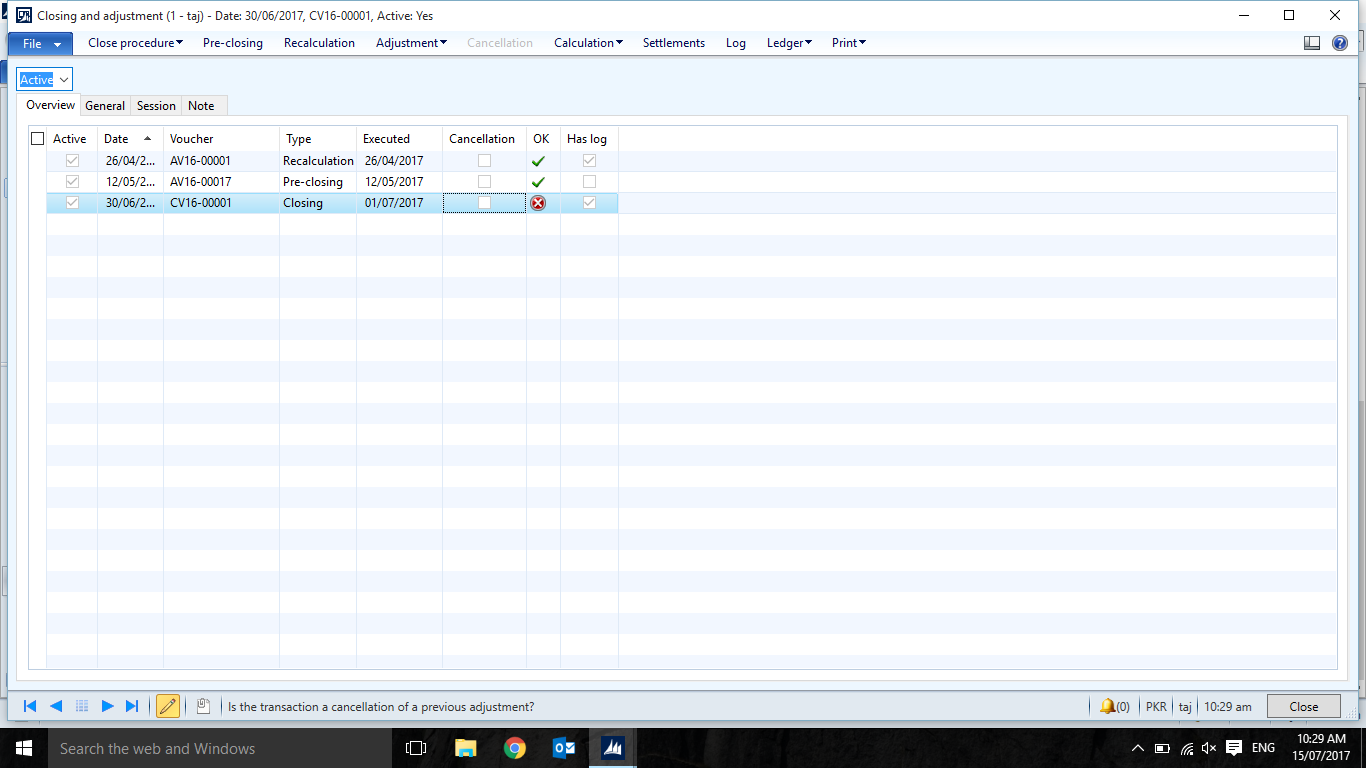
*This post is locked for comments

I have the same question (0)
  • Verified answer
    Ludwig Reinhard Profile Picture
    Microsoft Employee on at

    Hi,

    That it a difficult issue.

    Have you setup any additional helpers and batch servers that might accelerate the process?

    What you can try in addition is possibly running incremental inventory Closes, that is one for Jan 16, Feb 16, Mar 16 ... until you arrive at June 17.

    Best regards,

    Ludwig

  • Fredrik Sætre Profile Picture
    12,644 on at

    What does your log say?

  • Suggested answer
    guk1964 Profile Picture
    10,888 on at

    Not running inventory close regularly is a common bad practice for this performance reason. 

    Maybe you have overfull event logs, or temp databases, or bad data, or millions of transactions, or..... its difficult to guess.

    If you have not run inventory close, then maybe there other data, log management, or sql maintenance tasks also not done, that are overloading the system.?

    Have you tried the Pause and Resume option?

    Ludwig's suggestion of incremental closes is probably your best option, However, you first need to complete or cancel the one that's running. Cancellation is not without its challenges,

    I am not sure what version you are on -  but it sounds like it may be at least two years or more old  - so check out this bug https://community.dynamics.com/ax/f/33/t/71527 where a spelling  error seems to have crept into the code. Also look for hotfixes.

    Look at the settlements of what has been processed so far  and verify that all of those have the necessary posting accounts, if an account is  missing, then try to manually enter it in the InventSettlements table.

    If all else fails restore a back up - and start again -  but If its already been running two weeks that will be a problem with end users, and you may need expert technical/Microsoft help to kill the process.

  • Community Member Profile Picture
    on at

    Fredrick got it right. I just checked the log and it is giving error for several items "Number sequence Inve_18 has been exceeded."

    So I have increased the maximum range of the said sequence by two more characters. I will resume the closing procedure and will let you know the outcome.

    P.S: Ludwig I will come to your incremental closing solution incase this didn't work. Cheers

  • guk1964 Profile Picture
    10,888 on at

    Maybe do it for smaller time frames e.g. 6 quarters rather than for 1.5 years.

Under review

Thank you for your reply! To ensure a great experience for everyone, your content is awaiting approval by our Community Managers. Please check back later.

Helpful resources

Quick Links

Responsible AI policies

As AI tools become more common, we’re introducing a Responsible AI Use…

Neeraj Kumar – Community Spotlight

We are honored to recognize Neeraj Kumar as our Community Spotlight honoree for…

Leaderboard > 🔒一 Microsoft Dynamics AX (Archived)

#1
Martin Dráb Profile Picture

Martin Dráb 4 Most Valuable Professional

#1
Priya_K Profile Picture

Priya_K 4

#3
MyDynamicsNAV Profile Picture

MyDynamicsNAV 2

Last 30 days Overall leaderboard

Featured topics

Product updates

Dynamics 365 release plans
