web
You’re offline. This is a read only version of the page.
close
Skip to main content

Notifications

Announcements

No record found.

Community site session details

Community site session details

Session Id :
Microsoft Dynamics CRM (Archived)

Unable to retrieve OData from CRM

(0) ShareShare
ReportReport
Posted on by

CRM Version 1612 (8.2.0.774) (DB 8.2.0.774) online

I’m attempting to get OData from a customer’s CRM sandbox environment using a custom C# application.

I followed the steps to register the app with Azure Active Directory: https://msdn.microsoft.com/en-us/library/mt622431.aspx.

I’ve granted consent using the url: https://login.windows.net/[app-endpoint-id]/oauth2/authorize?response_type=code&client_id=[client-id]&redirect_uri=[redirect-uri]

Within my C# application, I’m able to receive an OAuth access token.

When I attempt to call https://customer.crm.dynamics.com/XRMServices/2011/OrganizationData.svc/AccountSet?$select=Address1_Composite to get OData, I get a HTTP 200 OK success message but it returns HTML.  The HTML looks like the attached screenshot (Screenshot1.jpg).

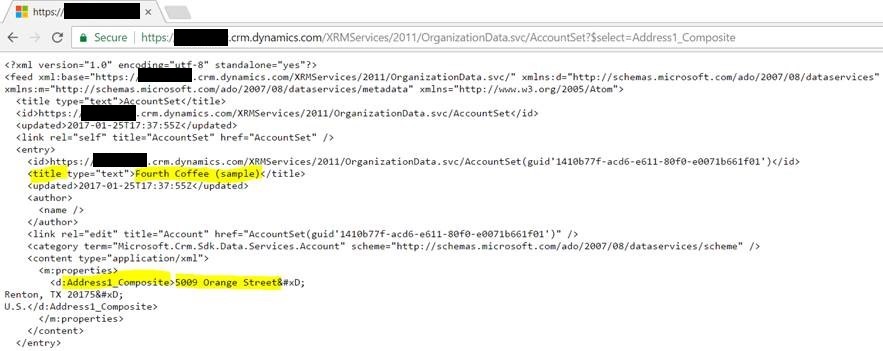
I’m able to enter the same URL into a web browser. I’m redirected to https://login.microsoftonline.com and I can enter my account information. I’m able to see the XML returned in the attached screenshot (Screenshot2.jpg).


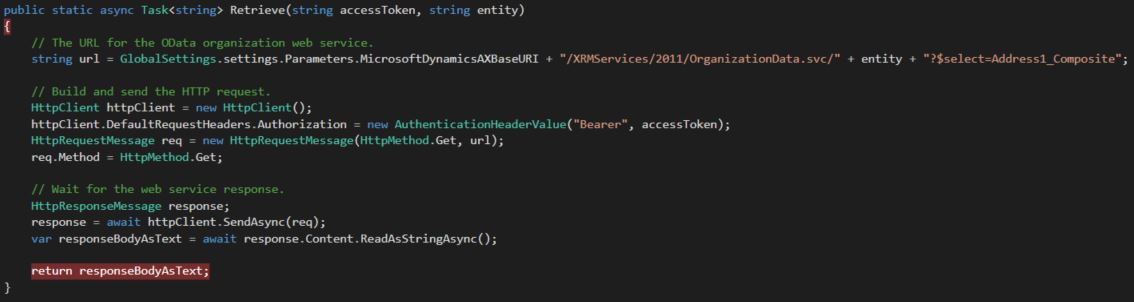
See sample code in Screenshot3.jpg and Screenshot4.jpg
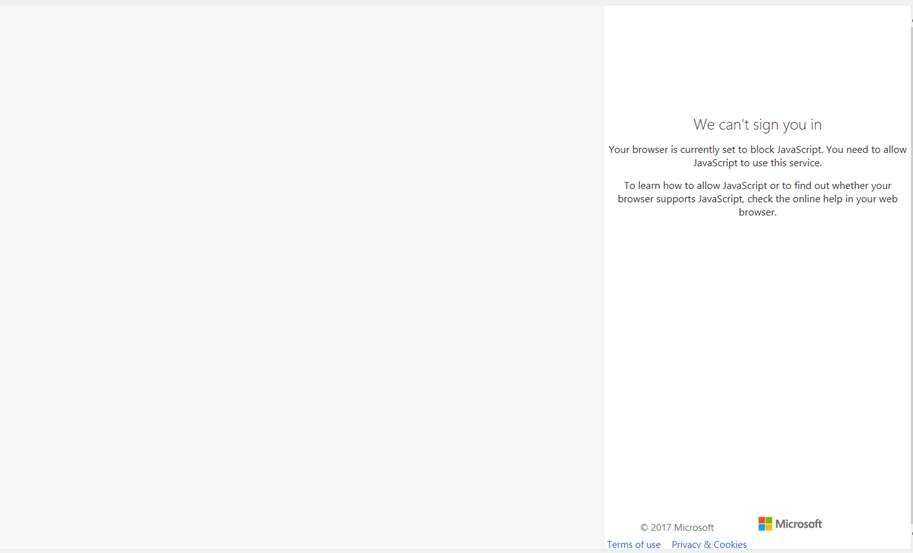
Screenshot1.jpg

3240.Screenshot2.jpg

Screenshot3.JPG

Screenshot4.JPG

*This post is locked for comments

I have the same question (0)
  • Rao Rapolu Profile Picture
    470 on at

    try to use /XRMServices/2011/OrganizationData.svc

  • Joshua Dikun Profile Picture
    on at

    I used /XRMServices/2011/OrganizationData.svc.  I get a HTML response.  When rendered, the HTML response displays a message "We can't sign you in".

    I also used /api/data/v8.2/ but received a "401 - Unauthorized: Access is denied" error.

  • Rao Rapolu Profile Picture
    470 on at

    No stay using /XRMServices/2011/OrganizationData.svc and good that you got some response. Now I am using JS and obviously do not require any auth but if you are using c# plugin I think it needs some user name and the password; post your plugin code in text file, will look into

  • Verified answer
    Joshua Dikun Profile Picture
    on at

    Thanks.  In Azure Active Directory, my app was registered as a web application.  I needed to register the app as a native client application.

    Instead of using the ClientId and Secret Key, I needed to acquire a token using user credentials.

Under review

Thank you for your reply! To ensure a great experience for everyone, your content is awaiting approval by our Community Managers. Please check back later.

Helpful resources

Quick Links

Responsible AI policies

As AI tools become more common, we’re introducing a Responsible AI Use…

Neeraj Kumar – Community Spotlight

We are honored to recognize Neeraj Kumar as our Community Spotlight honoree for…

Leaderboard > 🔒一 Microsoft Dynamics CRM (Archived)

#1
SA-08121319-0 Profile Picture

SA-08121319-0 4

#1
Calum MacFarlane Profile Picture

Calum MacFarlane 4

#3
Alex Fun Wei Jie Profile Picture

Alex Fun Wei Jie 2

Last 30 days Overall leaderboard

Featured topics

Product updates

Dynamics 365 release plans