web
You’re offline. This is a read only version of the page.
close
Skip to main content

Notifications

Announcements

No record found.

Community site session details

Community site session details

Session Id :
Small and medium business | Business Central, N...
Answered

Calling an API in OAuth with grant type Authorization Code from Business Central

(0) ShareShare
ReportReport
Posted on by 71

Hi everyone,

I'm currently trying to call an Oauth Business Central API from Business Central with a grant type authorization code.

I've set up an On Premise business central base with OAuth authentification  by following every steps on this documentation https://learn.microsoft.com/en-us/dynamics365/business-central/dev-itpro/administration/register-app-azure (registering in Azure etc.)

The OAuth setup works well in Postman. I've setup the authentification as Authorization code, and the flow to obtain the security token works fine

pastedimage1683881827050v1.png 

I've exposed some custom API on my base and everything works well.

My issue appears when I'm trying to retrive the security token to call these same APIs in AL. I have issues that I don't seem to find solutions to with the grant type used here.

I have tried first to retrive my security token using the procedure AcquireTokenByAuthorizationCode in codeunit 501 "OAuth2" by sending the same info I'm sending in postman
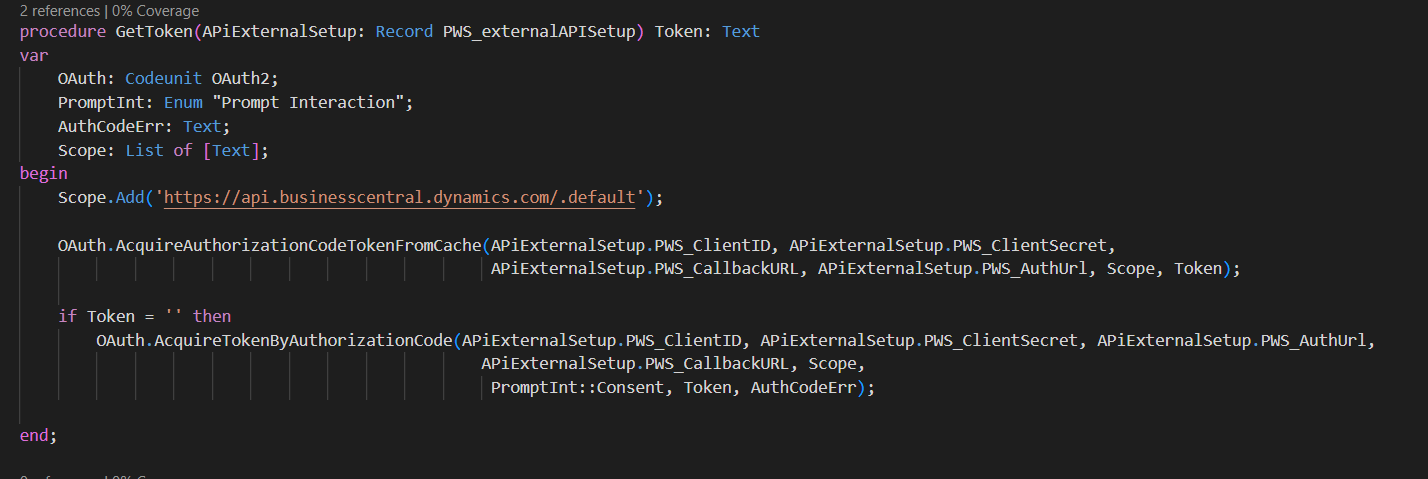
pastedimage1683882139905v2.png

But I only get this response back 

pastedimage1683882157422v3.png

(the sentence in french says Sorry we're having troubles to connect you).

The part about the request body seems strange to me as it looks like a bad request construction, but since I don't have any control on how the request is set up, it looks like the procedure simply does not work ? 

I've also tried to create my own request to retrieve the authorization token, but when the return of my request should have an http code 302 and open a browser for me to authentificate into my azure account, i only get an http 200 with the page's html code in the response
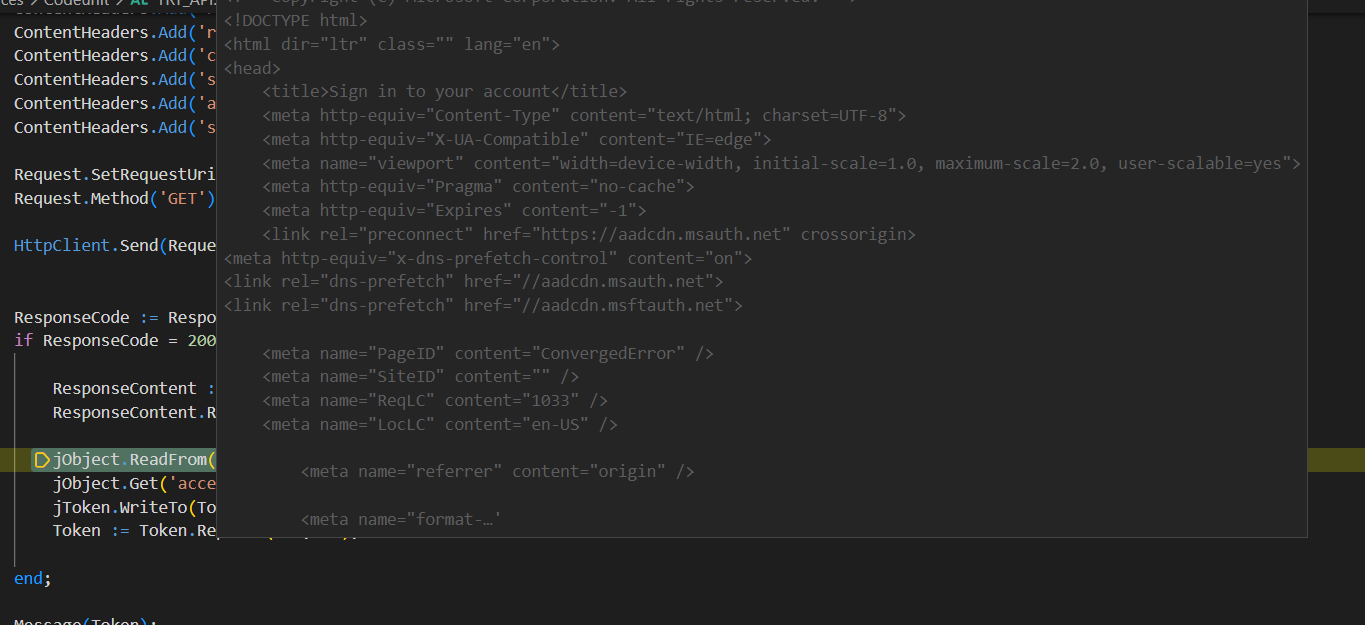
pastedimage1683882572663v4.png

Has anyone done this before ? 

Thanks

I have the same question (0)
  • Suggested answer
    Ramiz Profile Picture
    597 on at

    Hi Valentine Motin 

    Try using this. It works for me.

    var
        OAuth2: Codeunit OAuth2;
    
    OAuth2.AcquireTokenWithClientCredentials(ClientID, ClientSecret, OAuthURL, RedirectURL, Scopes, Accesstoken);
    Headers.Add('Authorization', StrSubstNo('Bearer %1', Accesstoken));

  • Valentine Motin Profile Picture
    71 on at

    Hi Ramiz

    Thank you for your answer,

    Unfortunately when I try "AcquireTokenWithClientCredentials" i get a 401 error "The server has rejected the client credentials."

    Do you think it could be due to azure registration ?

  • Verified answer
    Ramiz Profile Picture
    597 on at

    Hi Valentine Motin 

    Kindly check the Azure Active Directory Applications in BC if your app has been configured there and the values that you are passing are correct.

    pastedimage1683894245610v1.png

  • Valentine Motin Profile Picture
    71 on at

    Thank you so much Ramiz , this solved my problem !

Under review

Thank you for your reply! To ensure a great experience for everyone, your content is awaiting approval by our Community Managers. Please check back later.

Helpful resources

Quick Links

Responsible AI policies

As AI tools become more common, we’re introducing a Responsible AI Use…

Neeraj Kumar – Community Spotlight

We are honored to recognize Neeraj Kumar as our Community Spotlight honoree for…

Leaderboard > Small and medium business | Business Central, NAV, RMS

#1
OussamaSabbouh Profile Picture

OussamaSabbouh 3,143

#2
Jainam M. Kothari Profile Picture

Jainam M. Kothari 1,694 Super User 2025 Season 2

#3
YUN ZHU Profile Picture

YUN ZHU 1,067 Super User 2025 Season 2

Last 30 days Overall leaderboard

Featured topics

Product updates

Dynamics 365 release plans



