web
You’re offline. This is a read only version of the page.
close
Skip to main content

Notifications

Announcements

No record found.

Community site session details

Community site session details

Session Id :
Microsoft Dynamics 365 | Integration, Dataverse...
Answered

Edit 'New Connection' button using Ribbon Workbench

(0) ShareShare
ReportReport
Posted on by 15

I'm trying to edit the + New Connection button on a connections subgrid using the Ribbon Workbench but have not been able to. I have made changes to the New {0} button but the changes don't seem to reflect in the UI. As a test I've tried numerous different entities in subgrids and have been able to edit the new buttons of all of them, my issue just seems to be with connections. I have tried a few different environments and also spun up a new trial to try on there, but I've had the same result every time. 

Any ideas?? 

I have the same question (0)
  • Verified answer
    Nya Profile Picture
    29,060 on at

    Hi,

    I have reproduced your issue.

    It's a bit special from other entities since there are two button:

    • The "NewRecord" button(New {0}), which is mentioned by you, is used to create a new record of Connection record.
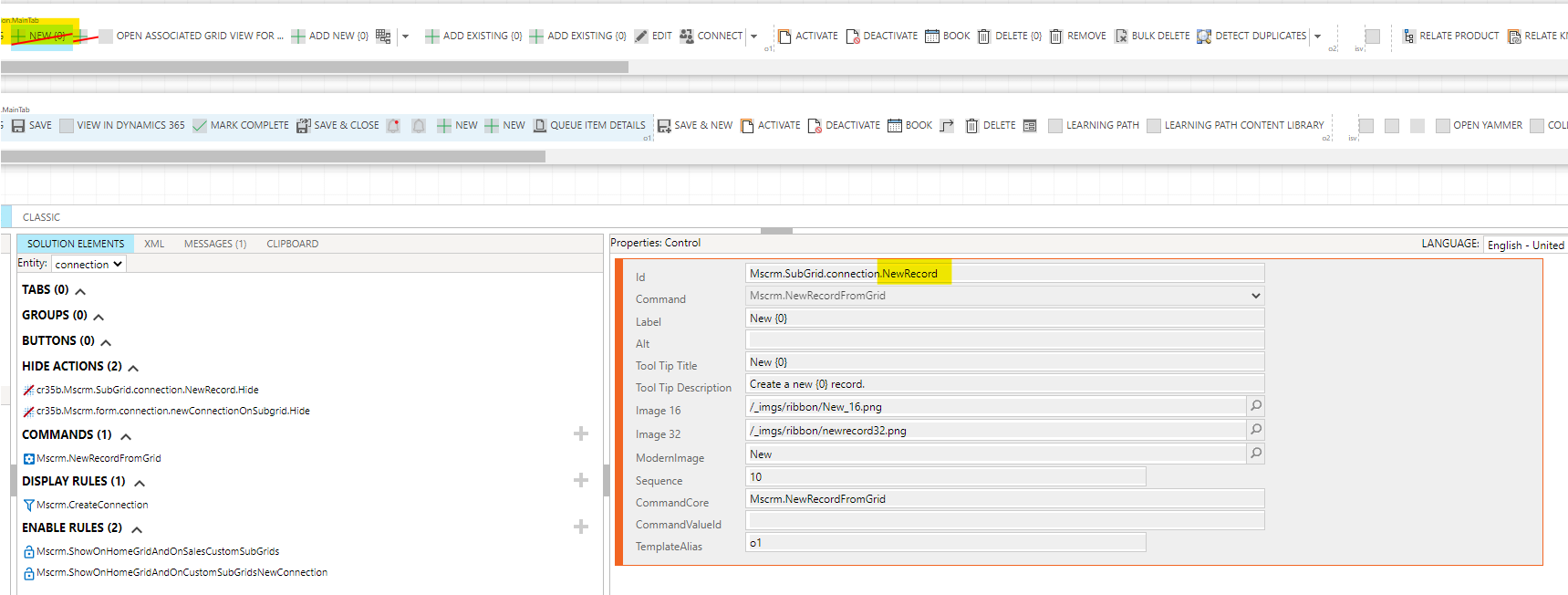
    pastedimage1631089066559v1.png

    • The "newConnectionOnSubgrid" button, which is next to the "NewRecord" button, is used to create Connection for the sub-grid. In other words, it is possible to create a connection not only for the sub-grid of the entity Connection, but also for the sub-grid of other entities.
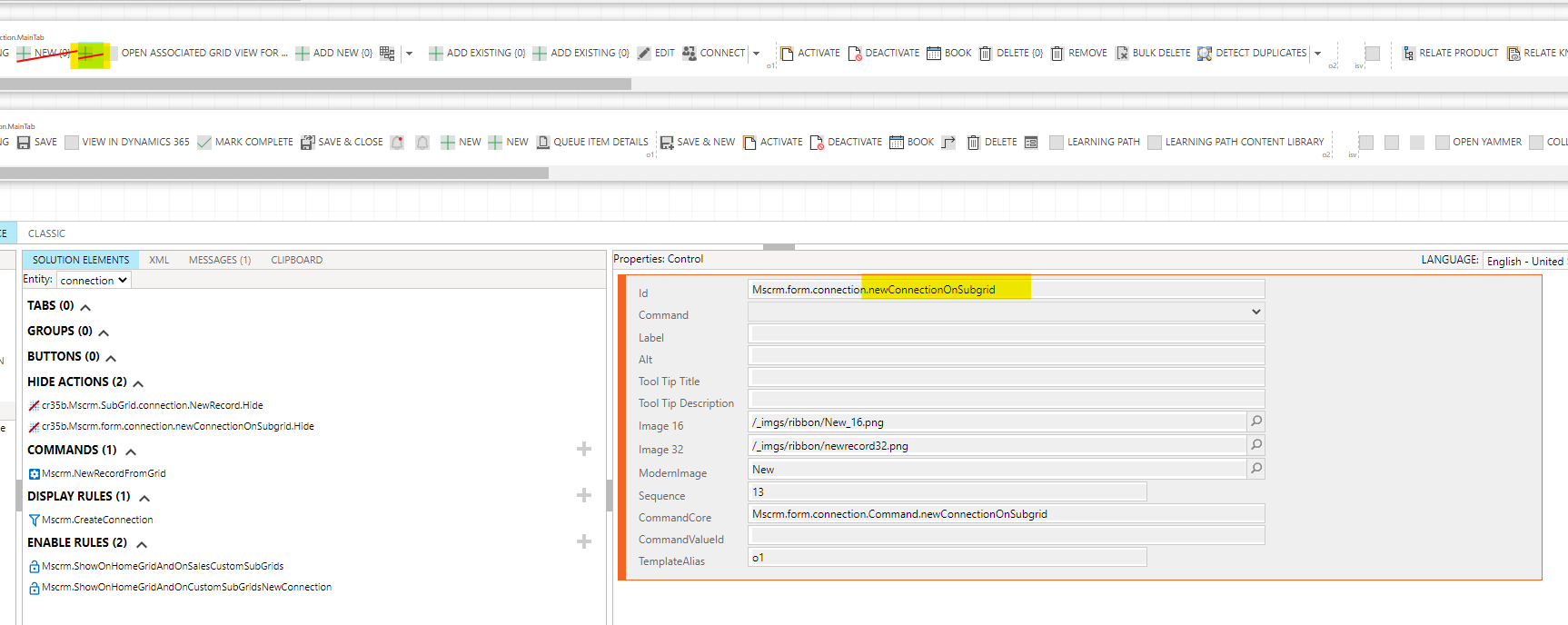
    pastedimage1631089138874v2.png

    And the second one is which you need to customize.

    For example, If I hide the first button and publish it, the + New Connection button will still be shown in the sub-grid of Connection.

    If I hide the second one, it will no longer be shown.
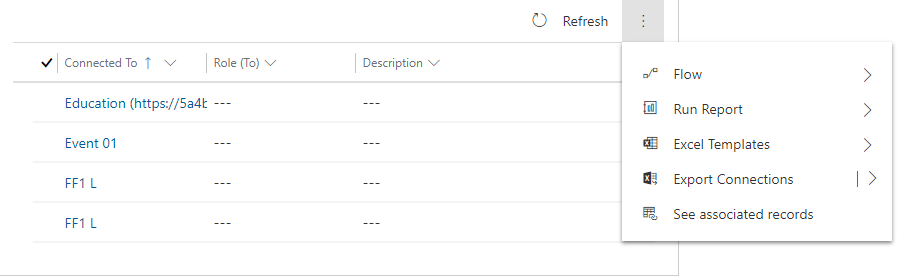
    pastedimage1631089406125v3.png

  • mmcmahon Profile Picture
    75 on at

    Fantastic, thanks very much for going to the trouble to replicate. Problem solved.

  • mmcmahon Profile Picture
    75 on at

    I have tried to mark as verified, but get an error - 'You do not have permission to update this reply.'

  • Verified answer
    Nya Profile Picture
    29,060 on at

    Hi,

    It seems that you're using another account.

    You can use the account Martin McMahon instead of mmcmahon to verify it.

Under review

Thank you for your reply! To ensure a great experience for everyone, your content is awaiting approval by our Community Managers. Please check back later.

Helpful resources

Quick Links

Responsible AI policies

As AI tools become more common, we’re introducing a Responsible AI Use…

Neeraj Kumar – Community Spotlight

We are honored to recognize Neeraj Kumar as our Community Spotlight honoree for…

Leaderboard > Microsoft Dynamics 365 | Integration, Dataverse, and general topics

#1
Siv Sagar Profile Picture

Siv Sagar 93 Super User 2025 Season 2

#2
#ManoVerse Profile Picture

#ManoVerse 74

#3
Martin Dráb Profile Picture

Martin Dráb 64 Most Valuable Professional

Last 30 days Overall leaderboard

Product updates

Dynamics 365 release plans



