web
You’re offline. This is a read only version of the page.
close
Skip to main content

Notifications

Announcements

No record found.

Community site session details

Community site session details

Session Id :
Microsoft Dynamics 365 | Integration, Dataverse...
Answered

Record count is not showing in leads, contacts and opportunity area

(0) ShareShare
ReportReport
Posted on by 1,085

Hello Community Experts,

I'm not able to see the record count like below in many entities such as leads, contacts and opportunities

RecordCount.PNG

I'm able to see it only in account entity, i want it to be displayed for all entities, how do i achieve that

Account-Record-Count.PNG

Kindly guide,

Best regards,

Sumaira Noor

I have the same question (0)
  • Verified answer
    LuHao Profile Picture
    40,892 on at

    Hi Sumaira,

    This is because the view in the first screenshot uses the Editable Grid control.

    As shown, this is the view with Editable Grid enabled. It has no records count.

    pastedimage1583294640379v1.png

    Click Show As > Read Only Grid on the command bar to switch the controls, and then you will see the records count.

    pastedimage1583294695052v2.png    pastedimage1583294752571v3.png

    pastedimage1583294780204v4.png

  • Sumaira Noor Profile Picture
    1,085 on at

    Thanks a lot for the quick response and valuable info Lu

    Could you please explain why has this option editable and read-only grid control given

    Best Regards,

    Sumaira Noor

  • Verified answer
    LuHao Profile Picture
    40,892 on at

    Hi Sumaira,

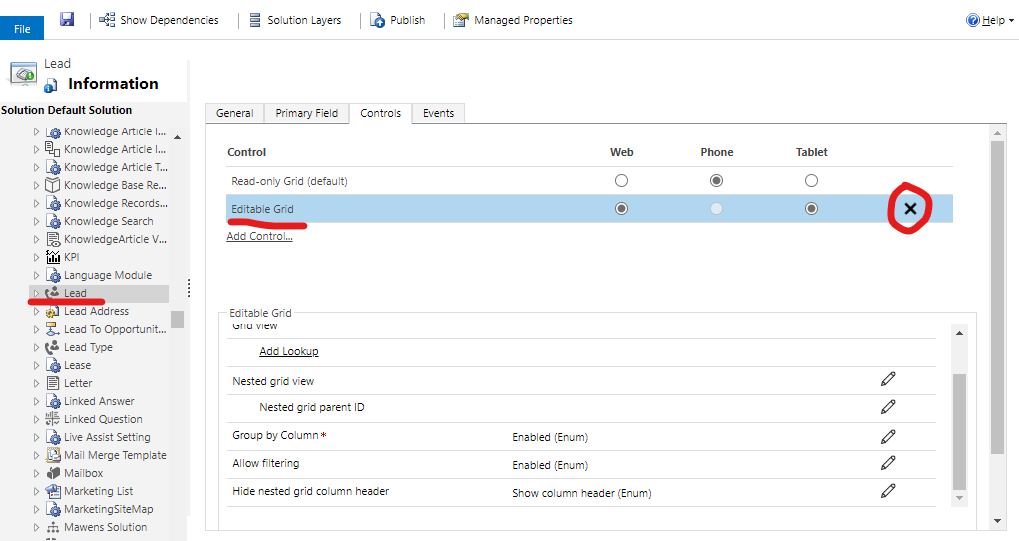
    This is because Editable Grid has been added to the controls of these entities.

    To make Read Only Grid the only control, please follow these steps.

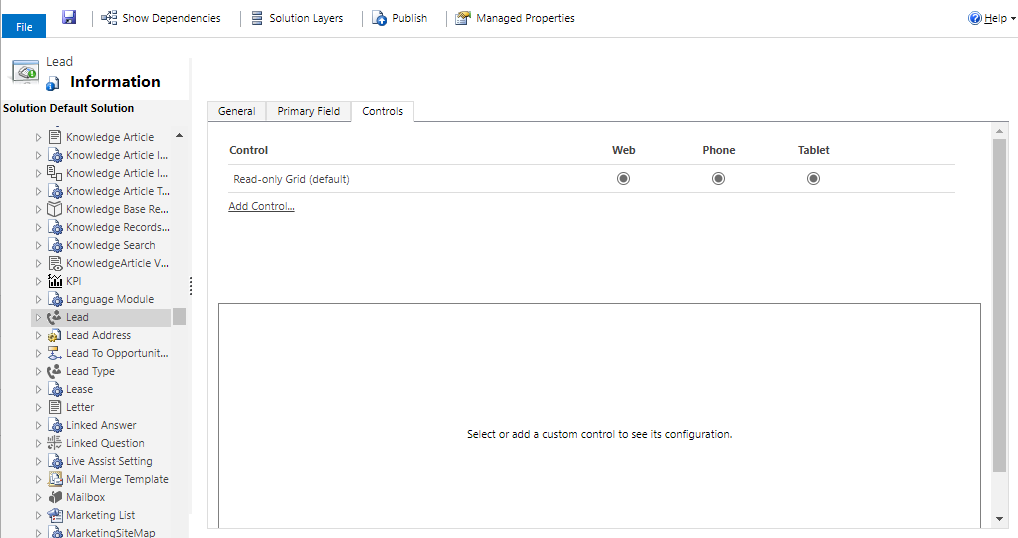
    Open the customizations panel, click an entity (such as Lead), click its Controls tab. 

    You should see the Editable Grid, click on its delete button.
    pastedimage1583298343040v1.png

    Then only Read-only Grid. Save.

    pastedimage1583298538059v2.png

    Do the same for other entities. Finally publish all customizations.

  • Sumaira Noor Profile Picture
    1,085 on at

    Thanks a lot Lu

    It helped a lot

    Best Regards,

    Sumaira Noor

Under review

Thank you for your reply! To ensure a great experience for everyone, your content is awaiting approval by our Community Managers. Please check back later.

Helpful resources

Quick Links

Responsible AI policies

As AI tools become more common, we’re introducing a Responsible AI Use…

Neeraj Kumar – Community Spotlight

We are honored to recognize Neeraj Kumar as our Community Spotlight honoree for…

Leaderboard > Microsoft Dynamics 365 | Integration, Dataverse, and general topics

#1
Martin Dráb Profile Picture

Martin Dráb 45 Most Valuable Professional

#2
iampranjal Profile Picture

iampranjal 36

#3
Satyam Prakash Profile Picture

Satyam Prakash 31

Last 30 days Overall leaderboard

Product updates

Dynamics 365 release plans