web
You’re offline. This is a read only version of the page.
close
Skip to main content

Notifications

Announcements

Community site session details

Community site session details

Session Id :
Customer Insights - Journeys forum

Landing page registration

(0) ShareShare
ReportReport
Posted on by 410

Hi All,

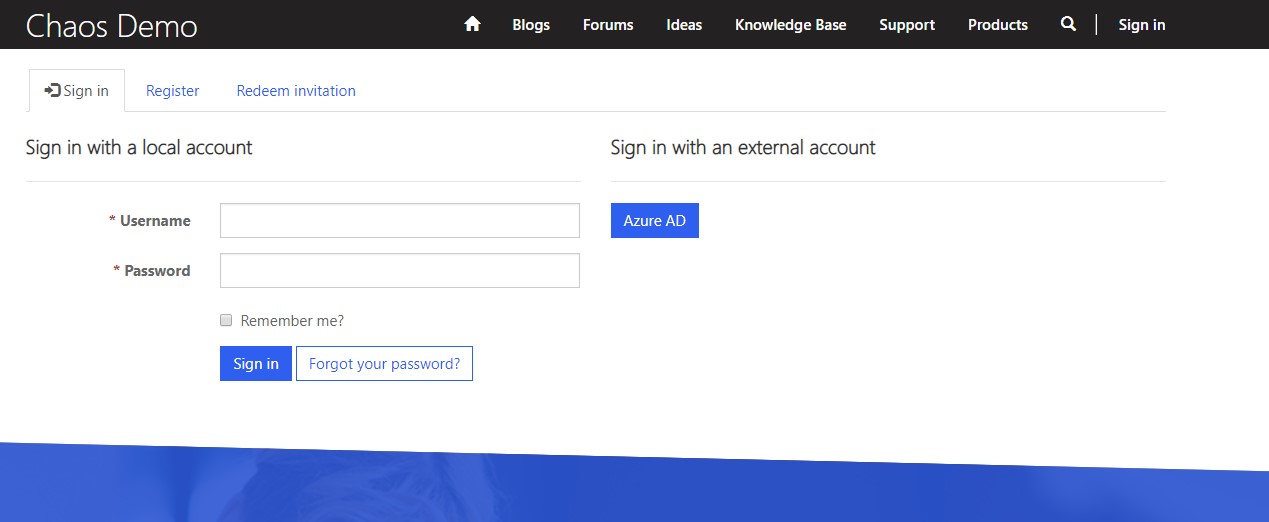
I was wonder if someone know if there is any way when user register or fill up the registration for on my landing page (which created a profile for this user) once he submits the form if he can be redirected and automatically logged in to the portal.
1.jpg

Assuming that the registration form will allow this user to login to my CRM portal (which stays behind Dynamics Landing Page) using the username and the password that he created during the registration form process.

Let me know if you want more clarifications.

Kind regards

I have the same question (0)
  • Suggested answer
    ShravanSuri Profile Picture
    1,255 on at

    Hey Kiril,

    If I understand this correctly, you want users to fill out a form on a landing page, provide their preferred email ID and password, and then create a portal user and log them in? I believe that this might have security repercussions if you use the OOB forms to capture passwords, but you can design a custom form and use that for your registration and login experience.

    This is not a scenario that the product supports OOB however.

    Thanks

  • Radoslavov Profile Picture
    410 on at

    Hi Shravan,

    Thanks for the reply,

    Indeed, I want them to fill up a form on the landing page, but also this to create them a user account (not to log them immediately after they click submit) so then they can navigate to the portal home page and click log in into their profiles.

  • Suggested answer
    Christian Abeln Profile Picture
    on at

    Hello,

    Some ideas:

    In your customer journey you could add a workflow action after the subscription trigger and then in that workflow validate whether a user for the respective / contact email already exists and otherwise create. This workflow could perhaps also create an instance of a custom Portal Invite entity. You could then compose an invite notification journey that send to all those contacts for which the workflow has created Portal Invites with information on the Login.

    That sounds feasible to me as a custom development.

  • Radoslavov Profile Picture
    410 on at

    Hi Christian,

    Thank you for the suggestion, I will take a look into this option as well along with our DEV team.

    Regards

Under review

Thank you for your reply! To ensure a great experience for everyone, your content is awaiting approval by our Community Managers. Please check back later.

Helpful resources

Quick Links

November Spotlight Star - Khushbu Rajvi

Congratulations to a top community star!

Forum Structure Changes Coming on 11/8!

In our never-ending quest to help the Dynamics 365 Community members get answers faster …

Dynamics 365 Community Platform update – Oct 28

Welcome to the next edition of the Community Platform Update. This is a status …

Leaderboard > Customer Insights - Journeys

Last 30 days Overall leaderboard

Featured topics

Product updates

Dynamics 365 release plans
