I have recently migrated a load of dynamics data from one environment to another. In doing this, the opportunities I have migrated have all come across as open when they should've been in a closed as either Lost or Won state. Never the less, I now need to close all of these opportunities in bulk.
I've exported the opportunities and relevant data to excel and put that in a SharePoint list. I then set up a flow using the SharePoint list as the trigger with the following steps.
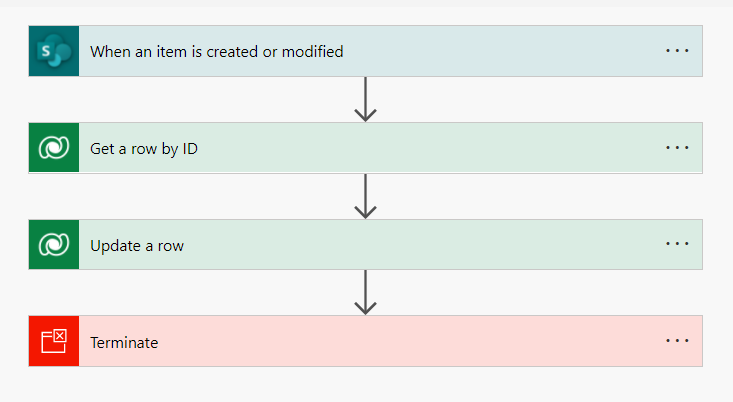
The Update a Row step sets the Status, Status Reason, Actual Value and Actual Close Date
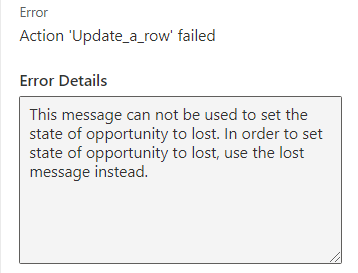
On running this I get the following error.
{
"error": {
"code": "0x80040216",
"message": "This message can not be used to set the state of opportunity to lost. In order to set state of opportunity to lost, use the lost message instead.",
"@Microsoft.PowerApps.CDS.ErrorDetails.HttpStatusCode": "400",
"@Microsoft.PowerApps.CDS.TraceText": "[Microsoft.Dynamics.Sales.Plugins: Microsoft.Dynamics.Sales.Plugins.PreOpportunityUpdate]\r\n[a13c2831-776b-e611-80ec-00155dc14c00: Update of opportunity]\r\nEntered Microsoft.Dynamics.Sales.Plugins.PreOpportunityUpdate.Execute(), Correlation Id: c26fd127-3ae8-480f-aef1-d4998a1c0338, Initiating User: f2f84aac-8aa1-4e7f-bbe8-b309e14df767\r\nException: Microsoft.Dynamics.Solution.Common.CrmInvalidOperationException: This message can not be used to set the state of opportunity to lost. In order to set state of opportunity to lost, use the lost message instead. (Fault Detail is equal to Exception details: \r\nErrorCode: 0x80040216\r\nMessage: This message can not be used to set the state of opportunity to lost. In order to set state of opportunity to lost, use the lost message instead.\r\nStackTrace: \r\n at System.Environment.GetStackTrace(Exception e, Boolean needFileInfo)\r\n at System.Environment.get_StackTrace()\r\n at Microsoft.Dynamics.Solution.Common.CrmException.BuildOrganizationServiceFault(Exception innerException, Int32 errorCode, Int32 statusCode, String message)\r\n at Microsoft.Dynamics.Solution.Common.CrmException..ctor(String message, Exception innerException, Int32 errorCode, Int32 statusCode, Boolean isFlowControlException, Boolean enableTrace)\r\n at Microsoft.Dynamics.Solution.Common.CrmException..ctor(String message, Exception innerException, Int32 errorCode, Int32 statusCode, Boolean isFlowControlException)\r\n at Microsoft.Dynamics.Solution.Common.CrmException..ctor(String message, Exception innerException)\r\n at Microsoft.Dynamics.Solution.Common.CrmInvalidOperationExc...)., Correlation Id: c26fd127-3ae8-480f-aef1-d4998a1c0338, Initiating User: f2f84aac-8aa1-4e7f-bbe8-b309e14df767\r\nExiting Microsoft.Dynamics.Sales.Plugins.PreOpportunityUpdate.Execute(), Correlation Id: c26fd127-3ae8-480f-aef1-d4998a1c0338, Initiating User: f2f84aac-8aa1-4e7f-bbe8-b309e14df767",
"@Microsoft.PowerApps.CDS.InnerError.Message": "This message can not be used to set the state of opportunity to lost. In order to set state of opportunity to lost, use the lost message instead."
}
}
I'm basically making this up as I go along. I cant find much in the way of previous attempts of this, and what I have found is old Common Data Service blogs, which not longer work.
Can someone help? I don't really understand the close process for Dynamics opportunities. So maybe I'm doing this incorrectly.


