web
You’re offline. This is a read only version of the page.
close
Skip to main content

Notifications

Announcements

No record found.

Community site session details

Community site session details

Session Id :
Microsoft Dynamics CRM (Archived)

Import failure: You cannot import data to this record because the record was updated in Microsoft Dynamics CRM

(0) ShareShare
ReportReport
Posted on by 26

To import the data back into CRM I do the following procedure:

  1. Export the data to a dynamic workbook (this is automatically saved as .xlsx)
  2. Update the exported worksheet and save as Strict Open XML Spreadsheet (.xlsx)
  3. Import this spreadsheet to CRM and also allowing duplicate data.
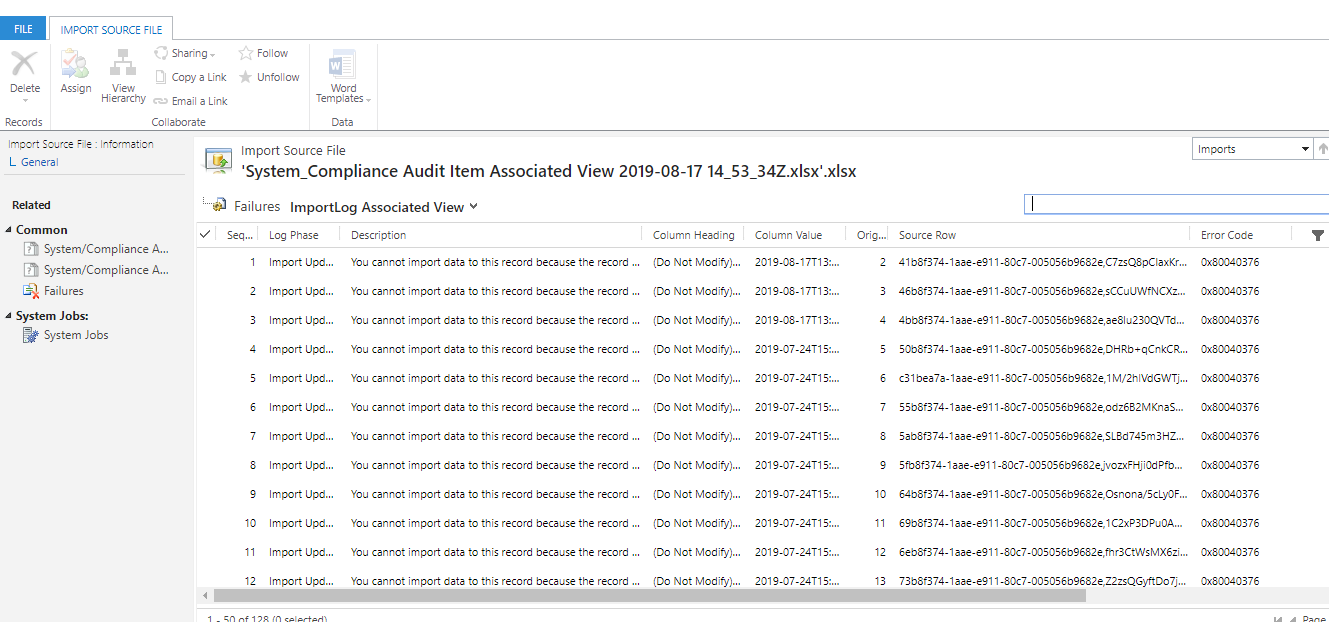
  4. I get the following status:
  5.  pastedimage1566049373064v3.png      pastedimage1566049082132v2.png

It seems like it has to the with the 'Modified On' column heading but the data seems correct. I never updated the data online after exporting

Could it be maybe because I am not connected to the server and thus causing syncing problems?

*This post is locked for comments

I have the same question (0)
  • Suggested answer
    PS Profile Picture
    23,577 on at

    You should never make a change to the first three columns (A,B,C) starting with do not modify.

    it seems like when you're opening the excel, it's making change to your modify date format or value.

    Please try on another system and see if it's still the case.

  • sspj9 Profile Picture
    26 on at

    The first three columns are always hidden and were never modified.

    I tried the same procedure on a different computer but the same problem was encountered.

    Interestingly, I tried importing data of a different batch of items. This time only one record was successful but this record wasn't updated; only the first record was.

    I observed the first 3 'do not modify' columns of this record and nothing seemed to different from the rest:

    pastedimage1566120164768v1.png

    Also noted that the Modified on column is correct; showing the correct date and time when the records were last updated.

  • Verified answer
    sspj9 Profile Picture
    26 on at

    I have finally found a solution!

    Apparently when importing the file, amending and then saving as a different file type alters the spreadsheet's parameters.

    I hence used Internet Explorer since when importing the file, the system asks the user to save as a different format. I added .xlsx at the end to save it as the required format. I amended the file and imported it back to CRM..It worked!! Only the records that were amended were updated!

Under review

Thank you for your reply! To ensure a great experience for everyone, your content is awaiting approval by our Community Managers. Please check back later.

Helpful resources

Quick Links

Responsible AI policies

As AI tools become more common, we’re introducing a Responsible AI Use…

Neeraj Kumar – Community Spotlight

We are honored to recognize Neeraj Kumar as our Community Spotlight honoree for…

Leaderboard > 🔒一 Microsoft Dynamics CRM (Archived)

#1
SA-08121319-0 Profile Picture

SA-08121319-0 4

#1
Calum MacFarlane Profile Picture

Calum MacFarlane 4

#3
Alex Fun Wei Jie Profile Picture

Alex Fun Wei Jie 2

Last 30 days Overall leaderboard

Featured topics

Product updates

Dynamics 365 release plans