web
You’re offline. This is a read only version of the page.
close
Skip to main content

Announcements

No record found.

News and Announcements icon
Community site session details

Community site session details

Session Id :
Microsoft Dynamics AX (Archived)

Distribute amount by quantity does not allow whole number

(0) ShareShare
ReportReport
Posted on by

Hello,

I am trying to distribute the amount for an item by quantity, but item is for some reason not allowing a whole number. It always has a trailing number at the end, unless I do a perfectly even split.

For example, I have 700 quantity and want to split 400-300: it defaults to this 400.003 and 299.997 and I cannot change it
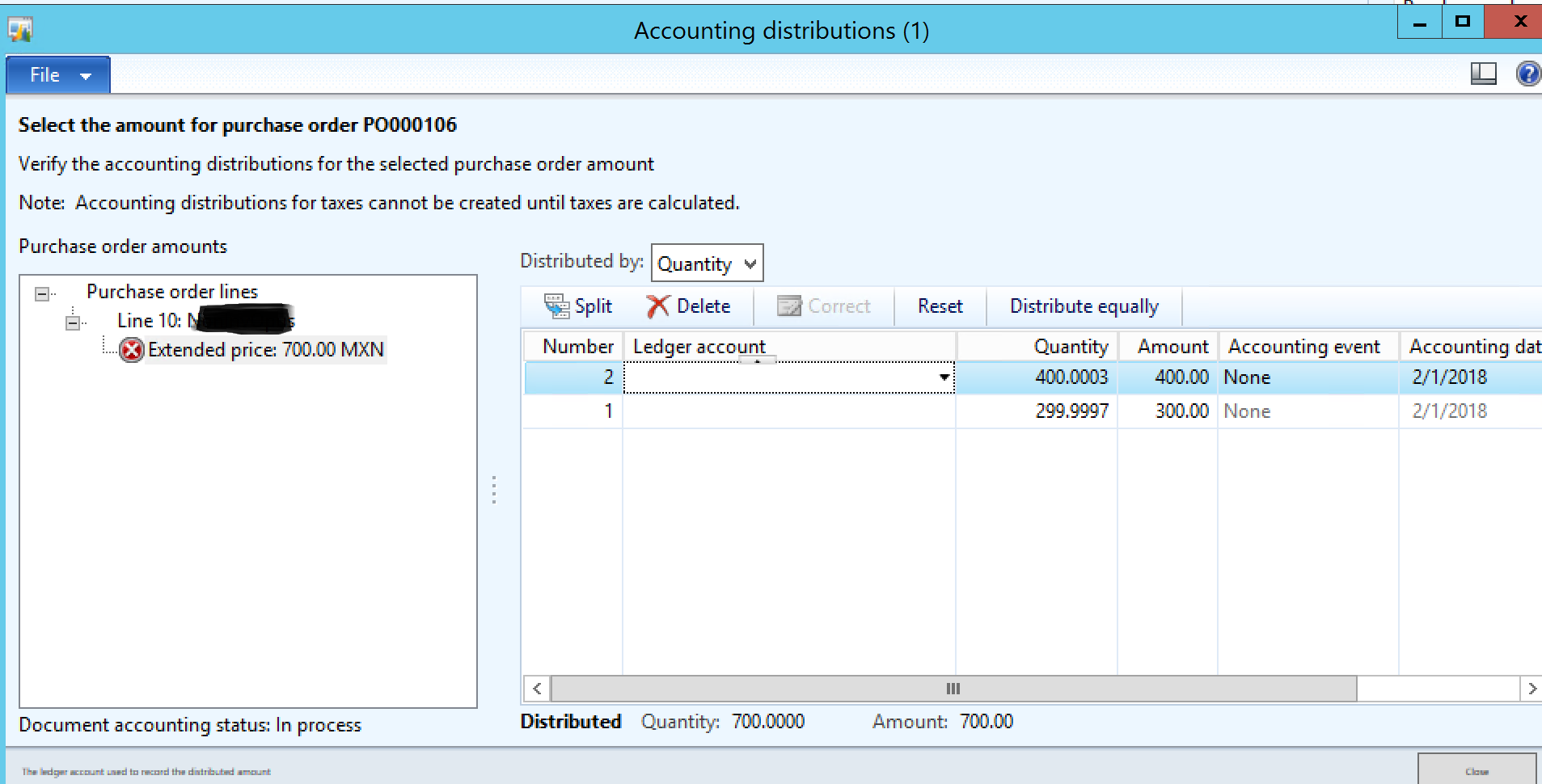
distributtion2.PNG

But with a perfect even split it works
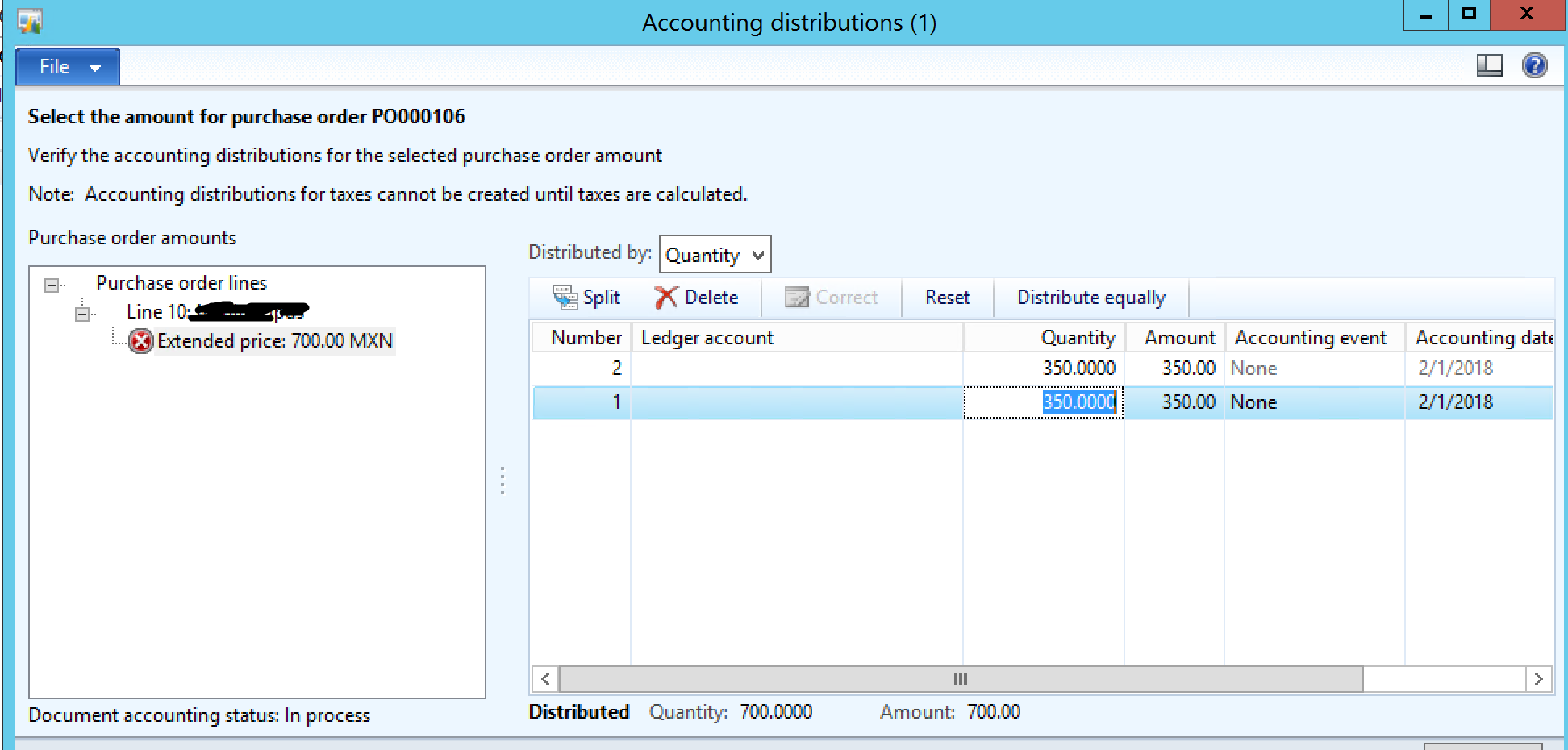
distribution1.PNG

Thanks

*This post is locked for comments

I have the same question (0)
  • Khaled Alloud Profile Picture
    3,658 on at

    Dear JonH,

    Why do you want to split the lines per quantity on this level?

    Thank you,

  • Suggested answer
    Chandra Wijaya Setiawan Profile Picture
    1,145 on at

    Maybe due to your unit decimal setup ?

  • Community Member Profile Picture
    on at

    Hi Kaled,

    The client wanted to be able to perform this function in a system test

    Chandra,

    I checked all the decimal rounding for the units and they are all at 0...any idea what could be causing this?

  • Suggested answer
    Khaled Alloud Profile Picture
    3,658 on at

    Hello JonH,

    I do not think this is possible in form; however, what is the business purpose behind this request, this client request might be valid.

    Regards,

  • Community Member Profile Picture
    on at

    Hi Kaled,

    Sure, when the client needs to split the line between two different department you would use the distribution so that you can post to two different financial dimensions for the line. Do you have any idea about what could be causing this rounding issue?>

    Thanks

Under review

Thank you for your reply! To ensure a great experience for everyone, your content is awaiting approval by our Community Managers. Please check back later.

Helpful resources

Quick Links

Introducing the 2026 Season 1 community Super Users

Congratulations to our 2026 Super Stars!

Meet the Microsoft Dynamics 365 Contact Center Champions

We are thrilled to have these Champions in our Community!

Congratulations to the March Top 10 Community Leaders

These are the community rock stars!

Leaderboard > 🔒一 Microsoft Dynamics AX (Archived)

#1
CP04-islander Profile Picture

CP04-islander 39

#2
Michel ROY Profile Picture

Michel ROY 14

#3
imran ul haq Profile Picture

imran ul haq 8

Last 30 days Overall leaderboard

Featured topics

Product updates

Dynamics 365 release plans
