web
You’re offline. This is a read only version of the page.
close
Skip to main content

Notifications

Announcements

No record found.

Community site session details

Community site session details

Session Id :
Microsoft Dynamics CRM (Archived)

CRM Outlook client 2015

(0) ShareShare
ReportReport
Posted on by

Hi,

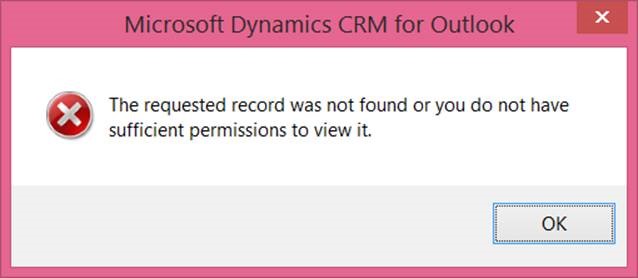
We have one user who is a system admin in CRM keeps getting this error when trying to track an email. There was an article for CRM 2011 which suggested clearing the cache within Outlook but this did not resolve. It works fine for all other users.

Windows 8.1 -  Outlook 2013 SP1 - CRM 2015
*This post is locked for comments

I have the same question (0)
  • Suggested answer
    Community Member Profile Picture
    on at

    Enable tracing and see what is the underlying stack error. You can take both client and server traces in unison to get the right reason behind this error.

  • Suggested answer
    Aldo Macedo Profile Picture
    on at

    Hello 1984,

    You could try to do the next steps:

    • Add to IE https://*.dynamics.com https://*.onmicrosoft.com (if it is online) https://*.microsoft.com

    • Delete SDF files and synchronize CRM Outlook again:

    -  Remove the Outlook Cached file (C:\Users\<Local profile of the affected user >\AppData\Local\Microsoft\MSCRM\Client\*.sdf and C:\Users\< Local profile of the affected user >\AppData\Roaming\Microsoft\MSCRM\Client\*.sdf)

    - Clear System Temp files (Run ‘%temp%’ -> Delete all files)

    - Run Ccleaner to delete cookies, cache and temp files from system completely: www.piriform.com/ccleaner

    More information:

    support.microsoft.com/.../2616319

    • Also there is a known issue: If the email address, that was used to configure/create this organization, is used on the To or CC line while trying to track emails, we would get the error message. This is one of the scenario where this error can come up. And the available workaround is to avoid using that email address on the To/CC lines. blogs.msdn.com/.../unable-to-track-e-mails-in-crm-2011-online.aspx

    • If this doesn’t work I suggest you to do a full uninstall for CRM Outlook and reinstall it again: blogs.msdn.com/.../step-by-step-to-uninstall-the-dynamics-crm-outlook-client-successfully.aspx

    • Also verify CRM Outlook traces and identify if there is no plugins that have interaction with CRM Outlook functions, obsolete code in web resources can block functions use Custom Code Validation Tool solution to verify this: www.microsoft.com/.../details.aspx

    Best regards,

  • Suggested answer
    MarkAngus Profile Picture
    15 on at

    I had the same issue with one user.  The only way I found to fix it was to uninstall the CRM 2015 Outlook client and install the CRM 2013 Outlook client (up to SP1).  After I did, the user was able to track email.   If that is an option, I would recommend it.

    Here is the CRM 2013 Outlook Client

    http://www.microsoft.com/en-us/download/details.aspx?id=40344

    Here is the SP1 download, select the client download, either 32bit or 64. 

    http://www.microsoft.com/en-us/download/details.aspx?id=43109

Under review

Thank you for your reply! To ensure a great experience for everyone, your content is awaiting approval by our Community Managers. Please check back later.

Helpful resources

Quick Links

Responsible AI policies

As AI tools become more common, we’re introducing a Responsible AI Use…

Neeraj Kumar – Community Spotlight

We are honored to recognize Neeraj Kumar as our Community Spotlight honoree for…

Leaderboard > 🔒一 Microsoft Dynamics CRM (Archived)

#1
SA-08121319-0 Profile Picture

SA-08121319-0 4

#1
Calum MacFarlane Profile Picture

Calum MacFarlane 4

#3
Alex Fun Wei Jie Profile Picture

Alex Fun Wei Jie 2

Last 30 days Overall leaderboard

Featured topics

Product updates

Dynamics 365 release plans



