Hi
it is basically create "Cover-sheet" based on Contact information and company information. Let say you want to send a letter to contact and tell them this is for your information and keep the log in Nav. or other use.
Below is information from Nav guideline
Contact – Cover Sheet Report
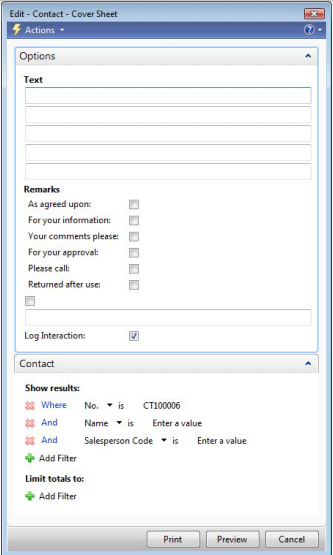
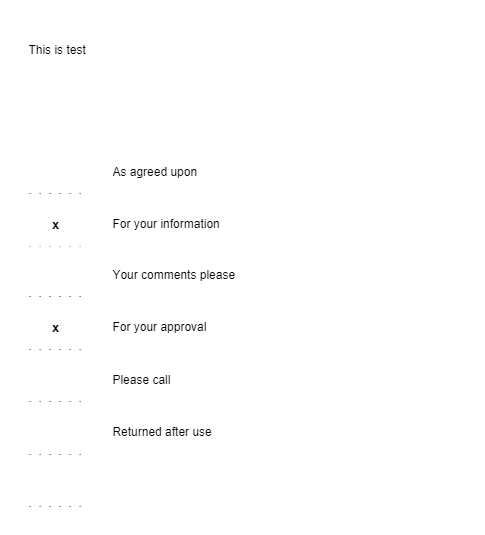
With this report, you can print cover sheets to send to your contacts. To open the report, select a contact you want to print cover sheets for and click Actions > Functions > Print Cover Sheet. In the Text field on the Options FastTab, enter the text that you want to appear on the cover sheet. In the Remarks area, select check boxes next to the phases you want to appear on the report, and/or select the last check box in this area and enter your own comment. The program automatically marks options on the printed cover sheet for check boxes you selected here
If the Log Interaction check box is selected when you print cover sheets, an interaction is created automatically for the selected contact.