web
You’re offline. This is a read only version of the page.
close
Skip to main content

Announcements

No record found.

News and Announcements icon
Community site session details

Community site session details

Session Id :
Supply chain | Supply Chain Management, Commerce
Unanswered

Warehouse Mobile App - Not displaying certain fields

(0) ShareShare
ReportReport
Posted on by 107

Hi,

We use the Warehouse Mobile App to receive incoming purchase order lines, PurchaseOrderLineReceiving, but it seems that not all fields are displayed in the warehouse app.

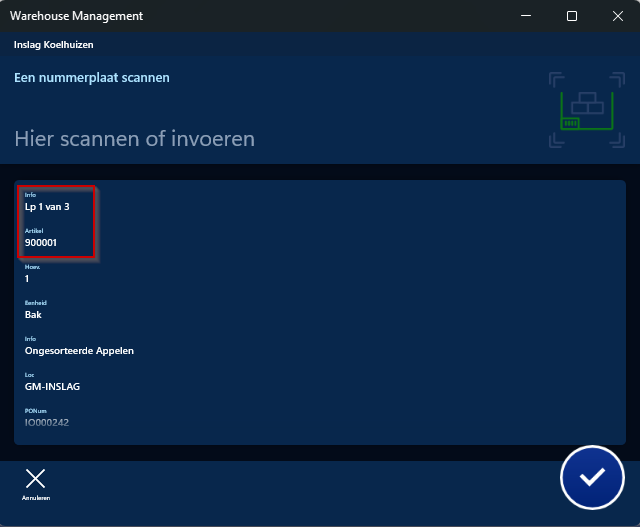
In 1 environment, we see the normal screen, displaying the number of license plates we will receive and the item:
pastedimage1683193245285v1.png

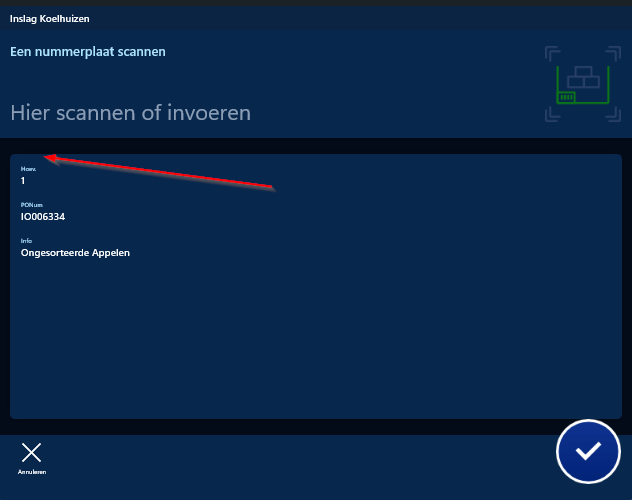
In another environment however, on the same screen, we don't see the number of license plates and the item:
pastedimage1683193380497v2.png

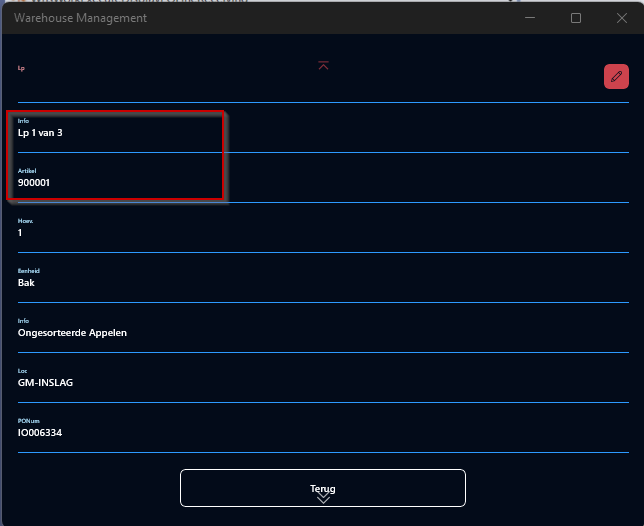
When i go to the details page, i can see the information is there:
pastedimage1683193467068v5.png

But it seems that it's not being displayed for some reason in the screen.

Does anyone have any idea of why this could happen? What could determine when a field is displayed or not in the warehouse app screen?

I have the same question (0)
  • Laurens vd Tang Profile Picture
    4,796 Super User 2026 Season 1 on at

    Hi BuBba,

    Could you compare the 'Warehouse Field priority' of both environments? 

    pastedimage1683200758631v1.png

    Path: Warehouse management > Setup > Mobile device > Warehouse app field priority

    Regards,

    Laurens van der Tang

  • BuBbA Profile Picture
    107 on at

    Hi,

    Yes, i checked that before, but the 1st field is a label so i don't think there is any field for that in the priorities and the 2nd field is the Item which is in the highest prio in both environments.

Under review

Thank you for your reply! To ensure a great experience for everyone, your content is awaiting approval by our Community Managers. Please check back later.

Helpful resources

Quick Links

Introducing the 2026 Season 1 community Super Users

Congratulations to our 2026 Super Stars!

Meet the Microsoft Dynamics 365 Contact Center Champions

We are thrilled to have these Champions in our Community!

Congratulations to the April Top 10 Community Leaders

These are the community rock stars!

Leaderboard > Supply chain | Supply Chain Management, Commerce

#1
André Arnaud de Calavon Profile Picture

André Arnaud de Cal... 164 Super User 2026 Season 1

#2
Laurens vd Tang Profile Picture

Laurens vd Tang 105 Super User 2026 Season 1

#3
Zain Mehmood Profile Picture

Zain Mehmood 89 Most Valuable Professional

Last 30 days Overall leaderboard

Product updates

Dynamics 365 release plans
