web
You’re offline. This is a read only version of the page.
close
Skip to main content

Notifications

Announcements

No record found.

Community site session details

Community site session details

Session Id :
Small and medium business | Business Central, N...
Suggested Answer

Customizing check templates -- when opening new accounts

(0) ShareShare
ReportReport
Posted on by 390

Hello All,

We are changing banks (US bank).  The template for the old bank was customized and we had no issues.  Now that we are switching banks, how can I copy the template for the old bank to the new bank.?    Maybe I am simplifying the process too much.

Any suggestions will be much appreciated!


Thank you in advance!

I have the same question (0)
  • Suggested answer
    MahGah Profile Picture
    15,529 on at

    Hi

    Maybe I am missing something here.

    Do you need to redesign the check report to match the new bank? Or you want to assign a report to new bank?

    As far as I know if you go to Report Selections Bank Account and that report will use for all banks. You can change the selected report layout if you want to.

    Also this is other info about changing bank

    docs.microsoft.com/.../bank-how-setup-bank-accounts

  • Suggested answer
    YUN ZHU Profile Picture
    95,729 Super User 2025 Season 2 on at

    Hi, MahGah explained the situation of Report. But if you said bank statement file import.

    Hope the following helps.

    https://docs.microsoft.com/en-us/dynamics365-release-plan/2021wave1/smb/dynamics365-business-central/simplified-bank-statement-file-import

    https://yzhums.com/11072/

    https://www.youtube.com/watch?v=uNvj3rya83U

    Thanks.

    ZHU

  • Petronila Profile Picture
    390 on at

    Thank you for your response....

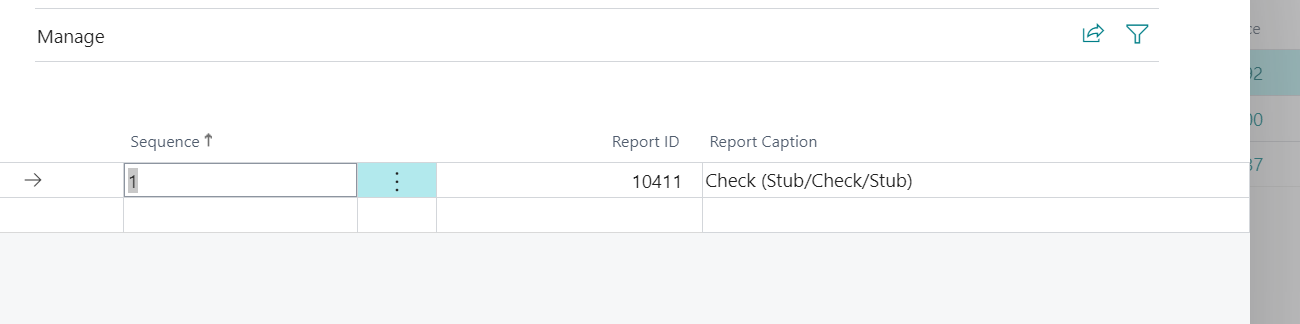
    Let me take a step back.   We do have the correct report selection -- i.e. (stub/check/stub) - see below.   And this is the same, the old bank account was using.  That is the only thing I am able to verify.
    pastedimage1638757931818v1.png

    The problem that we have is with -- 1) name of the company.  This was not appearing on the old checks.  I am not sure where to do to remove that customization.

    Also, I do remember having the old bank account checks -- slightly customized so they could line up with the actual check.

    Is there a way to see the customization done to a check template so that it lines up correctly with the blank checks? 

    Thank you!

  • Petronila Profile Picture
    390 on at

    Thank you for responding Zhu!

  • Suggested answer
    MahGah Profile Picture
    15,529 on at

    Hi

    I think you can switch the company to Cornus then download the same report. Then download it from production as well and compare. 

    Missing company and others should be manage through editing the report and uploading back. 

Under review

Thank you for your reply! To ensure a great experience for everyone, your content is awaiting approval by our Community Managers. Please check back later.

Helpful resources

Quick Links

Responsible AI policies

As AI tools become more common, we’re introducing a Responsible AI Use…

Neeraj Kumar – Community Spotlight

We are honored to recognize Neeraj Kumar as our Community Spotlight honoree for…

Leaderboard > Small and medium business | Business Central, NAV, RMS

#1
OussamaSabbouh Profile Picture

OussamaSabbouh 2,238

#2
YUN ZHU Profile Picture

YUN ZHU 773 Super User 2025 Season 2

#3
Sumit Singh Profile Picture

Sumit Singh 630

Last 30 days Overall leaderboard

Featured topics

Product updates

Dynamics 365 release plans



