web
You’re offline. This is a read only version of the page.
close
Skip to main content

Announcements

No record found.

News and Announcements icon
Community site session details

Community site session details

Session Id :
Microsoft Dynamics AX (Archived)

Invoice quantity doesn't match received quantity

(0) ShareShare
ReportReport
Posted on by

Dear all,

Have any one faced that issue:

- Create P.O = 15,000 qty

- Post product receipt = 15,000 qty
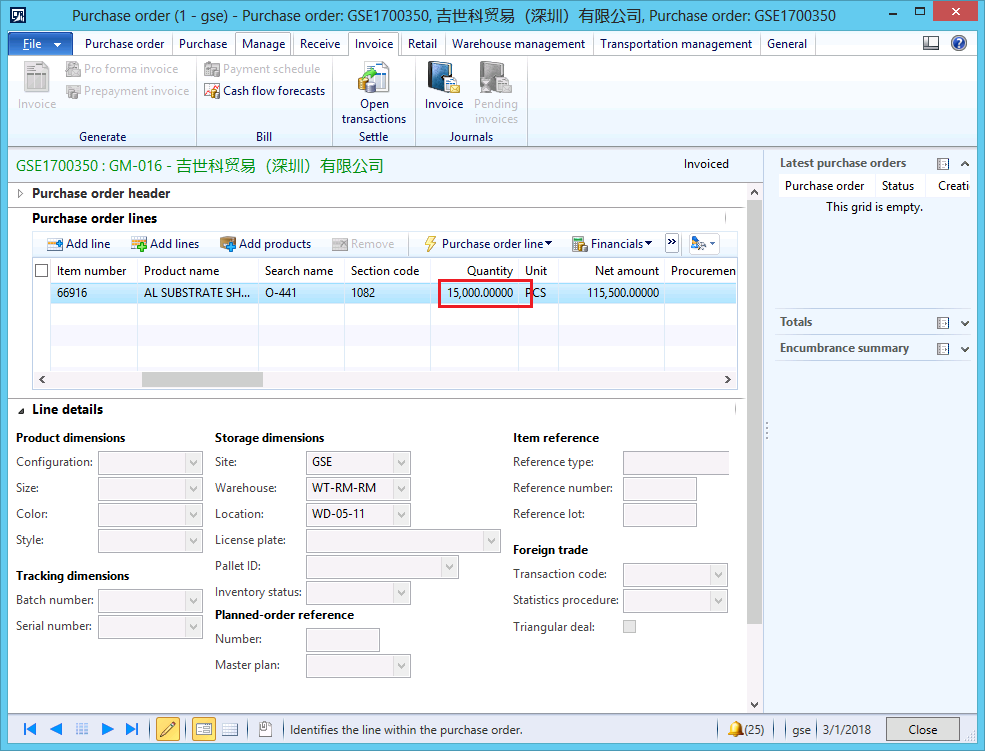
85111.1.png

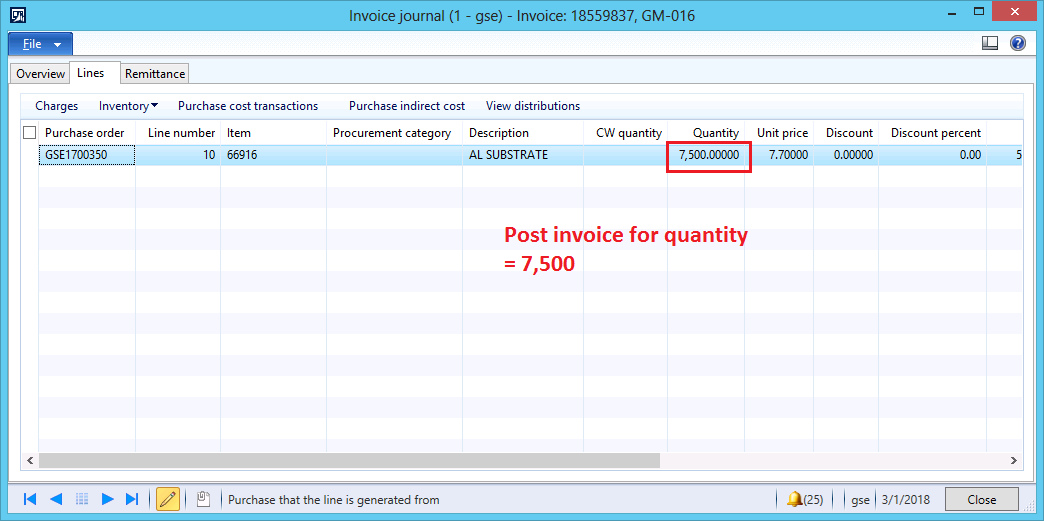
- Post invoice = 7,500 qty.

0724.2.png

But system just posted a half of amount to GL. Please refer to the attached screenshots:

- Check Inventory transaction: Quantity =15,000.
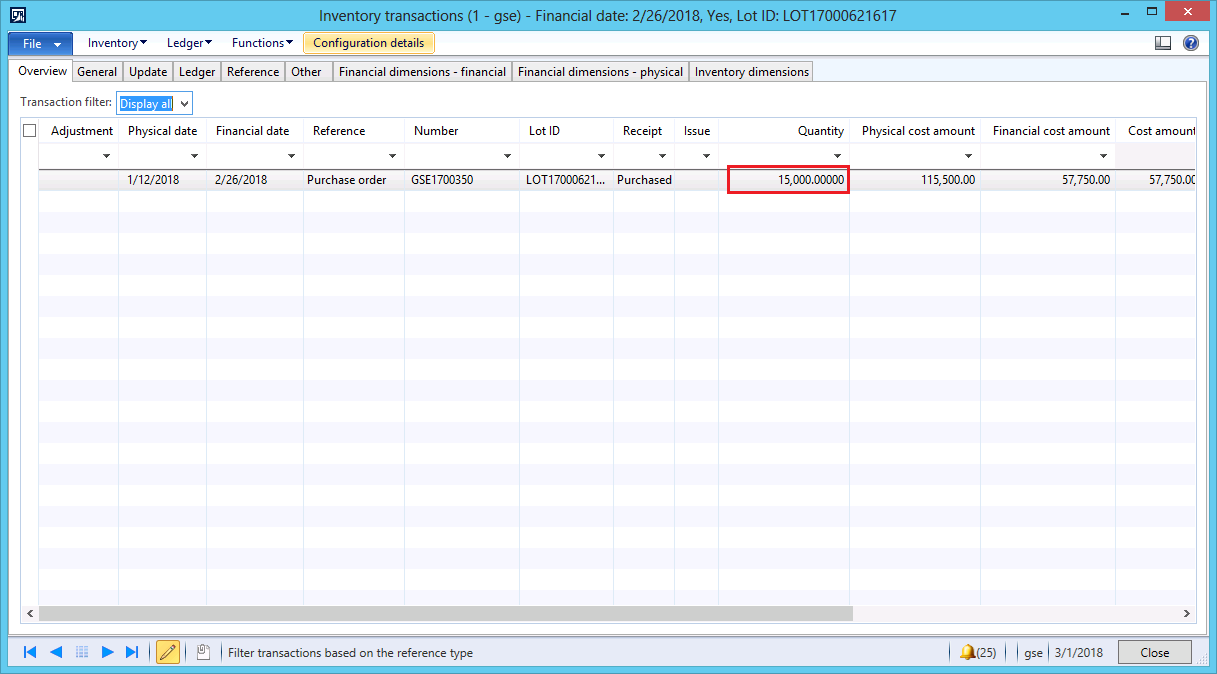
4251.3.png

- Move to tab Reference: quantity = 7,500.
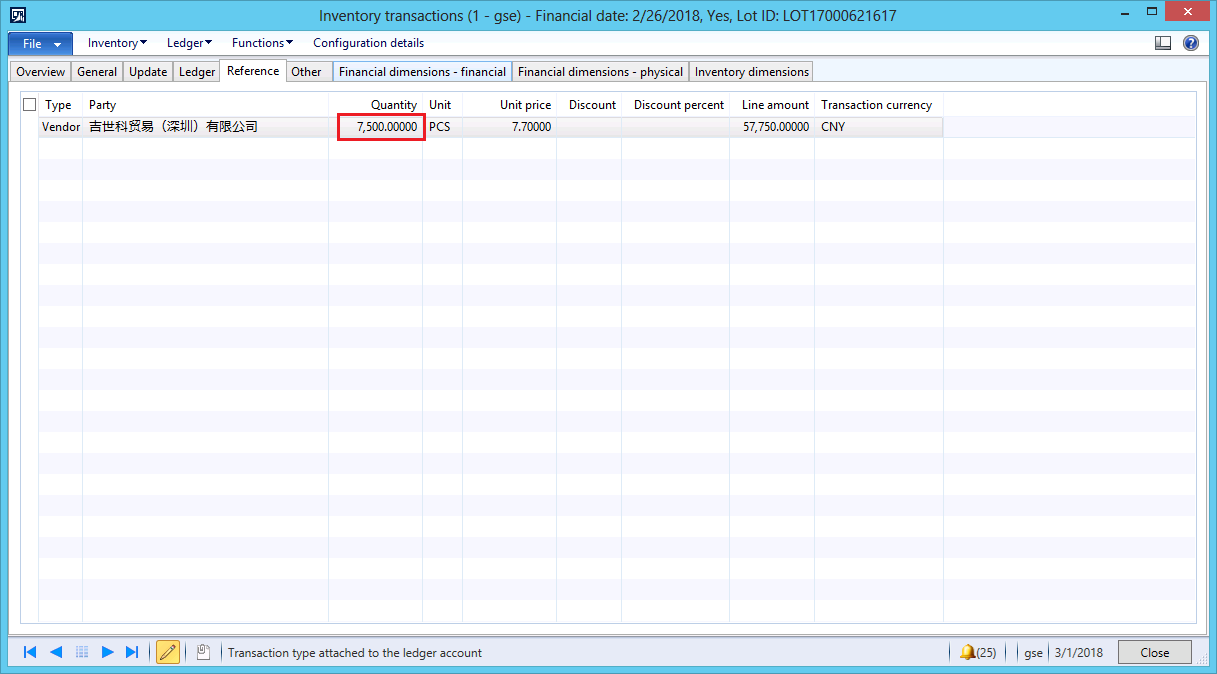
2068.4.png

Can anyone please help to deal with this issue?

I think it's a microsoft bug but I don't know how to reproduce.

*This post is locked for comments

I have the same question (0)
  • Community Member Profile Picture
    on at

    I noticed that when post invoice, the warning message shows:

    "The invoice update quantity is less than the quantity of matched product receipt.

    The inventory cost of the items will be understated."

    I can reproduce this issue.

  • Suggested answer
    ZvikaR Profile Picture
    190 on at

    what do you see as the problem here?

    you received 15000

    but later invoice 7500 (I assume 3-way matching was turned on) - effectively telling the system you got half the quantity for "free"

    hence your inventory quantity is 15000, while the value is just what was invoiced for.

  • Suggested answer
    Khaled Alloud Profile Picture
    3,658 on at

    Dear,

    You can change that Matching policy from A/P Setup Matching policy for the specific item, or create multiple products receipts to be able to make partial invoicing.

    Thank you,

  • ZvikaR Profile Picture
    190 on at

    Did you receive a resolution to your problem? if you have, please mark this thread as closed.

Under review

Thank you for your reply! To ensure a great experience for everyone, your content is awaiting approval by our Community Managers. Please check back later.

Helpful resources

Quick Links

Introducing the 2026 Season 1 community Super Users

Congratulations to our 2026 Super Stars!

Meet the Microsoft Dynamics 365 Contact Center Champions

We are thrilled to have these Champions in our Community!

Congratulations to the March Top 10 Community Leaders

These are the community rock stars!

Leaderboard > 🔒一 Microsoft Dynamics AX (Archived)

#1
CP04-islander Profile Picture

CP04-islander 39

#2
Michel ROY Profile Picture

Michel ROY 14

#3
imran ul haq Profile Picture

imran ul haq 8

Last 30 days Overall leaderboard

Featured topics

Product updates

Dynamics 365 release plans