web
You’re offline. This is a read only version of the page.
close
Skip to main content

Notifications

Announcements

Community site session details

Community site session details

Session Id :
Customer experience | Sales, Customer Insights,...
Answered

Value entered during event registration

(0) ShareShare
ReportReport
Posted on by 10

Hello, I am seeking for the answer regarding to find the value (First Name & Last Name) when customers entered during the event registration.

For Example:

  1. Existing Contact Information
    1. First Name: Tay
    2. Last Name: Jun Boon
    3. Email Address: jbtay@myaxp.com
  2. Value that customer entered
    1. First Name: Tay
    2. Last Name: Bowen
    3. Email Address: jbtay@myaxp.com

After doing some testing on registration, I found that the system would use existing contact information instead of value that customer entered.

I would like to confirm is there any way to know or retrieve the value entered by the customers?

Thanks in advanced.

I have the same question (0)
  • Verified answer
    cloflyMao Profile Picture
    25,210 on at

    Hi TAY,

    If customer entered and submitted form again, then it will create a new event registration records, system will take first name, last name and email address to match existing contact,

    if there is a matching record, then the new registration will be associated to that contact.

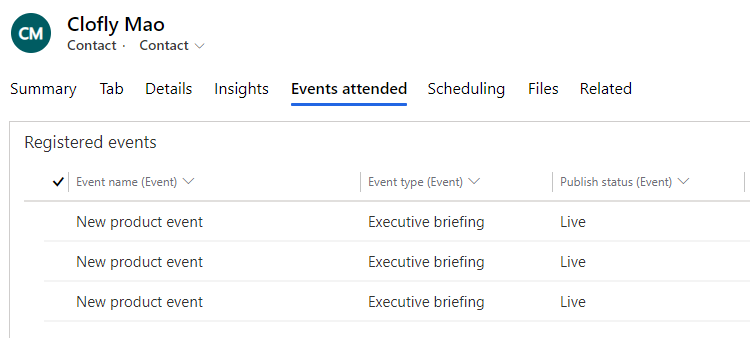
    We can see all event registration records of a contact in Contact form > Events attended tab:
    pastedimage1599556772524v1.png

    8407.JPG

    If customer changed any one of field and submitted again(as example you given), then it will create a new contact(Tay Bowen vs Tay Jun Boon) and a new event registration record.

    For your question,

    > After doing some testing on registration, I found that the system would use existing contact information instead of value that customer entered.

    Do you mean that in your environment, it didn't create a new contact even though the last name was different?

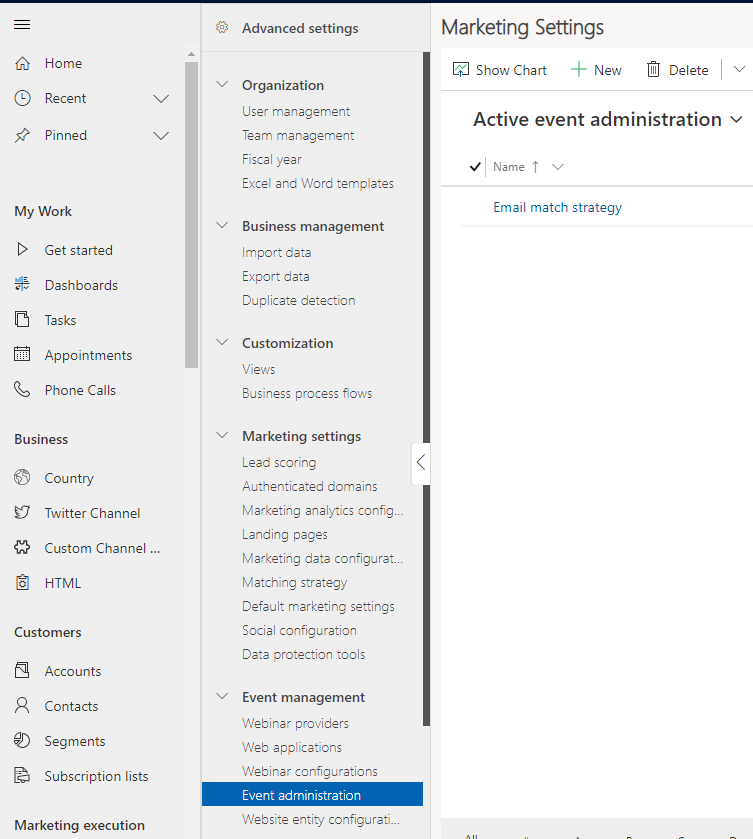
    If so, you could check whether there was an event administration record that was active.

    In Settings(bottom left) > Event administration:
    pastedimage1599557988137v2.png

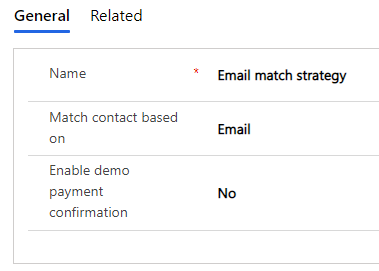
    I created an rule, it matches contact based on Email, if I change last name to a new value to submit again(keep first name and email address the same),
    pastedimage1599558237967v3.png

    then no new event registration record and contact will be created.

    Regards,

    Clofly

  • cloflyMao Profile Picture
    25,210 on at

    Hi Tay,

    If you still had any doubt, feel free to ask question.

    Regards,

    Clofly

    If you had found any answer helped, please kindly mark as verified to close the thread, it would be really appreciated.

  • Suggested answer
    ShaileshJain Profile Picture
    on at

    Clofly has correctly explained that the behavior depends on your contact matching strategy. 

    • if resubmission has different values on key fields needed for match, it would create NEW contact.
    • if resubmission has different value on other fields, the registration would be associated with EXISTING contact

    hope this answers, or follow up with details on scenario/expectations

Under review

Thank you for your reply! To ensure a great experience for everyone, your content is awaiting approval by our Community Managers. Please check back later.

Helpful resources

Quick Links

Responsible AI policies

As AI tools become more common, we’re introducing a Responsible AI Use…

Congratulations to our 2025 Community Spotlights

Thanks to all of our 2025 Community Spotlight stars!

Leaderboard > Customer experience | Sales, Customer Insights, CRM

#1
Tom_Gioielli Profile Picture

Tom_Gioielli 57 Super User 2025 Season 2

#2
Satyam Prakash Profile Picture

Satyam Prakash 24

#2
Eugen Podkorytov Profile Picture

Eugen Podkorytov 24

Last 30 days Overall leaderboard

Product updates

Dynamics 365 release plans

