web
You’re offline. This is a read only version of the page.
close
Skip to main content

Notifications

Announcements

No record found.

Community site session details

Community site session details

Session Id :
Customer experience | Sales, Customer Insights,...
Answered

Campaign linked to a form not always added to lead who summitted the form

(0) ShareShare
ReportReport
Posted on by 5

Hi, 

I created a form and linked this to a campaign. But even though the form is linked with a campaign, the created leads are often not linked with the campaign.

Sometimes it is and some times it is not. I don't know what could cause the issue, and not push through the source campaign on the lead. I have already set-up a lot of campaings and forms but I don't see to recognize a pattern in this behaviour of not linking the lead to the campaign. 

Anyone familiar with this issue? 

I have the same question (0)
  • Suggested answer
    Eiken Profile Picture
    on at

    Hi,

    Would you provide details(screens) about how to create a link between form and campaign?

  • Joni Sabbe Profile Picture
    5 on at

    Hi Eiken,

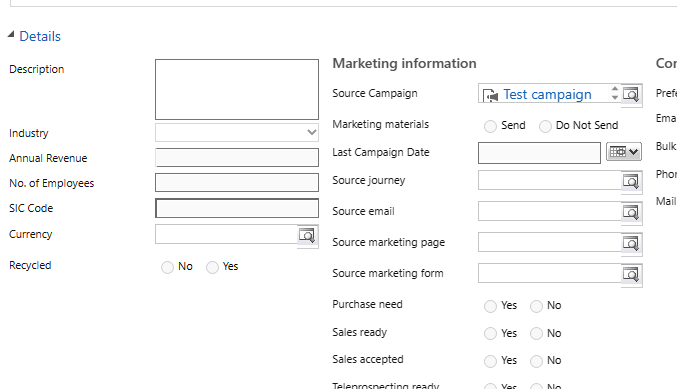
    I linked it as follows:

    pastedimage1680865196492v1.png

  • Suggested answer
    Eiken Profile Picture
    on at

    Hi,

    You are using a lower version of marketing, in my test environment the marketing form does not have the campaign field.

    I recommend that you create a workflow, please refer to my steps.

    Go to advanced setting>process>new process>create workflow
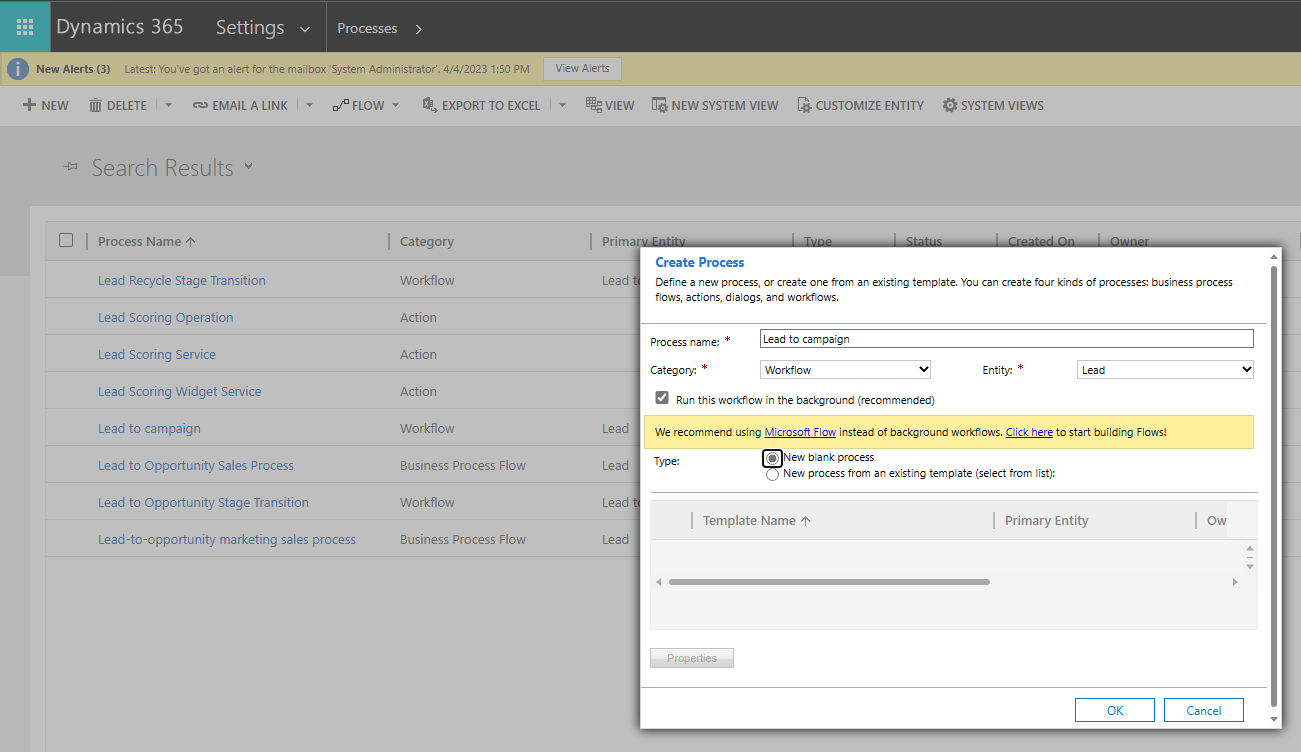
    pastedimage1681107029822v1.png

    Create the following workflow, you can also modify the criteria, for example to update the lead only if the topic contains the name of the submitted form. The condition I use here is that if the newly created lead has a value for lead source, it will be associated with the specified campaign.
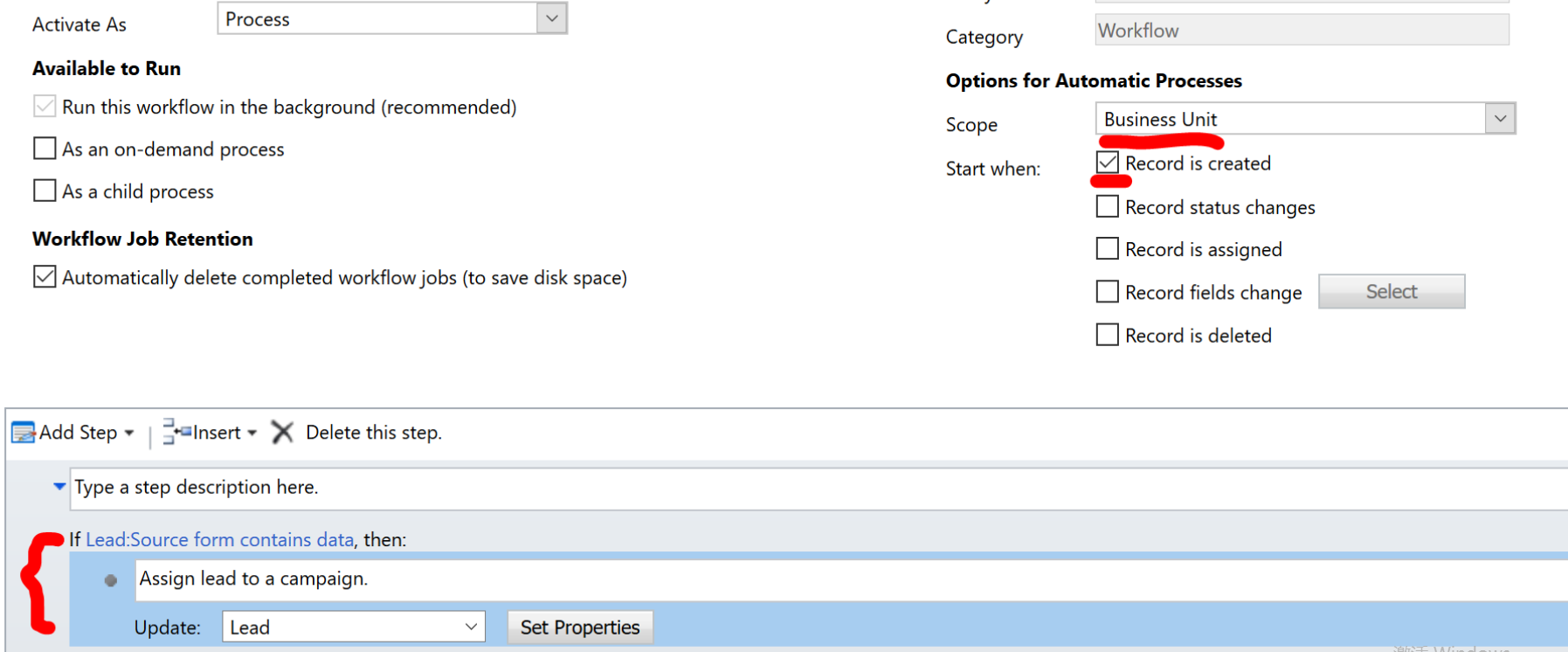
    pastedimage1681107145594v2.png

    pastedimage1681107402997v3.png

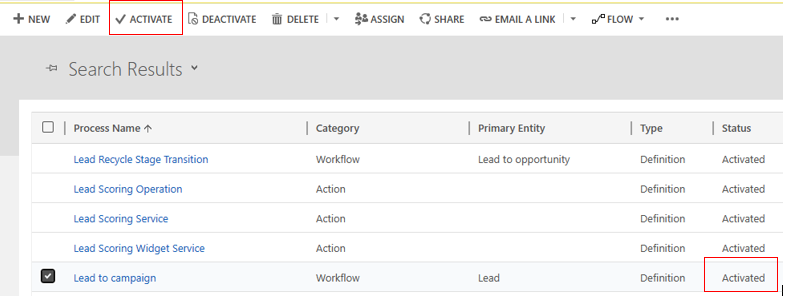
    Remember active your workflow.

    pastedimage1681107471520v4.png

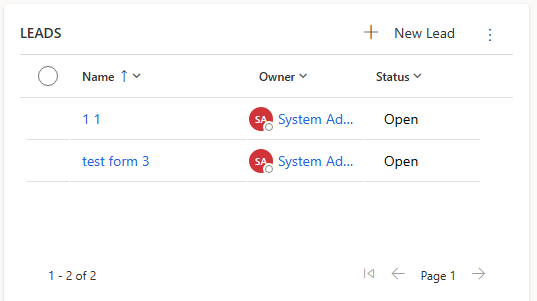
    Now it works well.

    pastedimage1681107504489v5.png

    By the way, you mentioned sometimes it is and some times it is not.

    I think the reason is that the form submission may have created a lead with the same email address, causing the lead to not be added.

  • Verified answer
    Megan V. Walker Profile Picture
    1,841 Most Valuable Professional on at

    Hi Joni Sabbe - helpful that you share your screen. Your marketing form has been edited with new fields. You have at least 3 custom fields (Campaign, Content Language, Notify when submission). The first suggestion would be to determine who added them and what workflow was set up to run when a form is submitted. If your expectation is that when a form is submitted, the Campaign will be set, this won't happen without a process running behind the scenes.

    For this you would need to use Power Automate to run a flow when the form submission is completed and successful (not a workflow running in CRM). I would recommend this approach rather than when a Lead is created.

  • Joni Sabbe Profile Picture
    5 on at

    Hi Megan,

    Thank you for your reply and help! You directed me in the right way. It is indeed a custom field we created previously. To this field a workflow was connected that linked the lead to the campaign depending on the form that he/she submitted. However, the flow was created by someone and connected to someone who recently left the company. Causing the flow to not work properly!

    We connected the flow to a system user, solving the issue!

    Thank you everyone for the help! I'm quite new at the company and there are already a lot of customizations I'm not always aware off!

    btw meganvwalker , I like your videos! Keep up the good work =D

  • Megan V. Walker Profile Picture
    1,841 Most Valuable Professional on at

    You are very welcome! Glad it got sorted and was something pretty simple. And yes, sometimes it's hard to know what is standard out of the box functionality, and what might have been customised or modified before you started at the company. Good luck!

Under review

Thank you for your reply! To ensure a great experience for everyone, your content is awaiting approval by our Community Managers. Please check back later.

Helpful resources

Quick Links

Responsible AI policies

As AI tools become more common, we’re introducing a Responsible AI Use…

Neeraj Kumar – Community Spotlight

We are honored to recognize Neeraj Kumar as our Community Spotlight honoree for…

Leaderboard > Customer experience | Sales, Customer Insights, CRM

#1
Tom_Gioielli Profile Picture

Tom_Gioielli 144 Super User 2025 Season 2

#2
#ManoVerse Profile Picture

#ManoVerse 59

#3
Gerardo Rentería García Profile Picture

Gerardo Rentería Ga... 52 Most Valuable Professional

Last 30 days Overall leaderboard

Product updates

Dynamics 365 release plans