web
You’re offline. This is a read only version of the page.
close
Skip to main content

Notifications

Announcements

No record found.

Community site session details

Community site session details

Session Id :
Microsoft Dynamics AX (Archived)

Inventory Issue without Stock

(0) ShareShare
ReportReport
Posted on by 660

Dear Friends,

I have a issue in the inventory where the inventory got issued from a warehouse even if no stock was available
I have created only one Item Model group (Screenshot Attached)ItemModelGroup.JPG
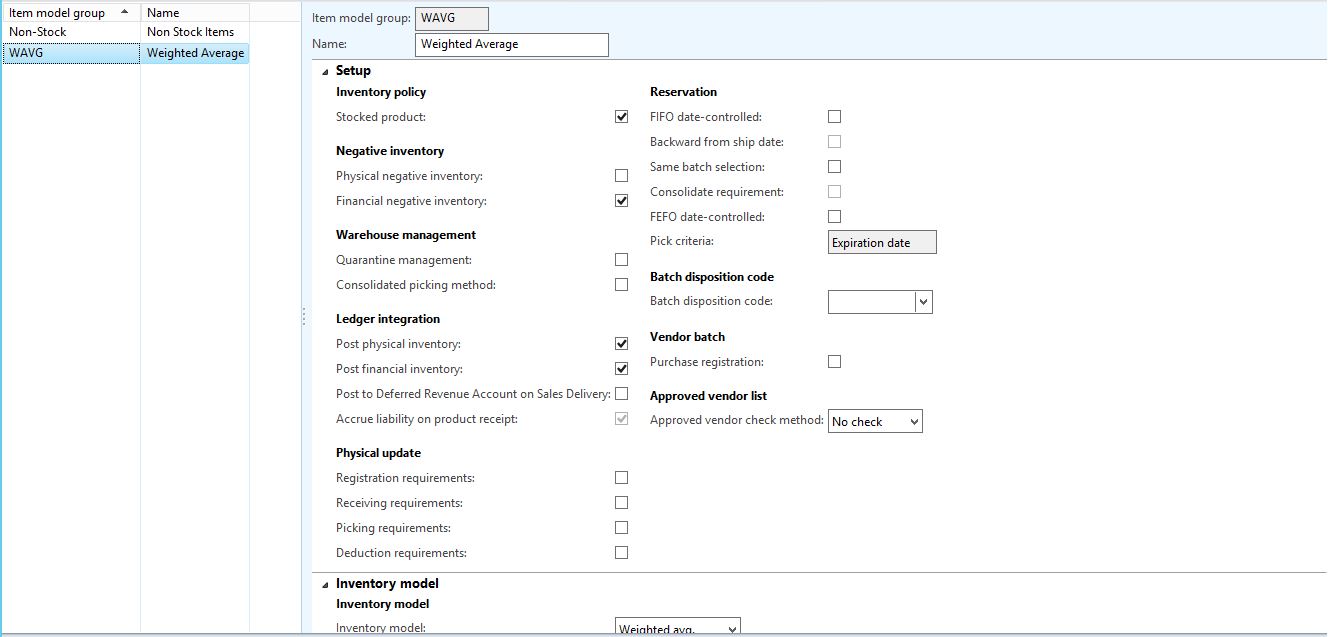
My Storage dimension group has the below check marks applied.
ItemModelGroup.JPG

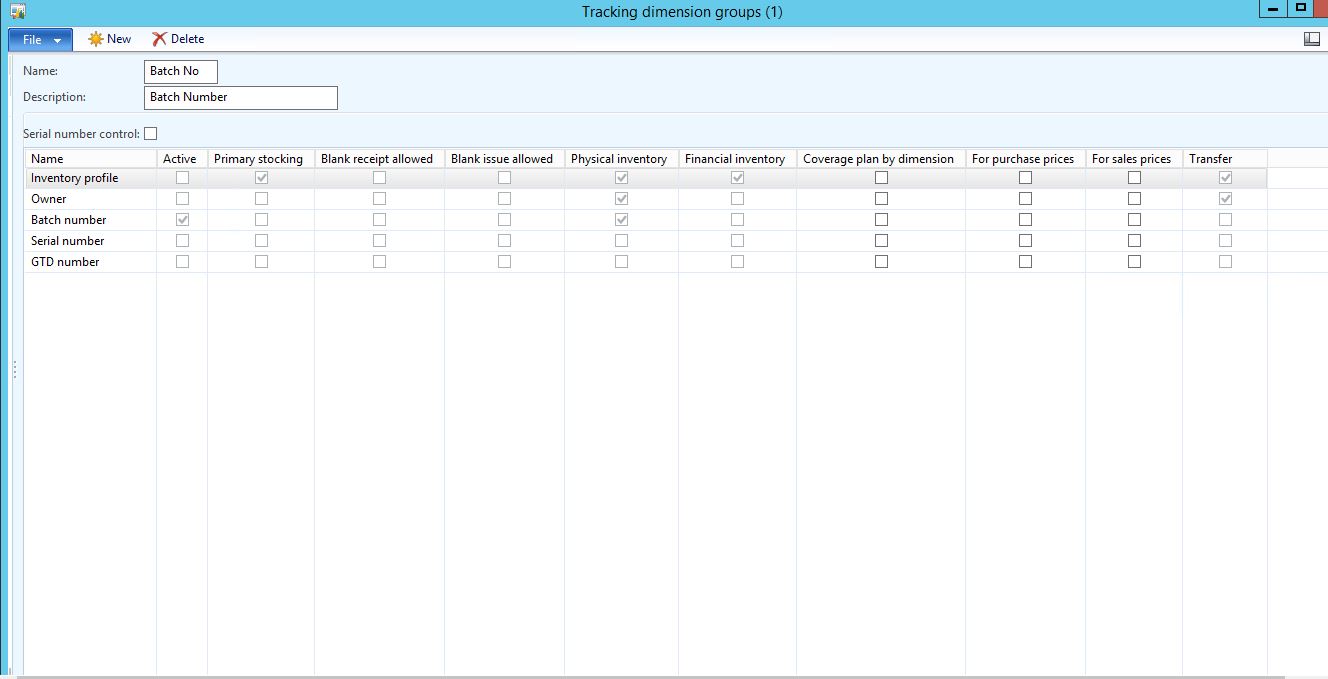
My Tracking Dimension group has the below check marks applied.

Tracking-Dimension-Group.JPG

If I try to recreate the scenario the system is giving an error that no stock is available. Please help

*This post is locked for comments

I have the same question (0)
  • André Arnaud de Calavon Profile Picture
    301,210 Super User 2025 Season 2 on at

    Hi Binit,

    Please also share the correct screenshot with your storage dimension group settings. Now you have included the Item Model setup twice.

    Is the inventory in total for that site positive?

  • binitshah Profile Picture
    660 on at

    Yes the inventory in total is positive for the site

  • binitshah Profile Picture
    660 on at

    How do I add the new image of the storage dimension?

  • Community Member Profile Picture
    on at

    Hi,

    Can you share the transactions made at the warehouse level. There you would probably be able to see where the extra stock came from which you were able to post.

    Also later when you recreated an error was shown which was expected since there is no stock.

    Other than that this doesn't seem to be an issue with your setup because blank issue is not allowed.

    Regards

  • Guy Terry Profile Picture
    28,924 Moderator on at

    On the Storage dimension group, is 'Physical Inventory' ticked on the Warehouse line?

  • André Arnaud de Calavon Profile Picture
    301,210 Super User 2025 Season 2 on at

    Hi Binit,

    You can create a new reply and use the rich formatting to add the missing screenshot. I was indeed wondering about the Physical inventory setting like Guy already mentioned.

  • binitshah Profile Picture
    660 on at

    Physical Inventory Check Box is ticked but financial inventory check box is not ticked

  • binitshah Profile Picture
    660 on at

    Please find below the screenshot for the storage dimension group.

    Storage-Dimension-Group.JPG

  • Guy Terry Profile Picture
    28,924 Moderator on at

    Hi Binit,

    Can you trace what Inventory transaction was responsible for sending the stock negative at the warehouse level? I think what you describe should be impossible (with the setup you've shown) in standard AX.

Under review

Thank you for your reply! To ensure a great experience for everyone, your content is awaiting approval by our Community Managers. Please check back later.

Helpful resources

Quick Links

Responsible AI policies

As AI tools become more common, we’re introducing a Responsible AI Use…

Neeraj Kumar – Community Spotlight

We are honored to recognize Neeraj Kumar as our Community Spotlight honoree for…

Leaderboard > 🔒一 Microsoft Dynamics AX (Archived)

#1
Priya_K Profile Picture

Priya_K 4

#1
Martin Dráb Profile Picture

Martin Dráb 4 Most Valuable Professional

#3
MyDynamicsNAV Profile Picture

MyDynamicsNAV 2

Last 30 days Overall leaderboard

Featured topics

Product updates

Dynamics 365 release plans
