web
You’re offline. This is a read only version of the page.
close
Skip to main content

Notifications

Announcements

No record found.

Community site session details

Community site session details

Session Id :
Small and medium business | Business Central, N...
Suggested Answer

Connecting Business Central to PowerBi Desktop

(0) ShareShare
ReportReport
Posted on by

Hi, 

Let me start by saying that I have never worked with Business Central before, but Iam a certified PowerBi developer. 

So right now Iam trying to connect Business Central to Power Bi. In my case so Business Central is running on Premiss. I have asked the service provider to provide the credintials to be able to connect directly to the database. However they suggested to connect to business Central throw the OData feed. 

So I have done what they suggested, I have also used the standard connection to business central provided by Powerbi, which also relays on OData feed. 
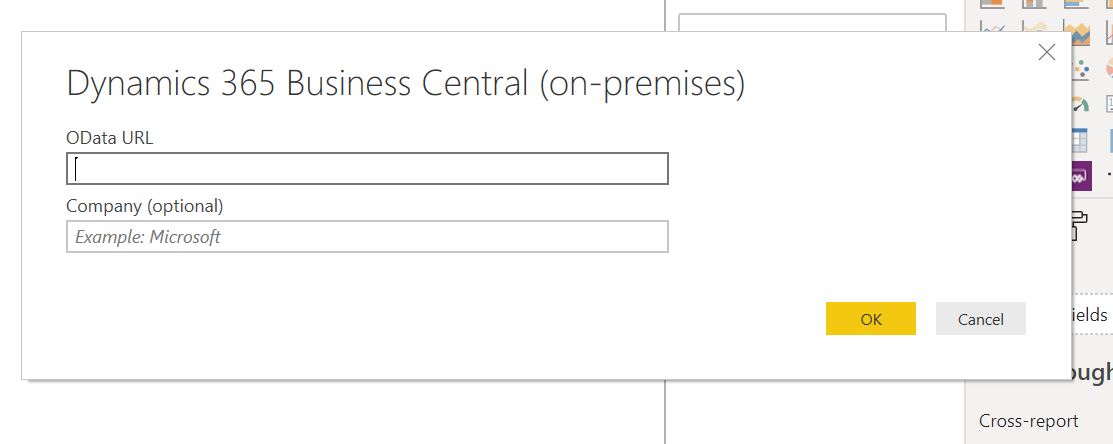
odata.JPG

The problem is, it is going Extremely extremely slow! 

Like it has been like that for hours: 

313.jpg

So currently I have one question: 

1. What are your recommendations regarding connecting Business Central to PowerBi Desktop? is there a fast simple way? SQL over OData? creating the tables or what so called pages or reports in Business Central and then take it to PowerBi 

Thanks in Advance

I have the same question (0)
  • Jidl Profile Picture
    45 on at

    You can create query objects in AL that bring together different objects in BC into a single feed and then access that - it lets you filter at source as well.

    Please note:

    - It's always using odata as far as I can see - and it doesn't play well with Excel or SSIS see my replies here: https://community.dynamics.com/business/f/dynamics-365-business-central-forum/378196/connect-to-cloud-database (I have a DW with our legacy system - I want to conform BC / this into a single model to persist reporting and then connect PBi via the usual gateway).

    - I haven't figured out how to parameterise queries (to send a DateFrom with the request, for example, for deltas).

    - I haven't figured out if you can format the fields before output.

    MS - any help much appreciated! I'm hoping for some hitherto unseen source of information that patches up my ignorance...

  • Suggested answer
    Steven Renders Profile Picture
    5,672 Moderator on at

    I can imagine this is slow, you are importing al GLEntries and SalesInvoiceLines...

    You should create a query object, that only exposes the data (rows and columns) you need, preferably aggregated.

    Have a look here:

    thinkaboutit.be/.../

    Do you really need each and every ledger entry? Is your report going to aggregate per day/month/quarter/year, then your query should too...

    When working with an on-prem Business Central, going to the SQL-database is an option, and you can of-course also create stored-procedures. But then also, aggregating the data, especially ledgers, will be required. And, if your customer ever upgrades to Business Central Saas, then you wil not have access to the DB anymore and you will need to work with query objects instead.

  • Community Member Profile Picture
    on at

    Hi Steven,

    Many thanks for your detaild answer, and for sharing the link. Really appreciated!

    Let me start by saying that you of course a point saying that no wonder it is taking a long time as I was trying to load the whole GL. Yet look at the following, here I try to import the Balance Sheet, filtered to include 2019 only. 

    Today.JPG

    It is a query that was brought up in BC and then filtered in PowerBi. It has been like that for 3 hours and at the end I canceld it. 

    Anyway, Iam trying to solve it through the The XML extension, following your tutorial. However, I read somewhere that I need to have business central Developer license. Is that true? and then do it in a development enivronment ?

    Best regards

  • Suggested answer
    Steven Renders Profile Picture
    5,672 Moderator on at

    Hi,

    If you want to create query objects, you will indeed need to use the development environment to do so. Have a look here at how you can set it up:

    thinkaboutit.be/.../

    thinkaboutit.be/.../

    thinkaboutit.be/.../

    You don't require a development license, in Saas, as all objects in the range 50.000 .. 99.999 are free. On premises however you need a developer license. (flf file) Either your customer or their partner should be able to help you in that area.

    It's indeed better to create your own queries for Power BI instead of using the built-inn ones, because ther are usually not very fast. You might also want to check if there are limitations setup on the service tier for ODATA.

  • Jidl Profile Picture
    45 on at

    Hello Steven,

    What did you mean by this?

    You might also want to check if there are limitations setup on the service tier for ODATA.

    Where would these limitations be set?

  • Suggested answer
    Steven Renders Profile Picture
    5,672 Moderator on at

Under review

Thank you for your reply! To ensure a great experience for everyone, your content is awaiting approval by our Community Managers. Please check back later.

Helpful resources

Quick Links

Responsible AI policies

As AI tools become more common, we’re introducing a Responsible AI Use…

Neeraj Kumar – Community Spotlight

We are honored to recognize Neeraj Kumar as our Community Spotlight honoree for…

Leaderboard > Small and medium business | Business Central, NAV, RMS

#1
OussamaSabbouh Profile Picture

OussamaSabbouh 3,143

#2
Jainam M. Kothari Profile Picture

Jainam M. Kothari 1,694 Super User 2025 Season 2

#3
YUN ZHU Profile Picture

YUN ZHU 1,067 Super User 2025 Season 2

Last 30 days Overall leaderboard

Featured topics

Product updates

Dynamics 365 release plans
