web
You’re offline. This is a read only version of the page.
close
Skip to main content

Notifications

Announcements

No record found.

Community site session details

Community site session details

Session Id :
Microsoft Dynamics 365 | Integration, Dataverse...
Suggested Answer

Issue while using global template to sent an email.

(0) ShareShare
ReportReport
Posted on by 26

i was creating a workflow on Knowledge article entity to send an email using global template. so the first issue which i faced is getting error like"can't instantiate template". Then I changed the drop down in send email step to related entites "owning users". then it started working. But then i was not getting the dynamic values which i used in global template. 

So first thing is why it is not allowing to have current entity in the drop down available next to "use template" in send email step.

Second if i m using owning team in that drop down i'm not getting the dynamic values from the global template.

I have the same question (0)
  • Suggested answer
    LuHao Profile Picture
    40,892 on at

    Hi Shivanshu,

    1. The Knowledge Article entity does not have an email template, it does not belong to the entities of the email template.

    Email templates only support these entities.

    pastedimage1590720632640v1.png

    Therefore, in your environment, you cannot use the email template of the current entity "Knowledge Article".

    BTW, in my environment, when I select an email template in the workflow, I can select the current entity "Knowledge Article", but it does not have any email template. At least I did not encounter the error message.

    pastedimage1590720900065v2.png

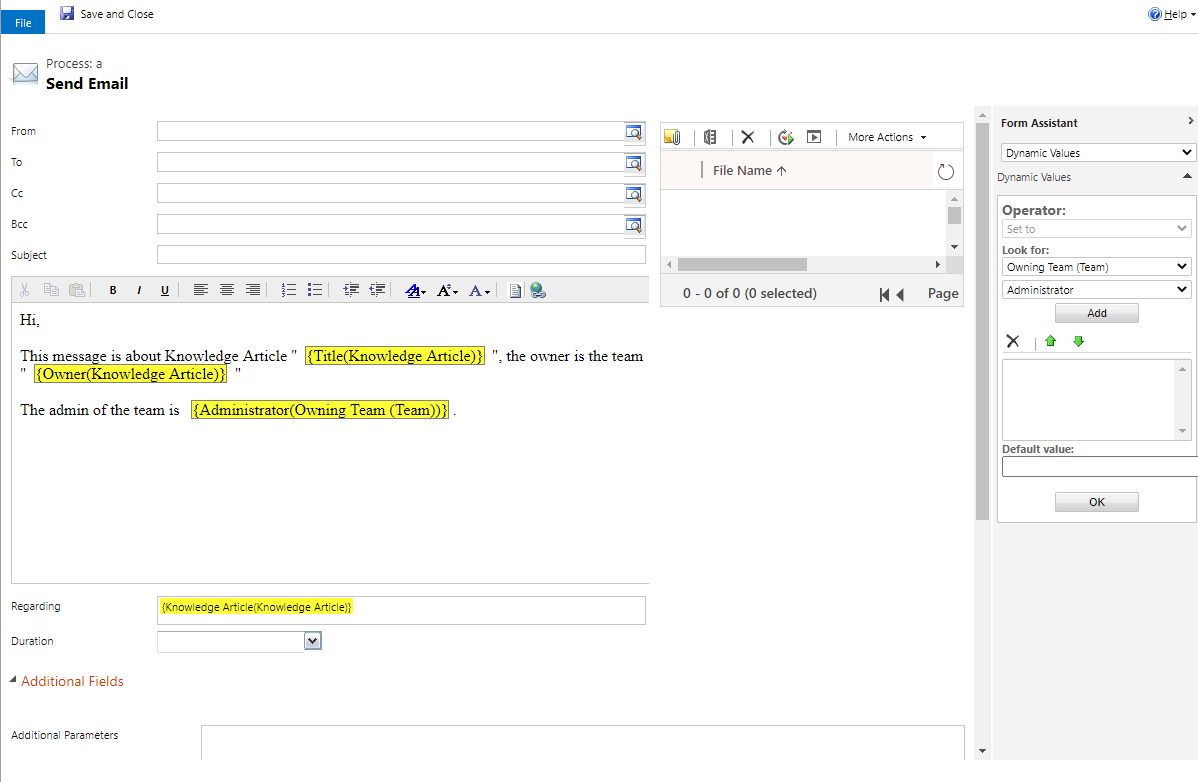
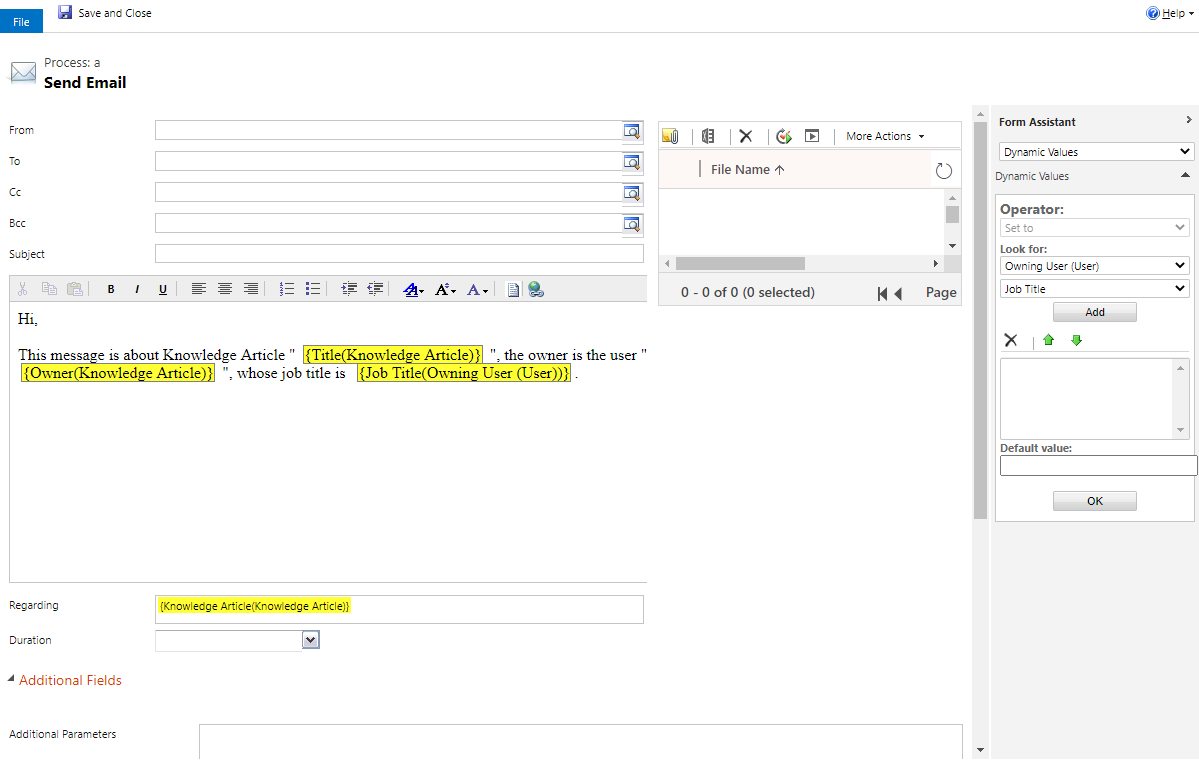
    2. If the Owner is a team, since the User and the Team are two different entities, its User is empty, so User's dynamics fields have no data.

    pastedimage1590732606744v4.png


    In summary, I would recommend you do not use email templates in the workflow, but create new message, set conditions to distinguish whether the owner is a user or a team and use the dynamic values of the workflow to write the email.

    pastedimage1590732943138v5.png

    pastedimage1590732958131v6.png        pastedimage1590732987298v7.png

    pastedimage1590733009364v8.png        pastedimage1590733057794v9.png

  • LuHao Profile Picture
    40,892 on at

    Hi partner,

    Has your problem been solved? Need more help?

    Please don't forget to click Yes under "Did this answer your question?" to close this thread.

    pastedimage1591166329820v1.png

    Thanks.  

  • Doher Drizzle Profile Picture
    115 Most Valuable Professional on at

    Hi Shivanshu,

    Have you tried the option for the step just send email not the template then you will create the actual email like a template and add the dynamics values from the needed entity?

Under review

Thank you for your reply! To ensure a great experience for everyone, your content is awaiting approval by our Community Managers. Please check back later.

Helpful resources

Quick Links

Responsible AI policies

As AI tools become more common, we’re introducing a Responsible AI Use…

Neeraj Kumar – Community Spotlight

We are honored to recognize Neeraj Kumar as our Community Spotlight honoree for…

Leaderboard > Microsoft Dynamics 365 | Integration, Dataverse, and general topics

#1
Martin Dráb Profile Picture

Martin Dráb 58 Most Valuable Professional

#2
#ManoVerse Profile Picture

#ManoVerse 42

#3
André Arnaud de Calavon Profile Picture

André Arnaud de Cal... 38 Super User 2025 Season 2

Last 30 days Overall leaderboard

Product updates

Dynamics 365 release plans