web
You’re offline. This is a read only version of the page.
close
Skip to main content

Notifications

Announcements

No record found.

Community site session details

Community site session details

Session Id :
Microsoft Dynamics AX (Archived)

Account receivable module -Journal - Payment transaction

(0) ShareShare
ReportReport
Posted on by

Hello All

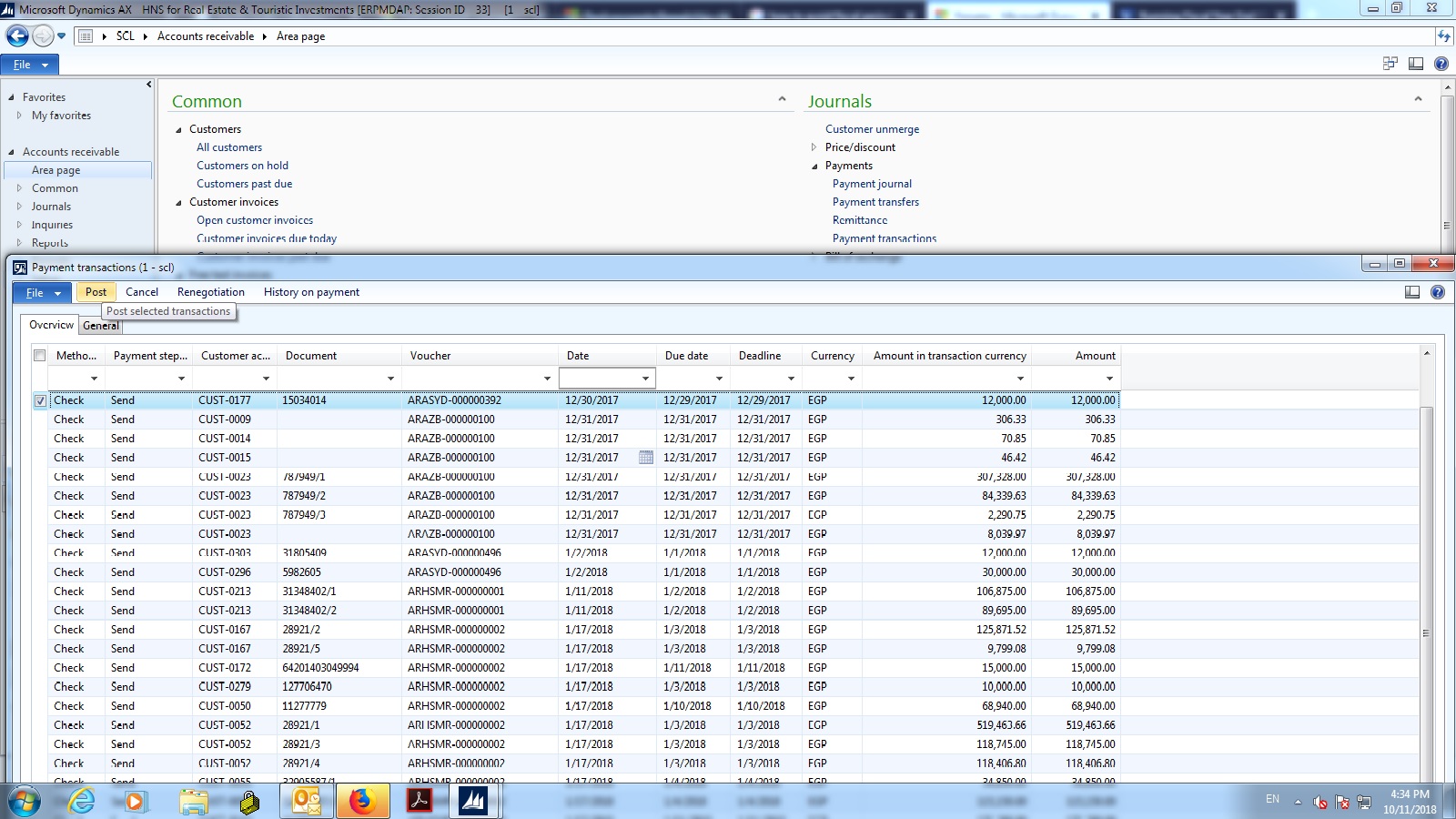
I face a problem where in Jan 2018 in Account receivable module -Journal - Payment transaction ( where we choose the checks collected and send - settle to bank account from checks under-collection.

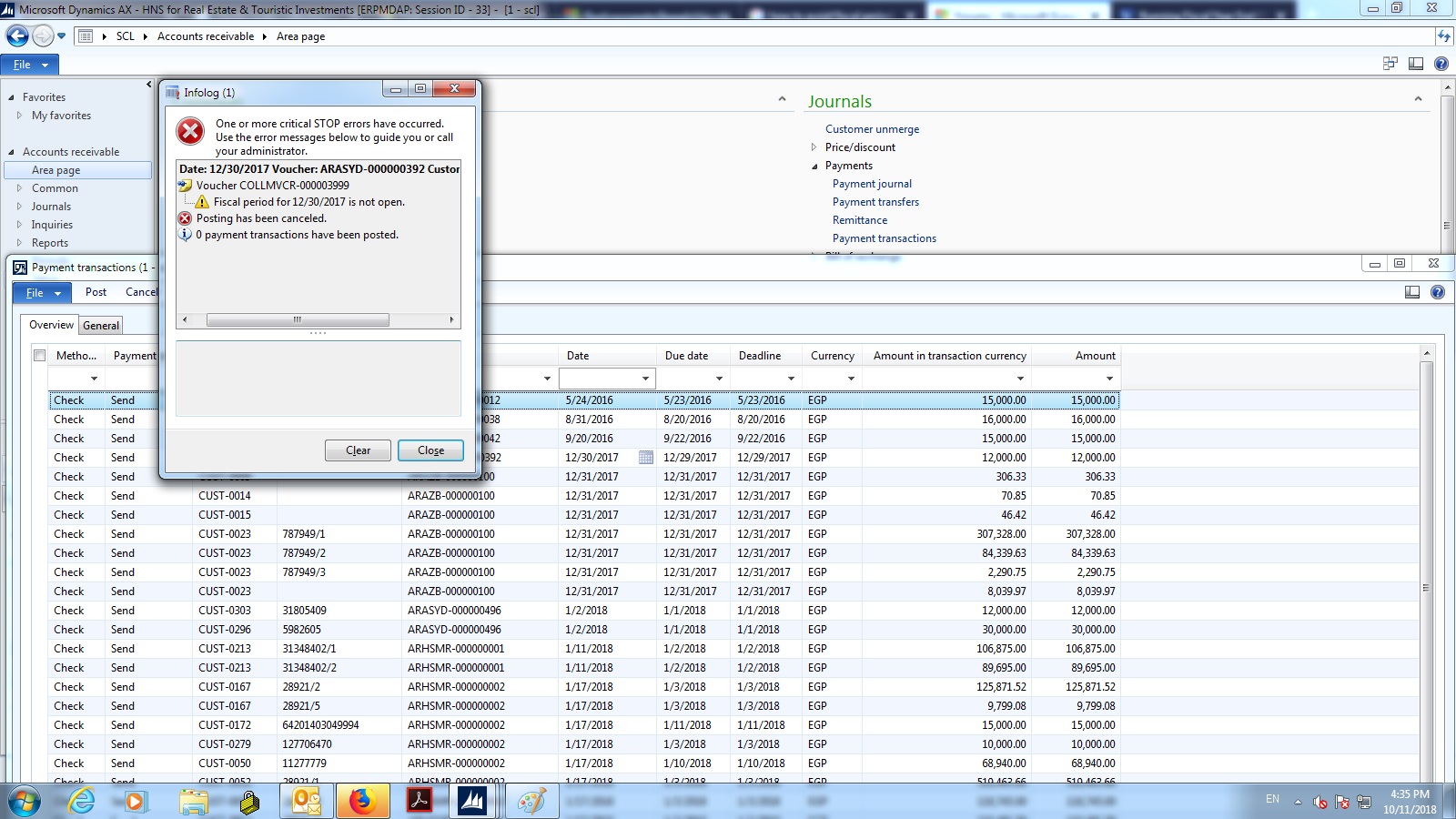
the original JV was made in December 2017 and the check wasn't collected in December it was collected in Jan 2018 so when i try to choose the check and click on send it gives me the error (Fiscal period for 12/30/2017 is not open.) because the year is closed .

so what can we do to proceed this check from the last year from check undercollection to bank account

please find attached the screen shots 0741.Untitled1.jpg8255.Untitled2.jpg
*This post is locked for comments

I have the same question (0)
  • Ludwig Reinhard Profile Picture
    Microsoft Employee on at

    Hi

    I don't fully understand your issue.

    Did you receive the check in Dec 2017 and wanted to post the journal in Jan 2018?

    What is the original JV that you mentioned?

    Best regards

    Ludwig

  • Community Member Profile Picture
    on at

    I received that check in dec 17 and i posted it and its shown in the payment transaction screen with amount 12000 ( see pictures attached in the original post) and now its collected in jan 18 so i want to move it from undercollection to bank by clicking the check on payment transaction screen and post it. But it refuses as the year is closed

  • Ludwig Reinhard Profile Picture
    Microsoft Employee on at

    Hi,

    Where and how did you post the receipt of the check. What method of payment was used for that and how is that method setup? What voucher has been created with the receipt?

    Best regards

    Ludwig

  • Verified answer
    Community Member Profile Picture
    on at

    I found out the solution its to change from the method of payment (check) the payment step posting steps and change the posting date from voucher date to session date .

    Thank u

Under review

Thank you for your reply! To ensure a great experience for everyone, your content is awaiting approval by our Community Managers. Please check back later.

Helpful resources

Quick Links

Responsible AI policies

As AI tools become more common, we’re introducing a Responsible AI Use…

Neeraj Kumar – Community Spotlight

We are honored to recognize Neeraj Kumar as our Community Spotlight honoree for…

Leaderboard > 🔒一 Microsoft Dynamics AX (Archived)

#1
Martin Dráb Profile Picture

Martin Dráb 4 Most Valuable Professional

#1
Priya_K Profile Picture

Priya_K 4

#3
MyDynamicsNAV Profile Picture

MyDynamicsNAV 2

Last 30 days Overall leaderboard

Featured topics

Product updates

Dynamics 365 release plans