Hi Michael,
I have same requirement with you, for example :
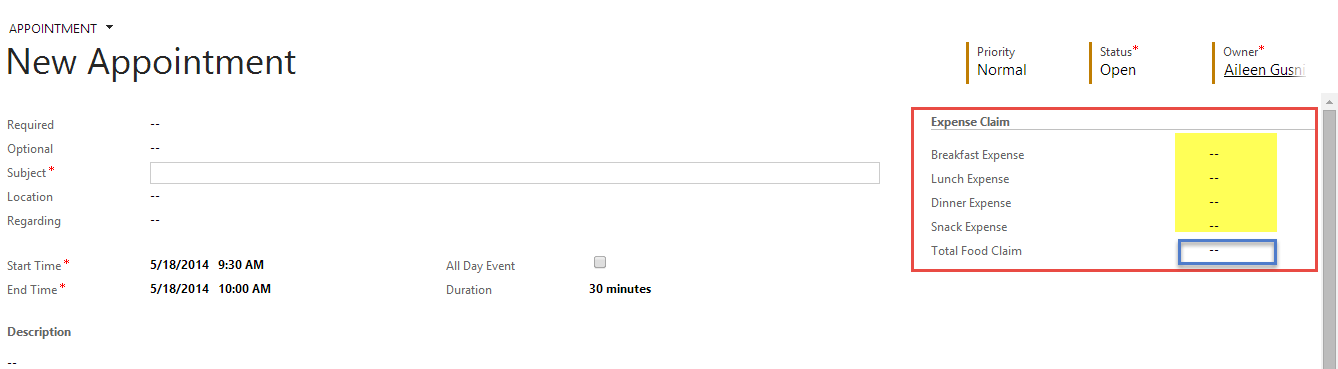
To count the Total Food Claim, I have to calculate Breakfast, Lunch, and Dinner Expense, and also Snack Expense.
Means that Total Food Claim = Sum of (Breakfast Expense + Lunch Expense + Dinner Expense + Snack Expense).
Business Rules in CRM 2013 basically only can afford for simple calculation, 2 fields only as formula set field value.
So, it can be tricky, but it is possible!
To achieve this without JavaScript, but using Workflow or Business Rules, you have to set the value gradually, step by step, and using multiple business rules for each condition.
Here is the guide.
1. Create first Business Rules with Field1 is contain data, in my case : Breakfast Expense :
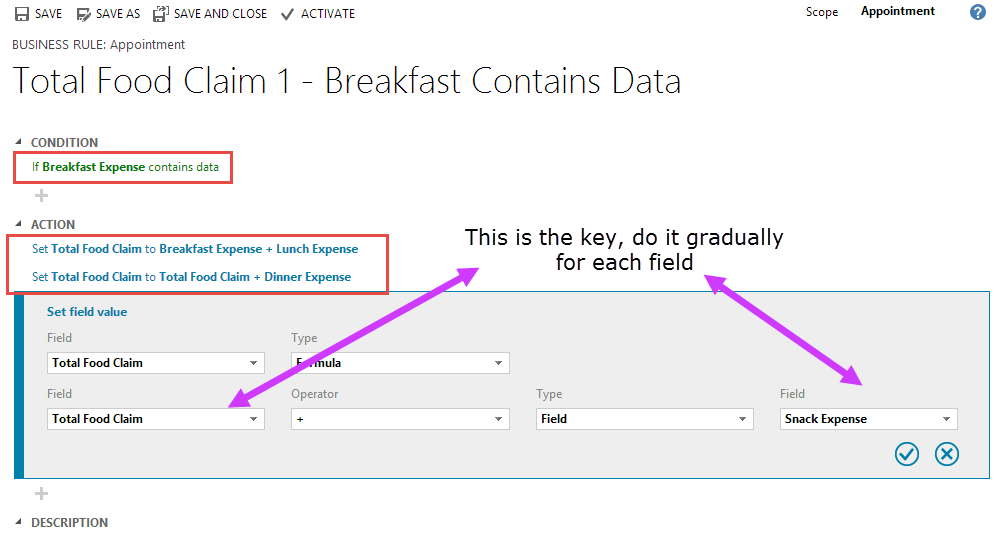
2. Do it until your first Business Rules will become this :
Put your formula of calculation in Action gradually for each field
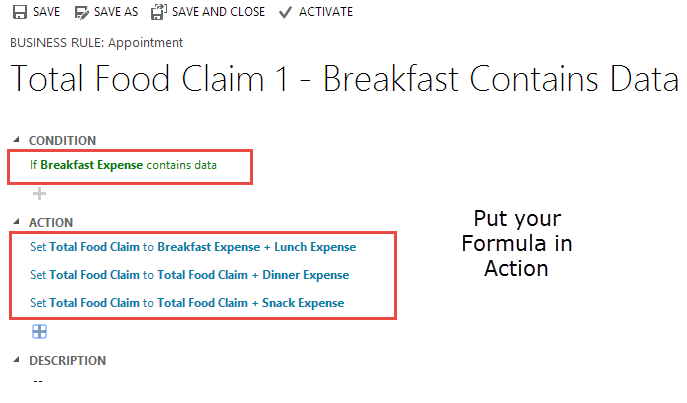
3. Create a new Business Rules based on this Business Rules as Template, utilize the Save As Button, now in this time attach to the contradict Condition :
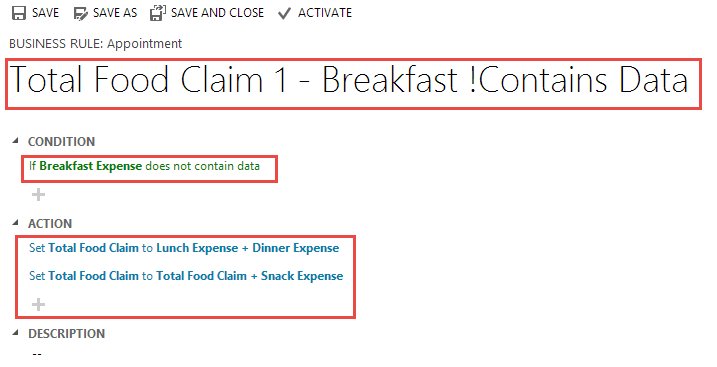
Because Business is currently not supporting If Else Statement, and you want to calculate your fields, even though one of the field is not containing any data.
4. Repeat for your other fields, for Field2, Field3, etc. In my case : Lunch Expense, Dinner Expense, Snack Expense.

5. So finally, you will have 8 Business Rules, depends on your Total Fields, if you have 7 fields, then you might need 14 Business Rules.

6. Don't forget to activate all of them and then test them :
Fill in the fields
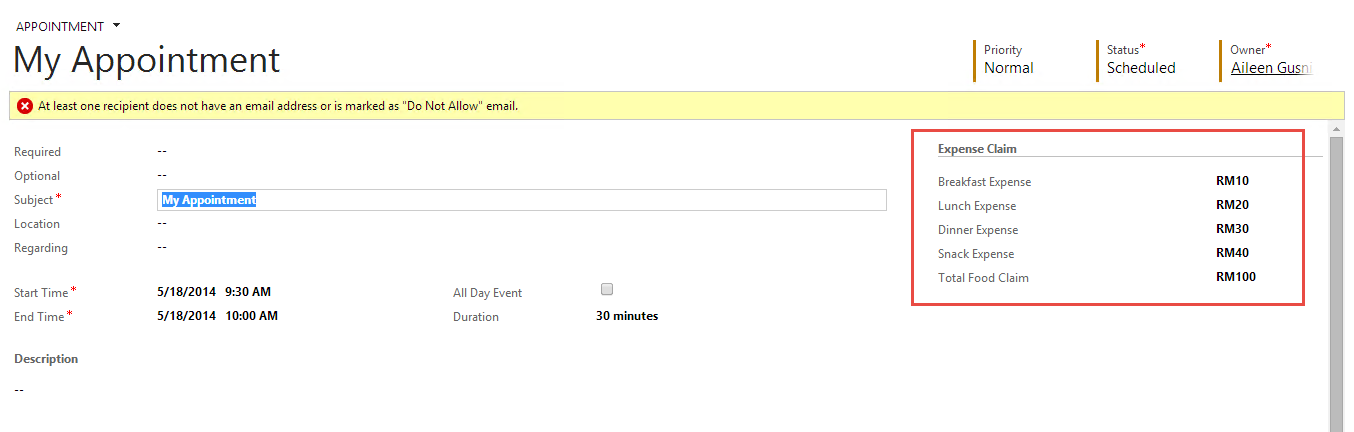
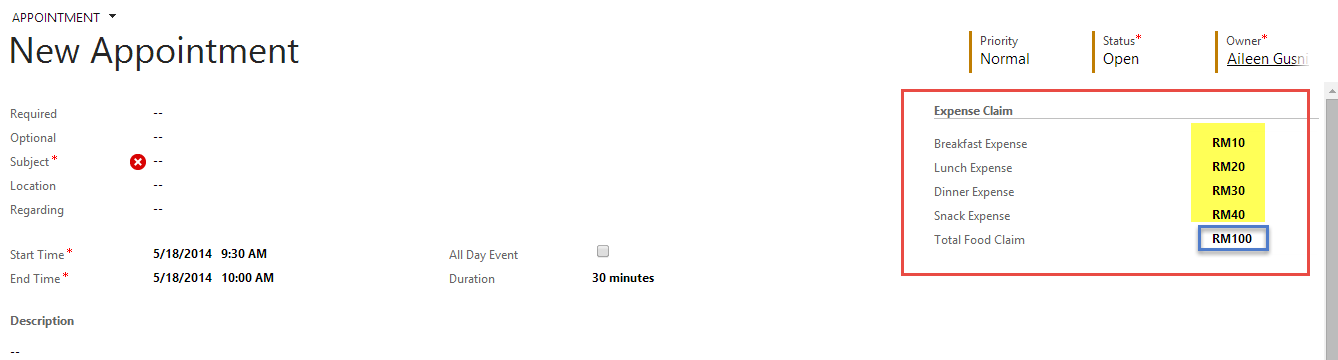
If no dinner (zero value or no data of dinner expense)

Hope it helps!





