web
You’re offline. This is a read only version of the page.
close
Skip to main content

Notifications

Announcements

No record found.

Community site session details

Community site session details

Session Id :
Microsoft Dynamics CRM (Archived)

Advanced find not working

(0) ShareShare
ReportReport
Posted on by

Hello, I have problem with advanced find. Can't open and get an error.

User have System Administrator role, using 2016 on premise.

All other organizations on server are disabled.

I have checked logs files didn't find any errors. 
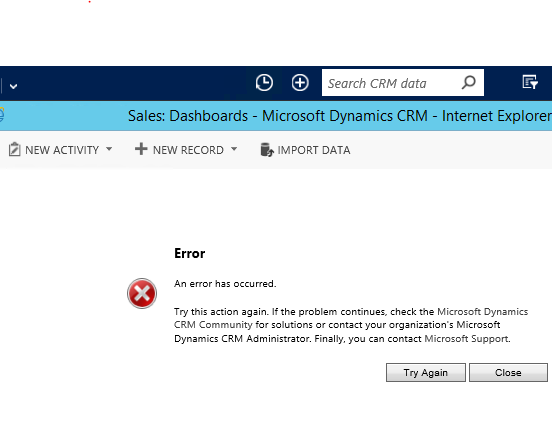
7462.Error.PNG

*This post is locked for comments

I have the same question (0)
  • Suggested answer
    Aiden Kaskela Profile Picture
    19,696 on at

    Hi,

    You'll need to turn on the CRM tracing tool to get an error: crmdiagtool2011.codeplex.com

    Turn on tracing, cause the error and turn it off immediately. You'll get a ton of log files but you should be able to do a find for ">>>>" or "exception" and see what the cause is.

    Hope this helps! I'd appreciate if you'd mark this as Answering your question.

    Thanks,

     Aiden

  • Suggested answer
    Nithya Gopinath Profile Picture
    17,078 on at

    Hi Andrius,

    You can enable tracing for dynamics CRM on premise to get the description of this error.

    See: support.microsoft.com/.../how-to-enable-tracing-in-microsoft-dynamics-crm

  • Verified answer
    Community Member Profile Picture
    on at

    Hi,

    Thanks for replies. Something wrong was with IE, I cleared localStorage and it fix my problem.

  • Seemorgh Profile Picture
    145 on at

    Hi all

    I had the same problem today and it had not to do with browser cache/local storage. The issue was with one of our Web Front-End servers which for some reason was causing the error to come up. I found this out because when I used the machine name of one of the servers to go to the CRM site, it worked, but it did not work using the machine name of the other server (we have two WFE servers). The server log files (such as event logs) revealed nothing and we couldn't turn on the CRM tracing as it was the production environment and tracing would slow it down. At the end, we restarted the CRM services on the server which did the trick. I hope this is useful to people in similar situation.

Under review

Thank you for your reply! To ensure a great experience for everyone, your content is awaiting approval by our Community Managers. Please check back later.

Helpful resources

Quick Links

Responsible AI policies

As AI tools become more common, we’re introducing a Responsible AI Use…

Neeraj Kumar – Community Spotlight

We are honored to recognize Neeraj Kumar as our Community Spotlight honoree for…

Leaderboard > 🔒一 Microsoft Dynamics CRM (Archived)

#1
SA-08121319-0 Profile Picture

SA-08121319-0 4

#1
Calum MacFarlane Profile Picture

Calum MacFarlane 4

#3
Alex Fun Wei Jie Profile Picture

Alex Fun Wei Jie 2

Last 30 days Overall leaderboard

Featured topics

Product updates

Dynamics 365 release plans



