Hi everyone,
this morning, the dev vm for D365 containing VS started as usual then when I opened VS, I was greeted by the following error message: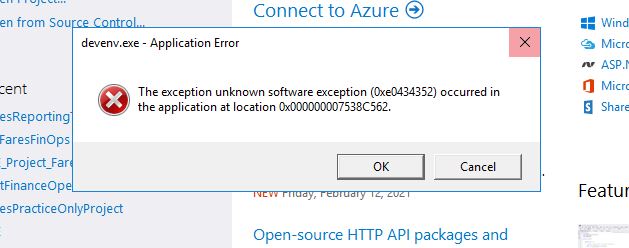
this exception is related to .Net Installation as I read in this article:
https://thegeekpage.com/how-to-solve-unknown-software-exception-0xe0434352/#:~:text=Unknown%20software%20exception%20(0xe0434352)%20is%20an%20error%20that%20is%20related,that%20are%20contradicting%20with%20Windows.
When I open any project and try to open table browser of any table (mine or standard) I get this in my browser:
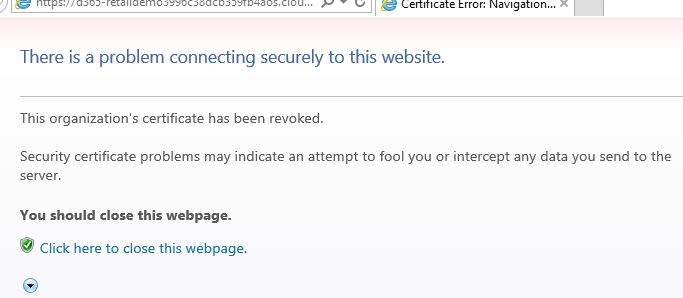
I unchecked the certificate security checks in the advace tab of IE options and restared the VM but the problem didn't get resolved and persisted the same way.
When I try to access any table browser from the Application Explorer before opening any project (first thing after open VS as an admin of course) I get this error:
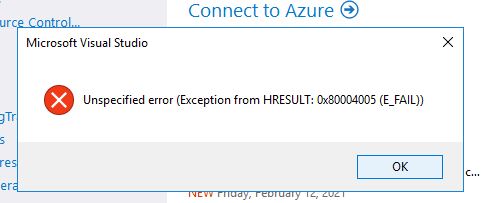
Any suggestion on how to proceed since I didn't want to try any internet solutions around .Net installation errors in fear of worsening the situation.
PS: everything worked fine till the last time the VM worked last week and this is the first error of its kind that I faced in this vm.
Thanks in advance.


