web
You’re offline. This is a read only version of the page.
close
Skip to main content

Announcements

News and Announcements icon
Community site session details

Community site session details

Session Id :
Small and medium business | Business Central, N...
Answered

How do I apply a credit memo or payment to an invoice

(0) ShareShare
ReportReport
Posted on by 130

Hi All,

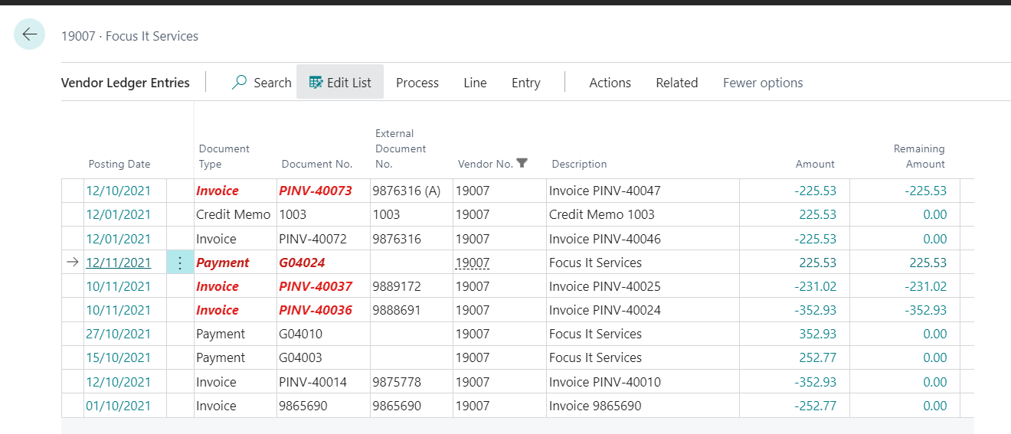
I am trying to apply a payment to an invoice for a vendor:
 pastedimage1643877609305v1.png

 So I want to apply line 1 and line 4.


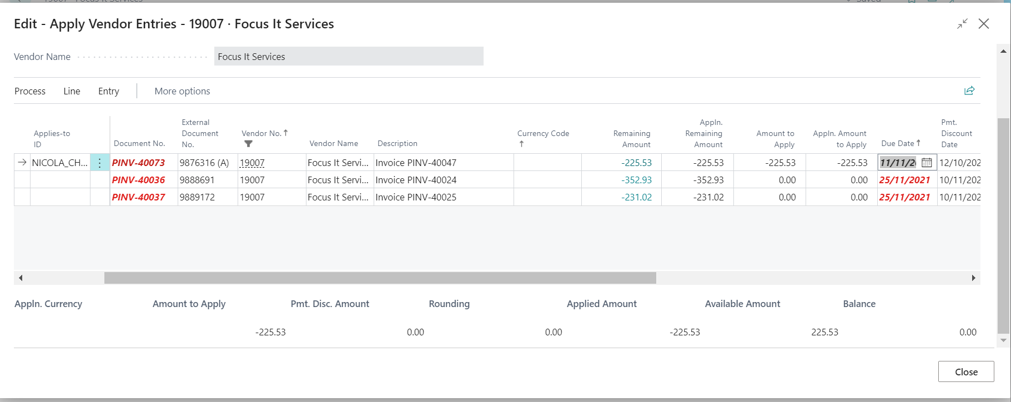
If I go to the Payment line and click on Apply Entries, then fill out the amount on the line of the invoice I want to mark as paid:
 pastedimage1643877623392v2.png


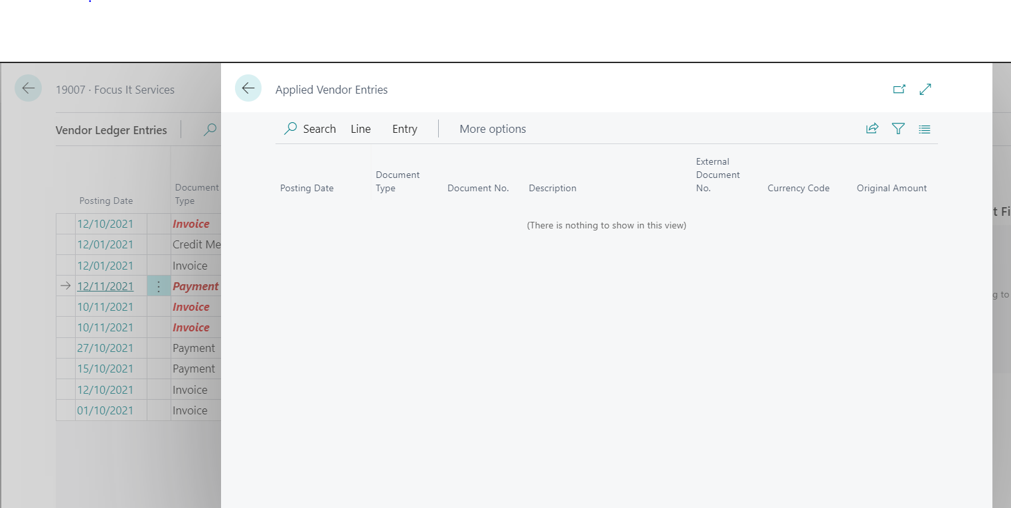
However, when I close and go back to the Vendor ledger entries, the payment has not been applied:
 pastedimage1643877631548v3.png


What am I doing wrong?


Thanks,

Nicola

I have the same question (0)
  • Verified answer
    Gavin Profile Picture
    2,510 on at

    Hi,

    You just need to click "Process > Post Application" in the "Apply Vendor Entries" page after the you have applied the transactions to complete the process.

    pastedimage1643878488461v1.png

    Hope this helps.

    Thanks

    Gavin

  • crawlenj Profile Picture
    130 on at

    Fabulous! Thanks Gavin

Under review

Thank you for your reply! To ensure a great experience for everyone, your content is awaiting approval by our Community Managers. Please check back later.

Helpful resources

Quick Links

Season of Sharing Community Challenge Winners!

Congratulations to our community stars!

Women in Power Builds Momentum

Expanding mentorship, skilling, and AI innovation

Congratulations to the June Top 10 Community Leaders

These are the community rock stars!

Leaderboard > Small and medium business | Business Central, NAV, RMS

#1
OussamaSabbouh Profile Picture

OussamaSabbouh 647 Super User 2026 Season 1

#2
Gerardo Rentería García Profile Picture

Gerardo Rentería Ga... 447 Most Valuable Professional

#3
YUN ZHU Profile Picture

YUN ZHU 366 Super User 2026 Season 1

Last 30 days Overall leaderboard

Featured topics

Microsoft Training Manuals

Product updates

Dynamics 365 release plans
