Josh,
Adding to Yun's reply... Vendor Rating we have added Cosmo Consulting and the rest we use Jet Reports. There is the basis for getting this data from NAV, but it will depend on how diligently the users manage the "Expected Receipt Date" on the purchase lines. Also, you will need to define what "on time" means for you. For example, 3 days early and 0 days late is a definition that I have seen used. You will need to decide if one line is not "on time" do you consider the whole order or receipt as not "on time". A report, either in NAV or via Jet Reports will give you output. Another approach is to create a list page in NAV with a function to calculate results, then send this to Excel.
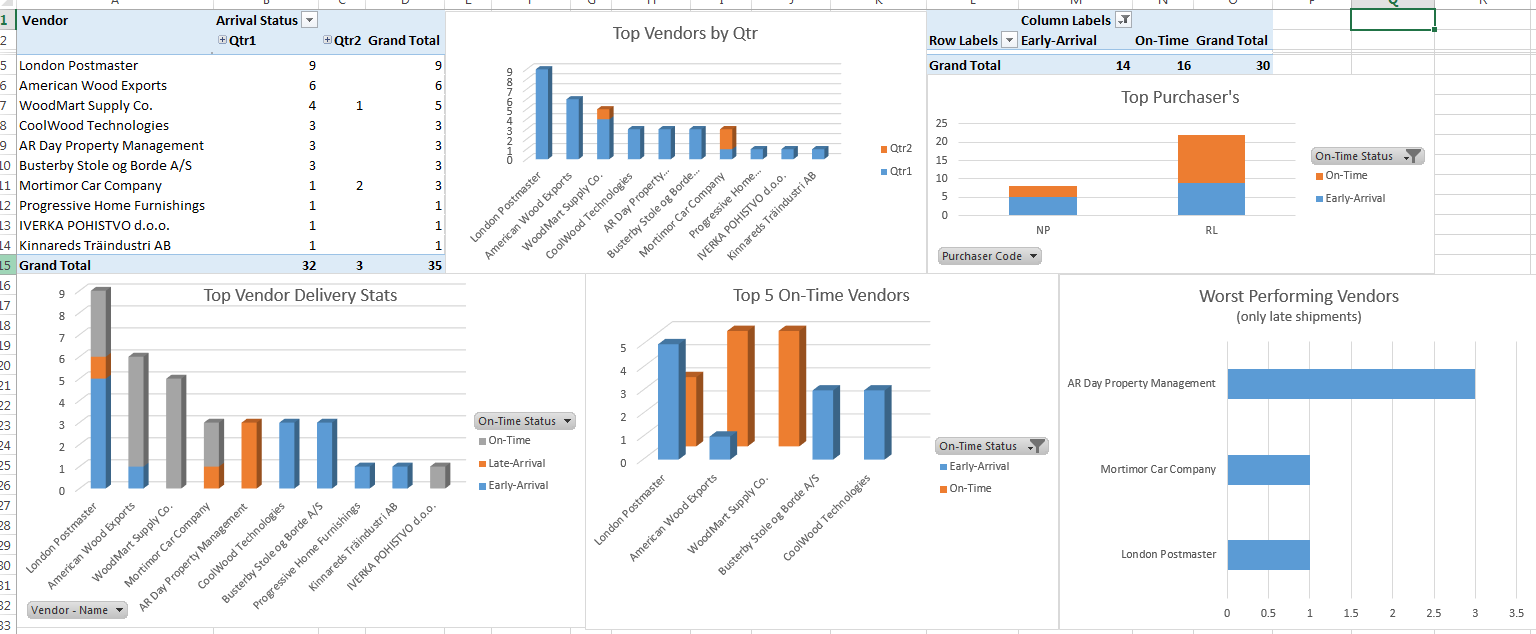
I had a few minutes so I put this together for fun, it is vendor performance including late, on-time and early based on receipt lines. I also added metrics for top vendors and purchasers; all in all took me about 10 minutes (give or take) to put this together and I think that is the real power of Jet Reports. Additionally you could enter supporting information either by hand or possibly from a data dump depending on what your using and have access to from the vendors or at your own disposal.
Here is the dashboard I built with a simple table in Jet
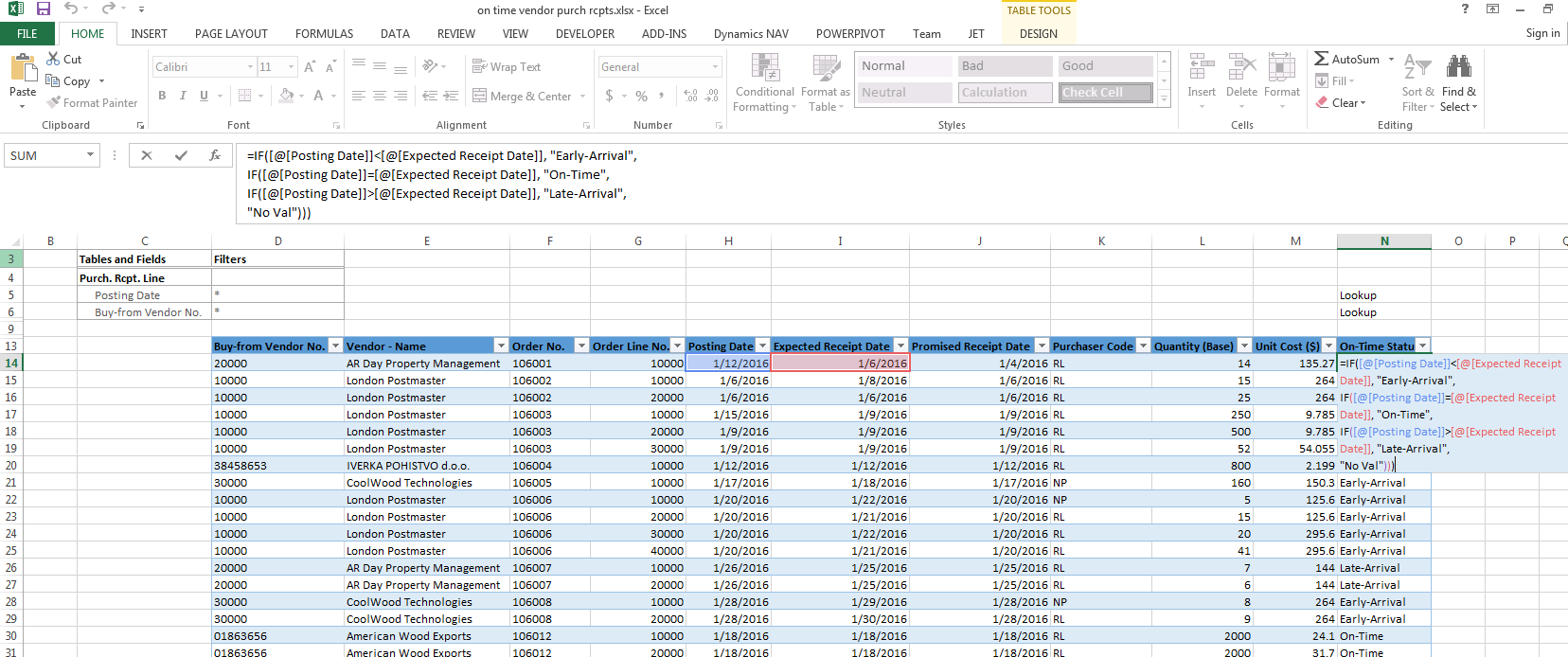
Here is what the data table looks like. I am using a simple nested if statement for the On-Time Status field, the formula is
=IF([@[Posting Date]]<[@[Expected Receipt Date]], "Early-Arrival",
IF([@[Posting Date]]=[@[Expected Receipt Date]], "On-Time",
IF([@[Posting Date]]>[@[Expected Receipt Date]], "Late-Arrival",
"No Val")))
as it is part of the jet table it is updated when the table data is refreshed, if your not familiar with tables and using [@[thisfield]] let me know and I will spend time to show you how you can do a lot of things better within a table (which is not limited to jet - it is a feature of excel)
The data table looks like the following, I have attached the table design from jet and this report to this post for anyone who would like it.
Hope this helps.
Thanks,
Steve







