web
You’re offline. This is a read only version of the page.
close
Skip to main content

Announcements

No record found.

News and Announcements icon
Community site session details

Community site session details

Session Id :
Microsoft Dynamics AX (Archived)

DIXF Error when validating Shared working directory

(0) ShareShare
ReportReport
Posted on by 352

Hi Everybody

As you can see in the ubject, my problem is related to Validating Shared working directory. I saw in the community that some bodies are having some like problem like mine but not really the exact one !

My AOS  and Data Import/Export Service are running with the same user logon, which has a full access to my Folder (DMF_CONFIG).

I saw also that I have the same error even i change this path as \\MyServer\DMF_CONFIG\

I want just to note one point : This server (S1) was cloned from an other one (S2 : the old one (S2) working is working well with DIEF). In S1 I installed Active Directory and it's disconnected from my network to avoid any problem and that I can use from my laptop even i'm not in the office (for testing ...)

If someone can help :)

Here is a screenshot which can give you more details for error message got :
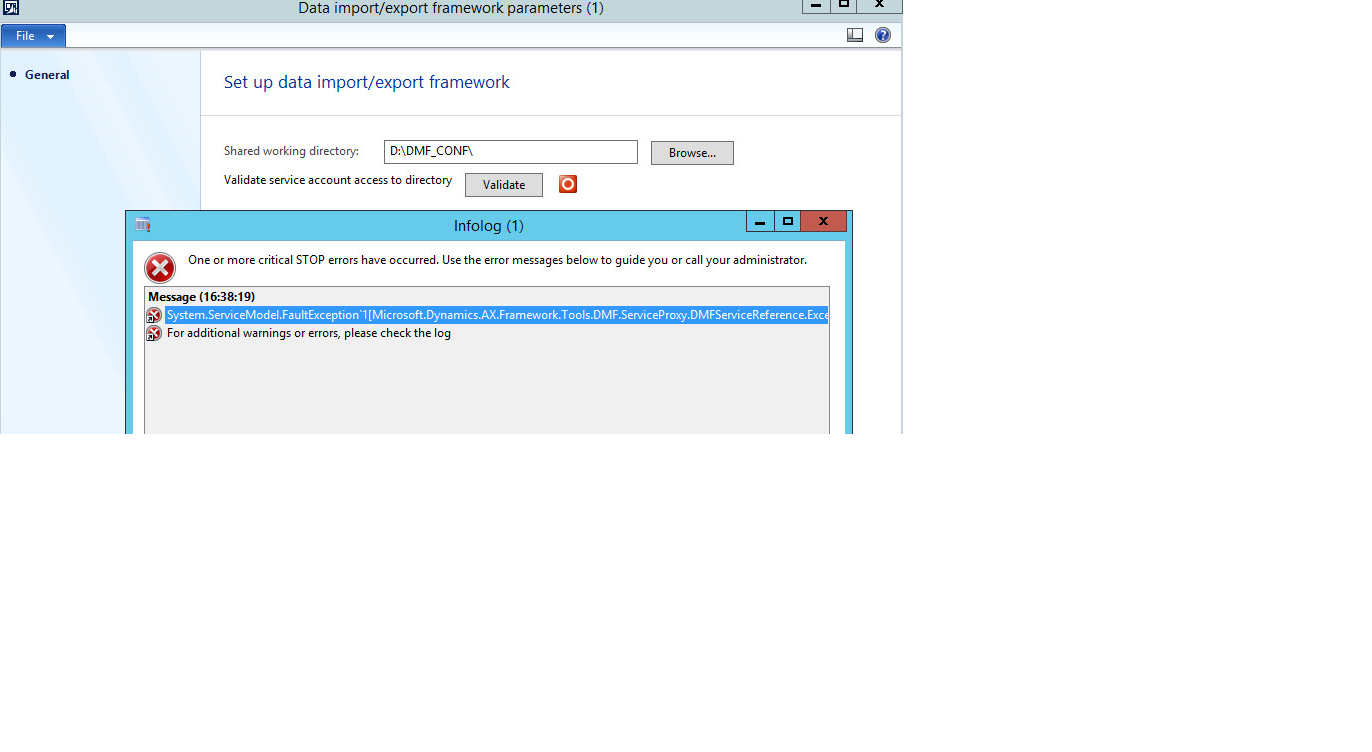
DIEF_5F00_Error.png

*This post is locked for comments

I have the same question (0)
  • JauB Profile Picture
    352 on at

    I saw in other forums that I have to do this :

    Add the Data Import/Export Framework service account to the Microsoft Dynamics AX Data Import Export Framework Service Users local group on the computer that is running the Data Import/Export Framework service.

    But the problem is that my machine is containing at the same time my Active Directory, so there is no way (I think) to have this possibility to manage local users or groups ! May be I have to create a ne group directly in my AD ? I have to give it a special name ?....?

    Thanks.

  • JauB Profile Picture
    352 on at

    I uninstalled the DIXF and install it again, and now when validating the shared working directory i got this  :

    DIXF_2D00_Error2.png

    My account user used for AOS and Data importation exportation Service has full access to that folder !

  • Verified answer
    JauB Profile Picture
    352 on at

    Proble solved :)

    DIXF installation created automatically the group under AD, and there I added the right account :)

Under review

Thank you for your reply! To ensure a great experience for everyone, your content is awaiting approval by our Community Managers. Please check back later.

Helpful resources

Quick Links

Introducing the 2026 Season 1 community Super Users

Congratulations to our 2026 Super Stars!

Meet the Microsoft Dynamics 365 Contact Center Champions

We are thrilled to have these Champions in our Community!

Congratulations to the April Top 10 Community Leaders

These are the community rock stars!

Leaderboard > 🔒一 Microsoft Dynamics AX (Archived)

#1
CP04-islander Profile Picture

CP04-islander 34

#2
Michel ROY Profile Picture

Michel ROY 14

#3
Jagadabi Profile Picture

Jagadabi 6

Last 30 days Overall leaderboard

Featured topics

Product updates

Dynamics 365 release plans
