web
You’re offline. This is a read only version of the page.
close
Skip to main content

Notifications

Announcements

No record found.

Community site session details

Community site session details

Session Id :
Finance | Project Operations, Human Resources, ...
Answered

Drag & Drop development basics

(1) ShareShare
ReportReport
Posted on by 3,542

Hi folks

I am trying to implement some drag & drop functionality.

I have built this little chess AI (every 2nd program is an "AI" these days). Now I am trying to build a front end for it - so that you can play against it.
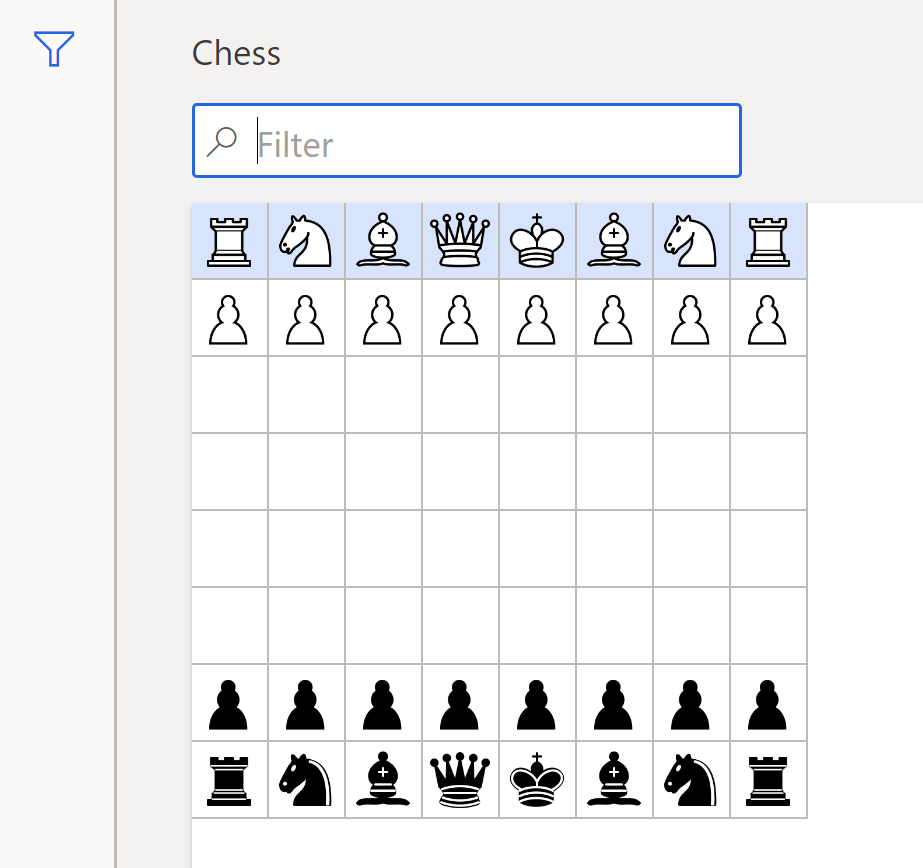
Screenshot-2020_2D00_04_2D00_29-at-14.33.59.png

From the above - I want to drag a chess piece to another place. Yes it is a grid and those are records (temp table), but the actual data structure is much different. Don't ask me about that please - I only need to know about drag & drop.

I haven't been able to find any useful information on the web. And my "Find references" functionality on my VM is in non-operational state (I'll make a post about it some time). So I can't find any examples in standard AX. Also - I don't know what to expect. I haven't seen it on the front end. I have overridden all the "drag & drop" related methods I could find. But I have no idea where or what to do. I can just tell you it is not working.

So I will be very thankful if someone could assist me with 1) a link 2) an example in standard AX or 3) a brief overview.

Chess is not related to D365 Finance. But Drag&Drop is indeed. I will hopefully be using this skill for a proper reason in future.

Thanks for your attention

I have the same question (0)
  • Verified answer
    nmaenpaa Profile Picture
    101,162 Moderator on at

    Drag & Drop works in AX2012 but hasn't yet been implemented in D365FO.

    Not sure if they would add it in the new grid control which is now in public preview (or parts of it are maybe even GA?).

    docs.microsoft.com/.../ax-2012-features-not-implemented-but-not-deprecated

  • Verified answer
    Joris dG Profile Picture
    17,775 on at

    I'm not sure how you implemented this exactly, with a grid or table control perhaps?. But I would expect something UI-specific like this to be done with an extensible control. That essentially lets you build all the HTML and JavaScript needed, and then your drag&drop is a simple JavaScript solution.

    docs.microsoft.com/.../build-extensible-control

    I can appreciate the exercise even though it's not a typical F&O thing. But my point is that any special UI like this would probably not be implemented with the standard controls anyway.

  • Sergei Minozhenko Profile Picture
    23,093 on at

    Hi Pete,

    It could be a quite nice feature to spend time while waiting for an operation to be finished instead of clicking "Wait" button.

  • Pete Alberts Profile Picture
    3,542 on at

    Nikolaos

    thanks, that is the answer to my question 

    Joris

    I have a table structure that is not user friendly (for example each "Block" in the grid is a record, resulting in 64 records to define the current status of a chess game). I take these tables and "pivot" them into a temp table. The temp table has, among others, 8 fields for each column. And then for the current chess game, there will be 8 records. This temp table is a DS on the form and the data source for the grid in the screenshot. This was the quickest way I could think of to present the data. The solution will be an extensible control yes. I have created one for a signature pad integration. But it takes time and I'm lazy. So for now the user will have to specify his or her move in some text boxes.

    Sergei

    lol. I have a Sudoku program (model) if you want it. Complete with difficulty levels, configurable assistance, a solver, a sudoku generator and configurable pay increases when you solve a sudoku. For some unfathomable reason my employer does not want to include it in one of our ISV products. Apparently it is "not professional".

Under review

Thank you for your reply! To ensure a great experience for everyone, your content is awaiting approval by our Community Managers. Please check back later.

Helpful resources

Quick Links

Responsible AI policies

As AI tools become more common, we’re introducing a Responsible AI Use…

Neeraj Kumar – Community Spotlight

We are honored to recognize Neeraj Kumar as our Community Spotlight honoree for…

Leaderboard > Finance | Project Operations, Human Resources, AX, GP, SL

#1
André Arnaud de Calavon Profile Picture

André Arnaud de Cal... 456 Super User 2025 Season 2

#2
Martin Dráb Profile Picture

Martin Dráb 429 Most Valuable Professional

#3
BillurSamdancioglu Profile Picture

BillurSamdancioglu 239 Most Valuable Professional

Last 30 days Overall leaderboard

Product updates

Dynamics 365 release plans
