web
You’re offline. This is a read only version of the page.
close
Skip to main content

Notifications

Announcements

No record found.

Community site session details

Community site session details

Session Id :
Microsoft Dynamics GP (Archived)

eConnect 2018 "Unable to Add user to SQL"

(0) ShareShare
ReportReport
Posted on by 385

Hi,

Successfully installed GP 2018 on a new SQL 2016 server in preparation for upgrade later this month.  Now I'm trying to install eConnect but receive the error noted in subject line.  Here's what I've tried:

  • I am logged into the box using my domain account which is part of a group that has local Administrator rights to the box.  
  • Created domain service account and added it to the local administrators group on my SQL box where I'm trying to install eConnect
  • Added SQL login for service account, gave it sysadmin role and mapped to all GP company databases and DYNAMICS and added to DYNGRP role
  • Launched the eConnect install from the MDGP2018_RTM media and accepted the default features by clicking Next
  • Entered the Domain, User Name (service account created above) and Password as shown in screen shot below:
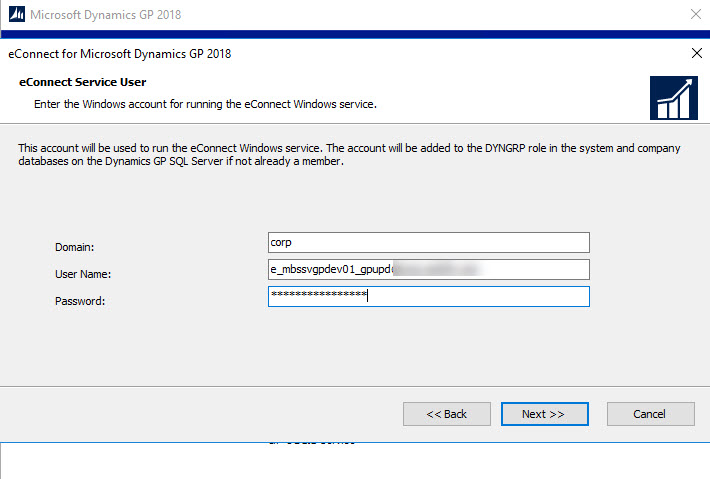
  • 2018_2D00_06_2D00_12_5F00_9_2D00_34_2D00_08.jpg
  • Entered Server Name (with instance name appended) and select SQL Authentication.  I did not click the 'Do not add service user to SQL':
  • 2018_2D00_06_2D00_12_5F00_9_2D00_37_2D00_31.jpg
  • After clicking Next and then Install on the following screen it tries for about 5 seconds and then shows the following message:
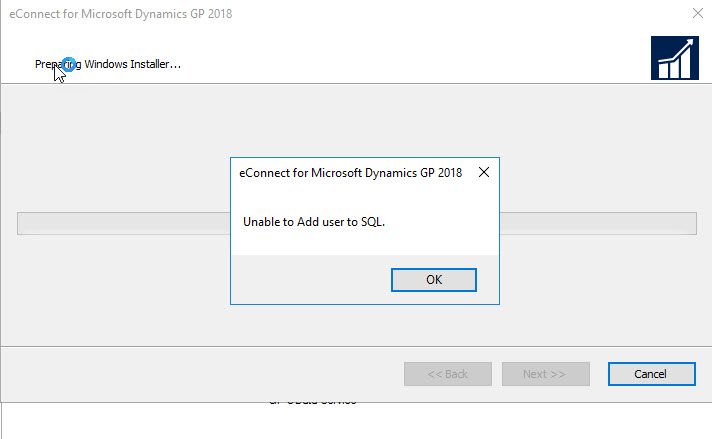
  • 2018_2D00_06_2D00_12_5F00_9_2D00_56_2D00_53.jpg
  • When I click OK it shows me a screen indicating the install failed.  Event viewer shows this same error but with no additional helpful detail.

 Other hopefully helpful points:

  • I've also tried the above without first adding the Service Account as a SQL login - same result
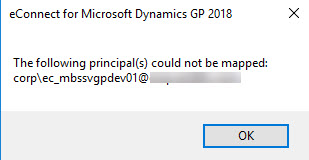
  • On the SQL Connection Information page I clicked the 'Do not add service user to SQL' checkbox which blanks out the Server Name and GP System DB name fields.  Received the following message:2018_2D00_06_2D00_12_5F00_7_2D00_27_2D00_13.jpg
  • Created a brand new service account after multiple iterations with initial account and had same results.

I hope I've provided enough details to give someone smarter than me a few clues to try to help me out.  Thanks!!

*This post is locked for comments

I have the same question (0)
  • Derek Albaugh Profile Picture
    on at

    Looking at what you mentioned here, I'm wondering if it may not be an issue with the account you're trying to use with eConnect, such as having the @ symbol in the user ID name.

    The other thing I could think of off the top of my head would be to make sure the password is 15 characters or less, as Dynamics GP and related applications usually only allow 15 or less.

    This message usually has to do with the service account that eConnect is attempting to add the SQL Server instance, because this account is used to make the connection between SQL and eConnect.

    The eConnect Service User account is used by the eConnect Integration Service, Incoming Service and Outgoing Service. The account must be a member of DYNGRP role in the Dynamics GP system and all company databases, on your SQL Server.

    Go to SQL>>Security>>Logins, add the user, give them sysadmin role, then give them access to the system and company GP databases as well as the DYNGRP role to each GP database, then try installing eConnect with this user account.

    Thanks

  • Suggested answer
    Omar E. Buch Gomez Profile Picture
    on at

    Hi AwalshGA

    I would suggest to use SQL Server Profiler (showing only errors) to find out the exact reason for the problem.

  • Verified answer
    AwalshGA Profile Picture
    385 on at

    Derek, thank you for the quick response and detailed suggestions.  You gave me a few more things to check.  Turns out it was definitely the service account but I'm still not 100% sure what the root cause was.  I ended up using a brand new service account (with the FQDN) and a 15 character password (great reminder from you) and was able to install eConnect.  

    It may have been that the previous service accounts (I tried two others before the last one worked) had a longer password or, for at least one of them, the service account name was truncated when added to my SQL logins.  Apparently, SQL uses the pre-Windows 2000 name from the AD account which has a limit of 20 characters.  The service account name resolved correctly when I added it as part of the eConnect installation process but the corresponding SQL login name was exactly 20 characters and had chopped a couple of characters from the true FQDN.  

    Thanks again for your assistance.  I'm confident your insights led to the resolution in my case.  

  • AwalshGA Profile Picture
    385 on at

    Hi Omar,

    Thanks for the suggestion.  I was able to resolve my issue prior to seeing your suggestion but will definitely try that next time.  See my response to Derek A's post for a bit more detail on what ended up happening.  Thanks again!

  • Derek Albaugh Profile Picture
    on at

    Thanks for the update and I'm glad it helped resolve your issue. I'm sure this will help others as well...…..

  • yoandy Profile Picture
    115 on at

    Hi i have the same problem how do you solve the issue am sotkc in that part than you

  • Beat Bucher  GP Geek  GPUG All Star Profile Picture
    28,058 Moderator on at

    Hi Yoandy,

    Can you please post a detailed description of the message you get ? maybe a screenshot would help too .. .

Under review

Thank you for your reply! To ensure a great experience for everyone, your content is awaiting approval by our Community Managers. Please check back later.

Helpful resources

Quick Links

Responsible AI policies

As AI tools become more common, we’re introducing a Responsible AI Use…

Neeraj Kumar – Community Spotlight

We are honored to recognize Neeraj Kumar as our Community Spotlight honoree for…

Leaderboard > 🔒一 Microsoft Dynamics GP (Archived)

#1
Community Member Profile Picture

Community Member 2

#2
mtabor Profile Picture

mtabor 1

#2
Victoria Yudin Profile Picture

Victoria Yudin 1

Last 30 days Overall leaderboard

Featured topics

Product updates

Dynamics 365 release plans