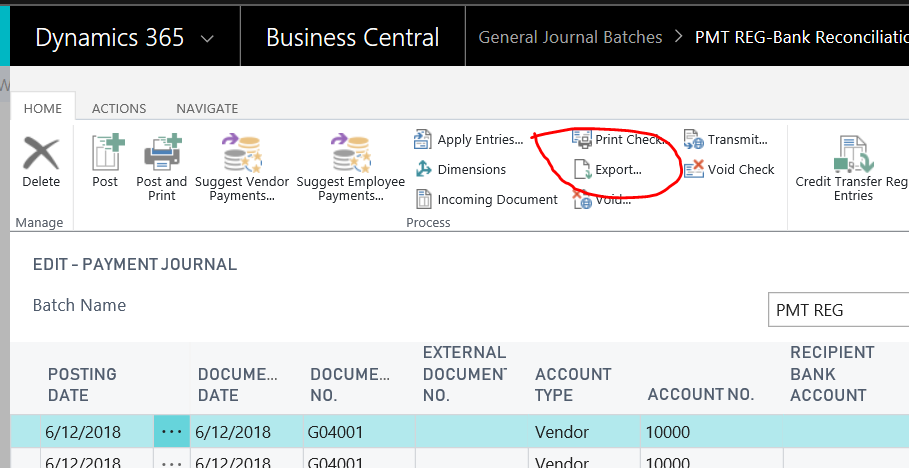
I just checked, and the Export action is definitely still there:
Can you navigate to the Company Information page, expand the User Experience fasttab and check what the Experience is set to?
If you are in the CRONUS company (testing), you can set the experience to Premium.
If you are a paying subscriber of Business Central, make sure the experience to match the Full User subscription type that you have (Essential or Premium).
When you close the Company Information page, it should refresh your screen, but for good measure, I suggest you sign out of Business Central and sign back in again, and then check the Payment Journal page once more.
Another possibility is the Role Center profile assigned to your user. I'm using Business Manager. You can change it from the gears icon on the top-right of the Business Central screen in your browser, and clicking on My Settings. Here you will see the option to change your Role Center.
I hope this helps. If my response has answered your question, please verify by clicking Yes next to "Did this answer your question?"


