web
You’re offline. This is a read only version of the page.
close
Skip to main content

Announcements

No record found.

News and Announcements icon
Community site session details

Community site session details

Session Id :
Microsoft Dynamics AX (Archived)

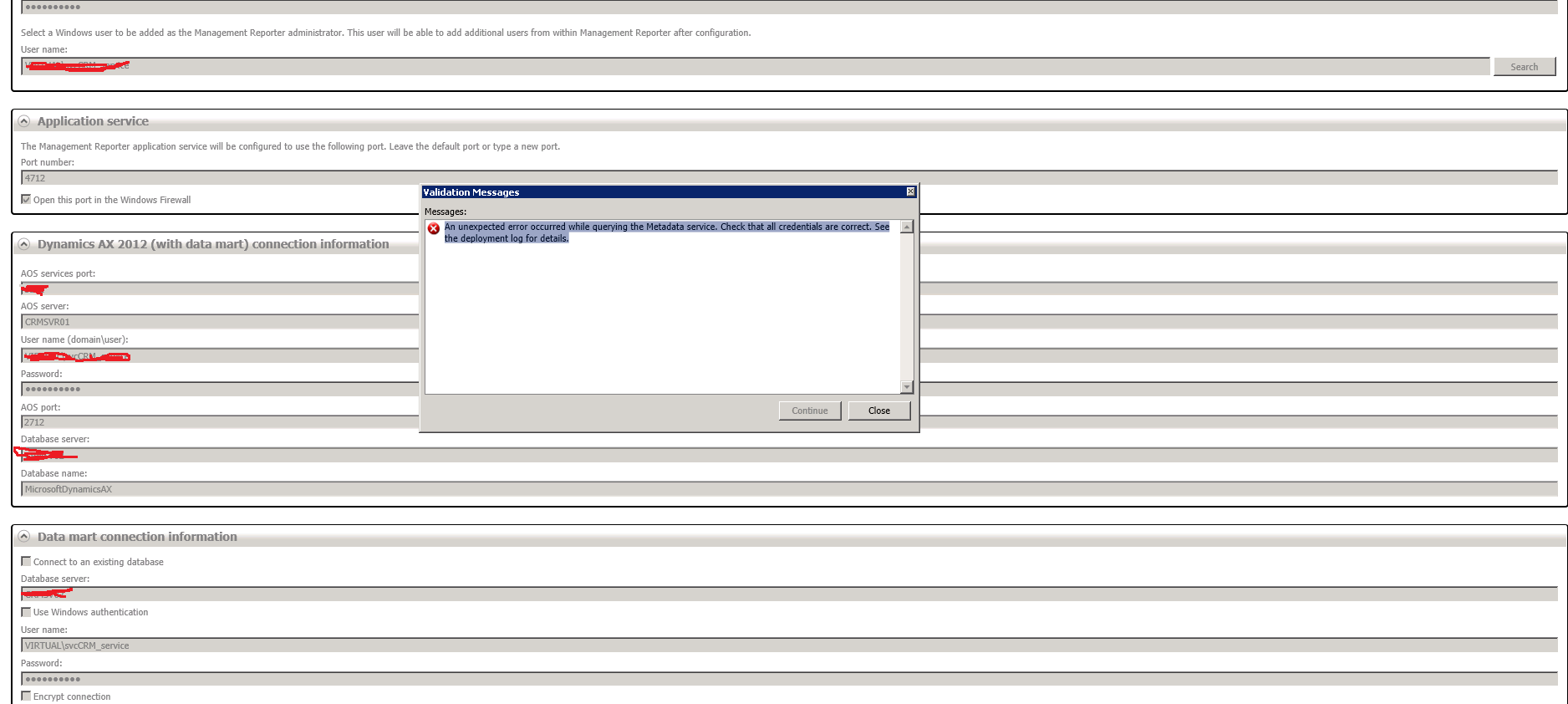
Error during Installation of Management reporter server for ax 2012 CU7 : An unexpected error occurred while querying the Metadata service. Check that all credentials are correct. See the deployment log for details.
(0) ShareShare
ReportReport
Posted on by 1,020

Hi 

I am trying to Install Management reporter server for ax 2012 cu7. I have filled all the server details in the setup wizard. I am getting an error : An unexpected error occurred while querying the Metadata service. Check that all credentials are correct. See the deployment log for details.

Please help me to solve this issue,

Thanks, 

Ramakrishna T.

*This post is locked for comments

I have the same question (0)
  • Suggested answer
    Denis Macchinetti Profile Picture
    16,444 on at

    Hi

    Verify that on AOS Server is indicate the server that hosts the AOS and not the AOS instance name ?

    More info at www.microsoft.com/.../details.aspx

    Regards

  • RamaKrishna Tanneeru Profile Picture
    1,020 on at

    Hi Denis,

    Thanks a million for replying on this.

    I have followed the Installation guide, But After filling all the details I am getting another error i.e "Could not add the integration user to the Dynamics ERP database(s)."

    Could you please help me in resolving this.

    Thanks,

    Ramakrishna T.

  • Suggested answer
    Denis Macchinetti Profile Picture
    16,444 on at

    Hi

    Which user are you using ?

    Verify if you are deploying using the domain\administrator that the "Display Name" in active directory is set, and not blank.

    Finally, check the log on folder C:\ProgramData\Microsoft Dynamics\Connector for Microsoft Dynamics\Logs

    The log file should be named "41ebc909-6dce-4f3f-b129-8b79ea6ffbcbMicrosoft.Dynamics.Integration.UNKNOWN"

    Regards

  • DeftBat Profile Picture
    on at

    Management Reporter CU8 Installation - An unexpected error occurred while querying the Metadata service.

    I have installed the MR Application and Process Services successfully. But when I try and iinstall/configure (as per below) the AX2012 Data Mart I get the above error. I am trying to install into a demo vm using the settings below - any ideas would be much appreciated

  • Suggested answer
    Community Member Profile Picture
    on at

    The Management Reporter service account needs to be a user inside AX 2012 as a System Administrator.  Open the AX 2012 client and add the user.  Also add the service user as a DB reader role on the AX transaction DB.

  • Community Member Profile Picture
    on at

    After installation and configuration of MR in AX2012 R2, I cannot open the reports and MR Log shows the below error:

    [AX 2012 Fiscal Years to Fiscal Year] has encountered an error. Processing will be aborted. Error text: The database generated a key that is already in use.

    any ideas for fixing this error??

  • Community Member Profile Picture
    on at

    Hello.

    Did you find resolution for this issue?

    I'm dealing with similar situation.

    Thanks.

    Jacek

  • Suggested answer
    Vinesh Tandel Profile Picture
    590 on at

    was the issue resolved i  am also facing same issue

  • Community Member Profile Picture
    on at

    Hello

    In this blog we read about multiple problems from different user;

    Pleas be more precise on which problem you are asking for.

    Hans-Peter

  • Suggested answer
    Robbie Lewis Profile Picture
    115 on at

    I've had this issue before as well. I'm sure there is another solution but an easy way I worked around it was just to create a new user in AD, assign them in AX as security administrator and administrator roles and then use that new account to configure MR in your above screenshots. I also logged on as that account when configuring so you will need to make it a local admin on the machine as well.

Under review

Thank you for your reply! To ensure a great experience for everyone, your content is awaiting approval by our Community Managers. Please check back later.

Helpful resources

Quick Links

Introducing the 2026 Season 1 community Super Users

Congratulations to our 2026 Super Stars!

Meet the Microsoft Dynamics 365 Contact Center Champions

We are thrilled to have these Champions in our Community!

Congratulations to the March Top 10 Community Leaders

These are the community rock stars!

Leaderboard > 🔒一 Microsoft Dynamics AX (Archived)

#1
Joris dG Profile Picture

Joris dG 5

#2
Alexey Lekanov Profile Picture

Alexey Lekanov 2

#2
Henrik Nordlöf Profile Picture

Henrik Nordlöf 2 User Group Leader

Last 30 days Overall leaderboard

Featured topics

Product updates

Dynamics 365 release plans
