web
You’re offline. This is a read only version of the page.
close
Skip to main content

Announcements

No record found.

News and Announcements icon
Community site session details

Community site session details

Session Id :
Small and medium business | Business Central, N...
Answered

Cant personalize pages or change roles

(8) ShareShare
ReportReport
Posted on by 24
Hello,
 
We have an Production Enviroment in BC365, version 26.4 that we will use as Demo Enviroment for our customer, We all have Business Premium licenses, and basicly are logged in as a normal user, not a technician.
 
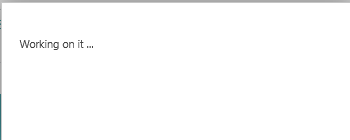
When we try to personalize a role(profile) we just get stuck on "Working on it" and no Ribbon with +Field is showing,
 
On my account i have Permission SUPER,
 
What more is needed to be able to be able to Personalize Pages.
 
We have a sandbox also and t he same problem there.
 
In Entra ive got Dynamics 365 Business Central Administrator policy
 
We have tried several users and diffrent Browsers
I have the same question (0)
  • Suggested answer
    André Arnaud de Calavon Profile Picture
    304,932 Super User 2026 Season 1 on at
    Moved the question from the Dynamics 365 General to the Dynamics 365 Business Central forum.

    I believe there were similar questions raised this week on the forum. You might find an answer in this answered thread: Solved: Personalization hangs for all users in Business Central
  • Suggested answer
    Pallavi Phade Profile Picture
    5,543 Super User 2026 Season 1 on at
     
    This is Microsoft issue .. Microsoft is working on fixes . Will update you once solved 
     
    Sharing Reference fom Community Threads 
     
     
    Regards
    Pallavi Phade
  • Suggested answer
    YUN ZHU Profile Picture
    100,644 Super User 2026 Season 1 on at
    Hi, hope the following helps.
     
    Thanks.
    ZHU
  • Suggested answer
    Sahan Hasitha Profile Picture
    2,683 on at
    hi
    I think This is Microsoft issue
  • Verified answer
    Rishabh Kanaskar Profile Picture
    6,225 Super User 2026 Season 1 on at
    Many users across different regions are experiencing this issue. Microsoft has already resolved it for some regions and is rolling out the fix on a region-by-region, tenant-by-tenant basis.
     
    Please be patient, it should be resolved for you soon.
     
    Thanks
    Rishabh
  • Suggested answer
    Pallavi Phade Profile Picture
    5,543 Super User 2026 Season 1 on at
     
    Issue is fixed , Please verify the same .
     
    Regards
    Pallavi Phade
  • Suggested answer
    Nimsara Jayathilaka. Profile Picture
    5,100 Super User 2026 Season 1 on at
    Hi
     
    This issue is affecting multiple users across different regions. Microsoft has already deployed a fix in certain areas and is gradually rolling it out region by region and tenant by tenant
     
    Thanks
    Nimsara
  • Gerardo Rentería García Profile Picture
    26,509 Most Valuable Professional on at
    Hi
    The fix is ​​already being implemented across all environments. It should be resolved in your environment as well, hopefully soon.
    Best
    GR

Under review

Thank you for your reply! To ensure a great experience for everyone, your content is awaiting approval by our Community Managers. Please check back later.

Helpful resources

Quick Links

Introducing the 2026 Season 1 community Super Users

Congratulations to our 2026 Super Stars!

Meet the Microsoft Dynamics 365 Contact Center Champions

We are thrilled to have these Champions in our Community!

Congratulations to the April Top 10 Community Leaders

These are the community rock stars!

Leaderboard > Small and medium business | Business Central, NAV, RMS

#1
OussamaSabbouh Profile Picture

OussamaSabbouh 1,872 Super User 2026 Season 1

#2
YUN ZHU Profile Picture

YUN ZHU 1,110 Super User 2026 Season 1

#3
AndrewThomas81 Profile Picture

AndrewThomas81 892

Last 30 days Overall leaderboard

Featured topics

Product updates

Dynamics 365 release plans
