web
You’re offline. This is a read only version of the page.
close
Skip to main content

Announcements

No record found.

News and Announcements icon
Community site session details

Community site session details

Session Id :
Microsoft Dynamics CRM (Archived)

Duplicate Child Cases Being Created from Workflow based on Criteria???

(0) ShareShare
ReportReport
Posted on by 9

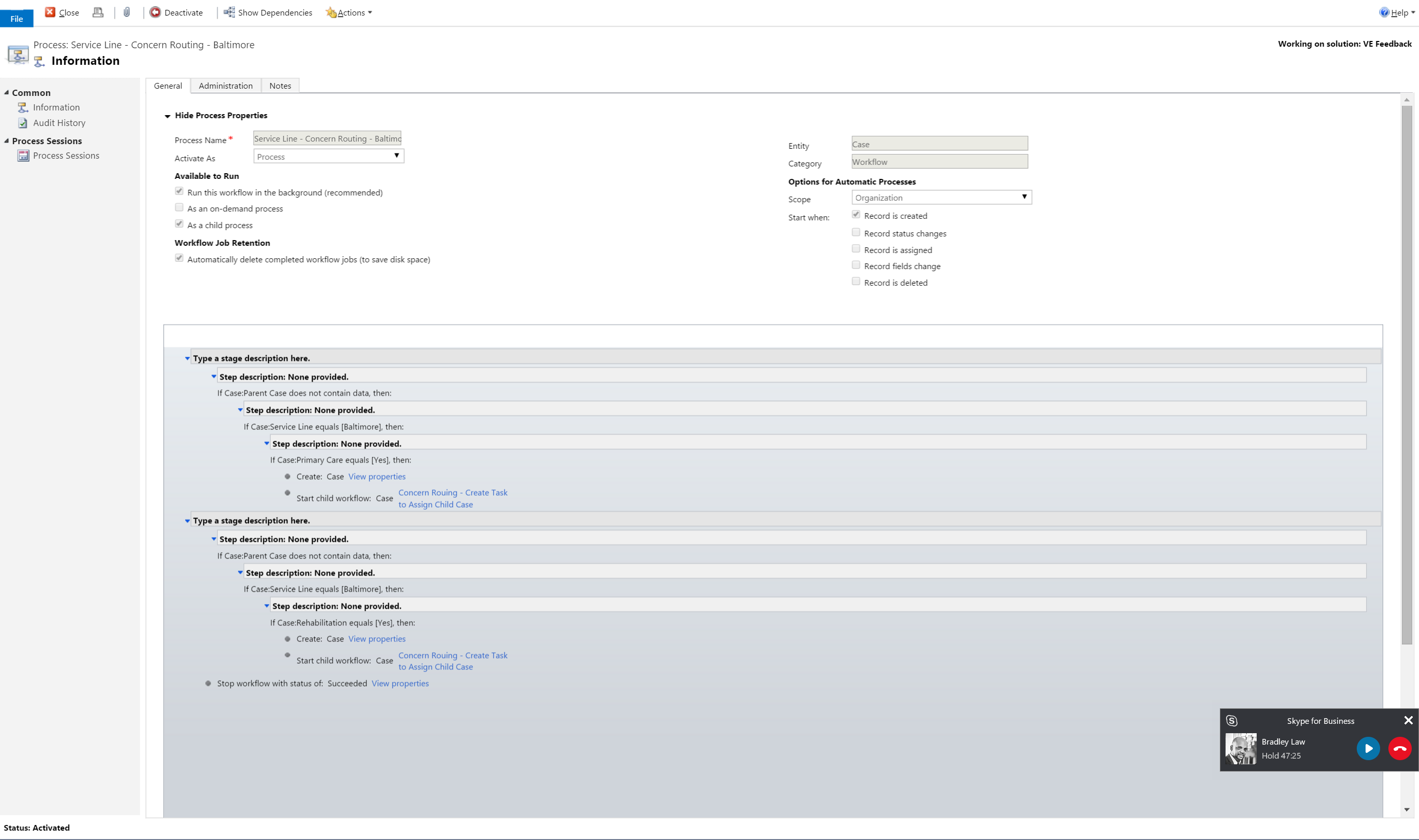
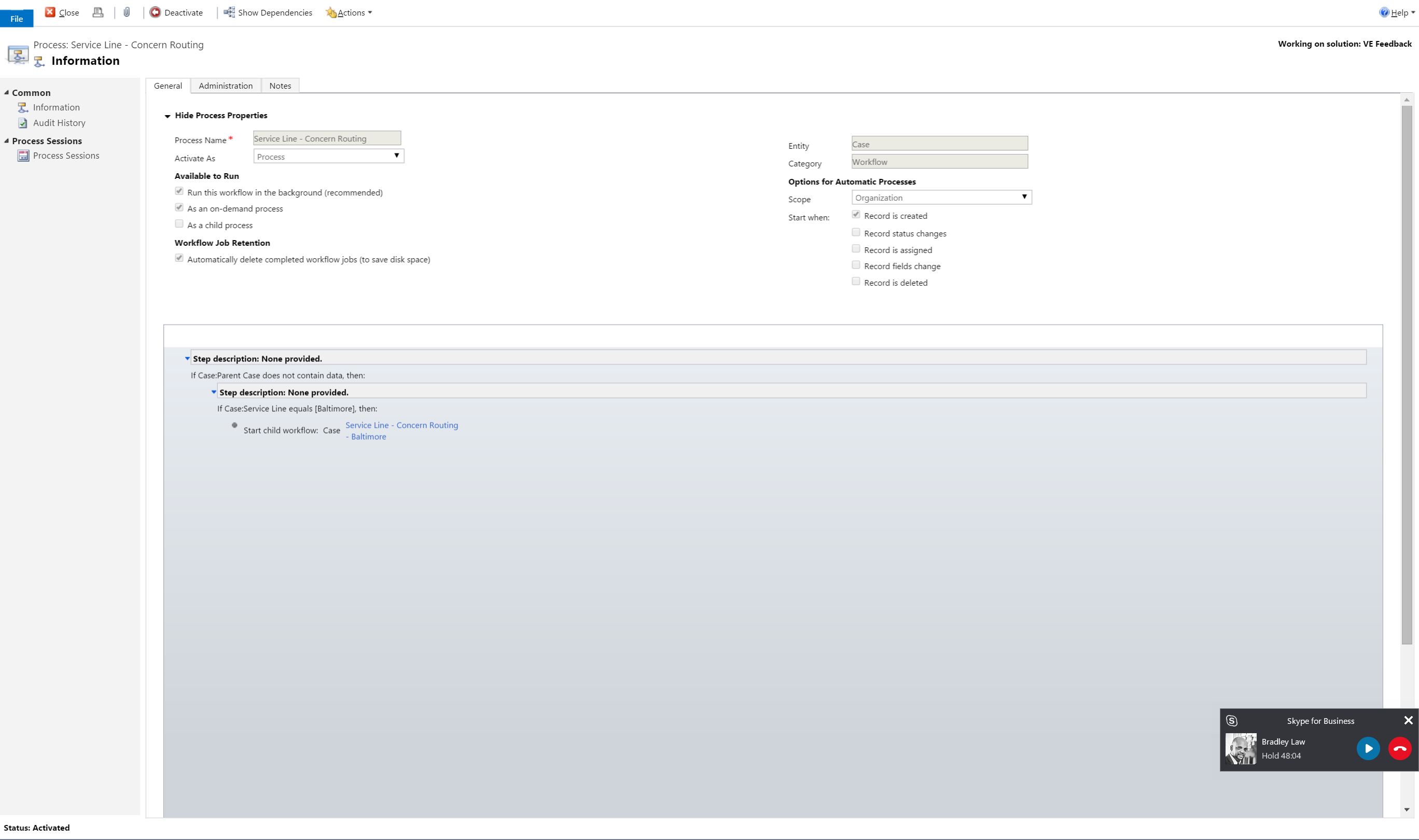
I have been working on a workflow for a couple of days off and on, thanks to #Alex Shelga for the great help. I am not past the first set of issues and have a new one. I have three workflows, on being a primary simply workflow that calls a second workflow and the 3rd is a simply task creator. After running this on the create of a case, it should generate two new child cases but it is instead creating four separate child cases, two unique ones. Any ideas what I am missing?

Calling Workflow
Step-1a_2D00_19.png

Child Workflow

Step-2_2D00_19.png

*This post is locked for comments

I have the same question (0)
  • Verified answer
    ashlega Profile Picture
    34,477 on at

    Hi Wal,

     try to remove "record is created" trigger from the child workflow.

  • Weldarb Profile Picture
    9 on at

    Ok thanks, then another one for you. If I want to create a task that shows the new child case number that was created on the parent case when or where can I capture the child case? The tasks as I show them now as you have shown me are only related to the Parent record?

  • Verified answer
    ashlega Profile Picture
    34,477 on at

    You might do it in that child workflow right after you created a case, for example (when setting up task properties, click on that dropdown where you normally select which attribute you'll be using for a field and scroll all the way down. For each record created in your workflow, there will be an additional selection there)

    Or you might actually add "otherwise" condition to the "parent" workflow. It will run for each case, it will keep doing what it's doing for the regular cases, and you will create a task in the "otherwise" portion (which will only run for "child" cases)

  • Weldarb Profile Picture
    9 on at

    I am trying to understand the first response. Are you referring to the Form Assistance on the right where I select the fields? I see Primary Entities, Related Entities and Local Values. Related Entities has a field called "Existing Case (Case)"  in the Look for: field.  Local Values has one called "Create (Case)" in the Look for: field.

    As of now I am getting a New Task created at the Parent level that isn't right as it has the Parent Case # and once the child case is created it has its own Task with the correct Case #. I assume that the related field comes into play here for Tasks created as you say in Parent Workflow, so is it just selecting the correct field for the "Regarding Field" as well?

  • Weldarb Profile Picture
    9 on at

    wait. I think I have it.

  • Verified answer
    ashlega Profile Picture
    34,477 on at

    Yes, it's the one which is called create(case)

    For the second part, I think you just need to set regarding to the case(if it's the parent workflow)

Under review

Thank you for your reply! To ensure a great experience for everyone, your content is awaiting approval by our Community Managers. Please check back later.

Helpful resources

Quick Links

Introducing the 2026 Season 1 community Super Users

Congratulations to our 2026 Super Stars!

Meet the Microsoft Dynamics 365 Contact Center Champions

We are thrilled to have these Champions in our Community!

Congratulations to the March Top 10 Community Leaders

These are the community rock stars!

Leaderboard > 🔒一 Microsoft Dynamics CRM (Archived)

Last 30 days Overall leaderboard

Featured topics

Product updates

Dynamics 365 release plans