web
You’re offline. This is a read only version of the page.
close
Skip to main content

Announcements

No record found.

News and Announcements icon
Community site session details

Community site session details

Session Id :
Small and medium business | Business Central, N...
Suggested Answer

BC Teams Feature

(0) ShareShare
ReportReport
Posted on by 15

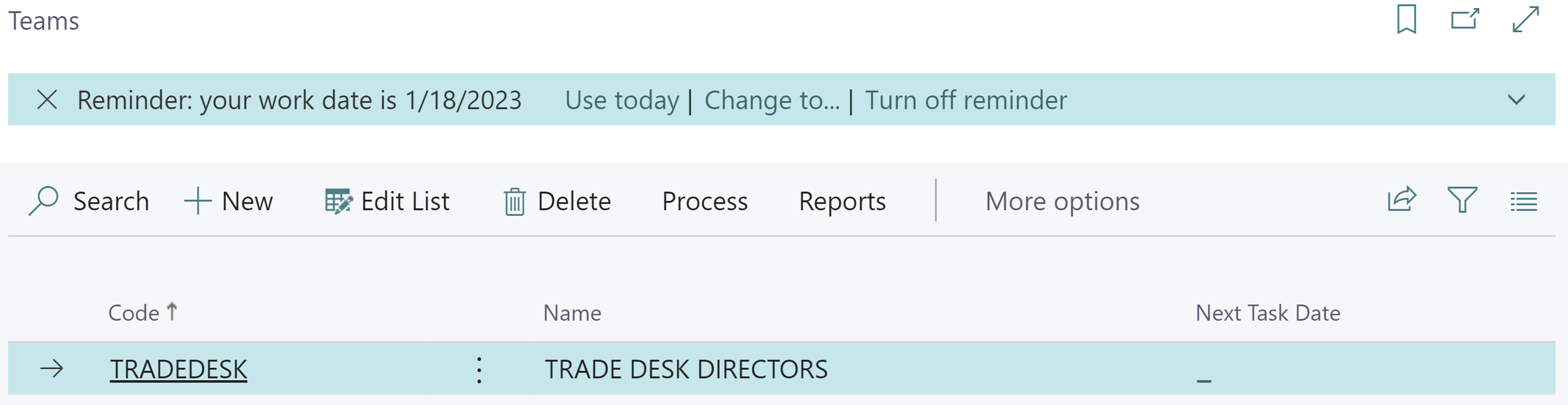
Is anyone familiar with the functionality available with the Salesperson/Purchaser Team feature?  
pastedimage1674114162225v1.png

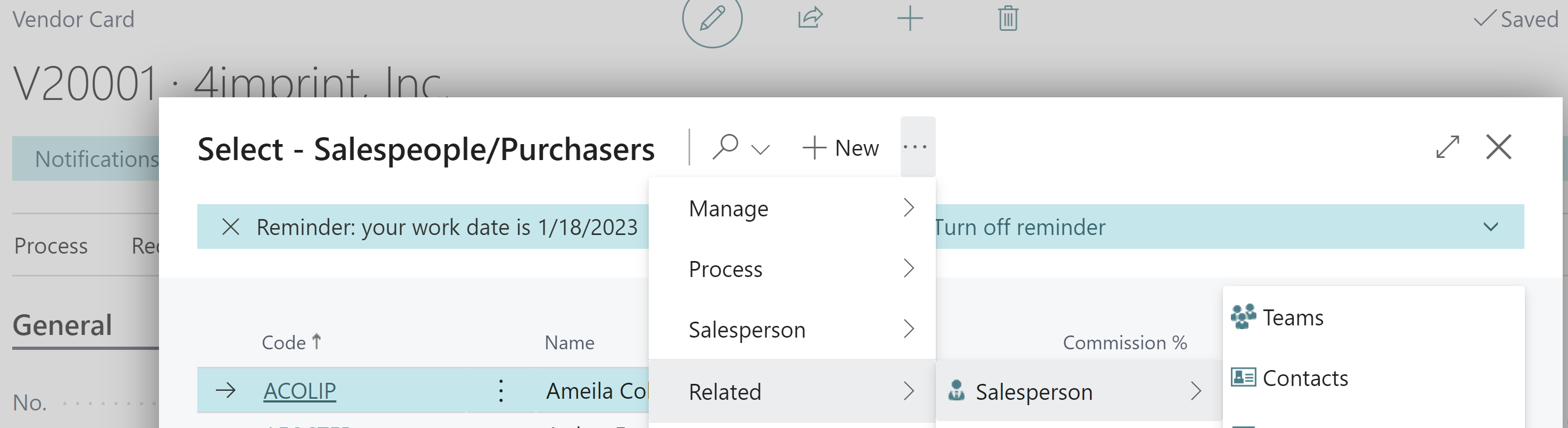
We found this when assigning a Purchaser code to a Vendor Card.  See path used in below snippet.  We followed a similar path on a Customer Card.
pastedimage1674114440049v2.png

I reviewed the BC documentation and could  not find any reference to the Teams.  We also asked two Microsoft consultants we are working with, and neither was familiar with this feature.  We're very interested in different grouping options for reporting, invoice approval process, etc.  If anyone knows what functions we are able to use with this Teams feature, we'd greatly appreciate.

Thanks!

I have the same question (0)
  • Suggested answer
    Manish Prasad Profile Picture
    325 on at

    Hello Christine,

    This function used for grouping salespersons and purchasers for specific team. For example you need to appoint 4 salespersons for specific area or zone. Or you want to assign them only for big projects instead of retails orders for the firm.

    pastedimage1674118129985v2.png

    You can also use that group for your customized reports if required in the business central which has a linkage or based on Salespersons or Purchasers.

    You can use system report available by filtering them as Team groups.

    System report available as below.

    pastedimage1674118263376v3.png

    This reports mainly works for Campaign run/executed by salespersons.

    If my answer helped you, maybe it can help others. Please verify it, so other users know it worked or helped you.
    Thank you.

  • Suggested answer
    Manish Prasad Profile Picture
    325 on at

    Hello Christine,

    This function used for grouping salespersons and purchasers for specific team. For example you need to appoint 4 salespersons for specific area or zone. Or you want to assign them only for big projects instead of retails orders for the firm.

    2465.pastedimage1674118129985v2.png

    You can also use that group for your customized reports if required in the business central which has a linkage or based on Salespersons or Purchasers.

    You can use system report available by filtering them as Team groups.

    System report available as below.

    1263.pastedimage1674118263376v3.png

    This reports mainly works for Campaign run/executed by salespersons.

    If my answer helped you, maybe it can help others. Please verify it, so other users know it worked or helped you.
    Thank you.

  • Christine J Profile Picture
    15 on at

    Thanks Manish.  So I believe I'm understanding you to say the feature is for reporting purposes and not useful for features like workflow approvals.  For example, if I wanted to send an invoice on for a Purchaser Group member to approve, it would not work in that instance.  But if I wanted to run a vendor report based on Purchaser Group, then it would apply.

    Is that correct?

    Thanks

    Christine

  • JodeRuiter Profile Picture
    982 User Group Leader on at

    Hi Christine,

    Manish's answer is great but I wanted to add:

    There is a LOT of integration between Teams and BC, here is an article that could help out.

    By the way there is also an app you can add to Outlook where you can view and perform all kinds of stuff.

    learn.microsoft.com/.../across-teams-overview

  • Suggested answer
    YUN ZHU Profile Picture
    99,090 Super User 2026 Season 1 on at

    Hi, I have briefly discussed this feature before, and hope to give you some hints.

    How to Create Teams and How to Create Team Tasks

    https://yzhums.com/8645/

    Thanks

    ZHU

Under review

Thank you for your reply! To ensure a great experience for everyone, your content is awaiting approval by our Community Managers. Please check back later.

Helpful resources

Quick Links

Introducing the 2026 Season 1 community Super Users

Congratulations to our 2026 Super Stars!

Meet the Microsoft Dynamics 365 Contact Center Champions

We are thrilled to have these Champions in our Community!

Congratulations to the March Top 10 Community Leaders

These are the community rock stars!

Leaderboard > Small and medium business | Business Central, NAV, RMS

#1
OussamaSabbouh Profile Picture

OussamaSabbouh 1,993 Super User 2026 Season 1

#2
YUN ZHU Profile Picture

YUN ZHU 1,116 Super User 2026 Season 1

#3
Khushbu Rajvi. Profile Picture

Khushbu Rajvi. 557 Super User 2026 Season 1

Last 30 days Overall leaderboard

Featured topics

Product updates

Dynamics 365 release plans
