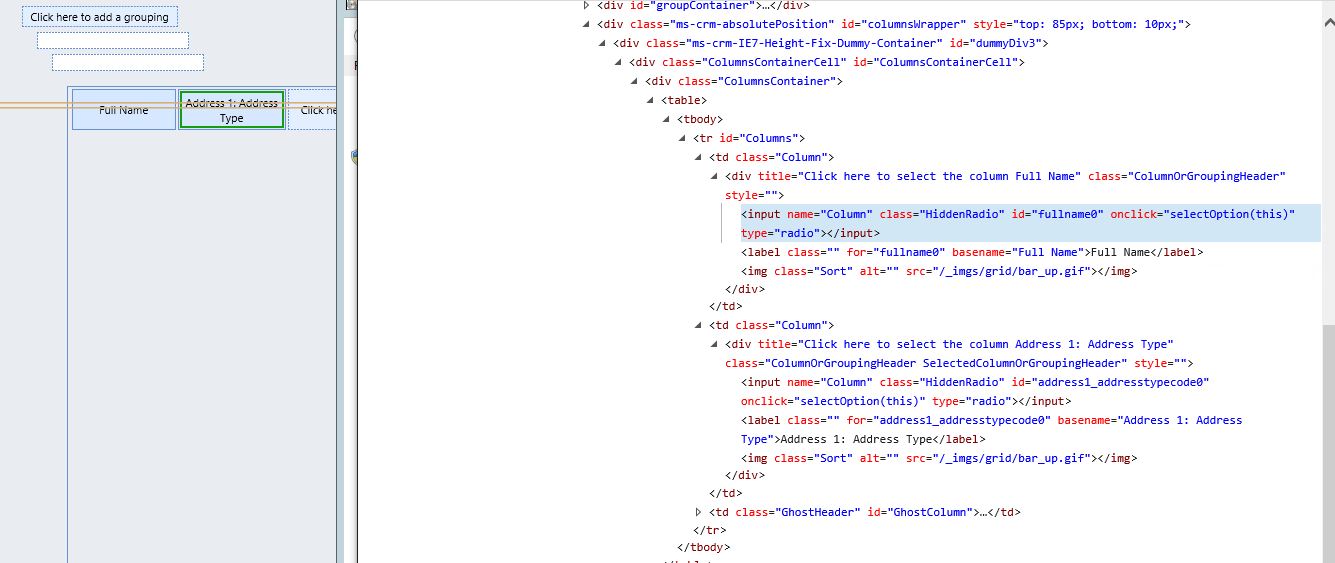
Hello, I am creating a new, simple report through the Report Wizard and I discovered that I am unable to select a column to change its properties. I was wondering if anyone has seen this and could offer any suggestions or solutions to this. Please see the background info below
I am using IE 11 (patch level KB4021558) and CRM 2011 RU18 in all of my environments/app servers
The issue is not seen when the suspect site is accessed from another domain. Thus I consider the underlying CRM software to be in working order
The issue is seen via the (local) Server's instance of IE (and that houses the CRM software), as well as when I access the site through a Server 2012 instance of IE. The server 2012 entry point accesses all production sites/servers and the issue is seen on those as well.
The div objects are the same when I compare working to non-working sessions
I believe it is isolated to an IE11 setting, yet my Group policy people state that all servers involved have the same policy applied. With that, if anyone has a suggestion on where else to investigate, I would be most appreciative.
Thank you







