web
You’re offline. This is a read only version of the page.
close
Skip to main content

Announcements

No record found.

News and Announcements icon
Community site session details

Community site session details

Session Id :
Small and medium business | Business Central, N...
Answered

Help : flowing data from "Warehouse Receipt" to posted purchase Receipt at line level

(0) ShareShare
ReportReport
Posted on by 238

Hello Experts,

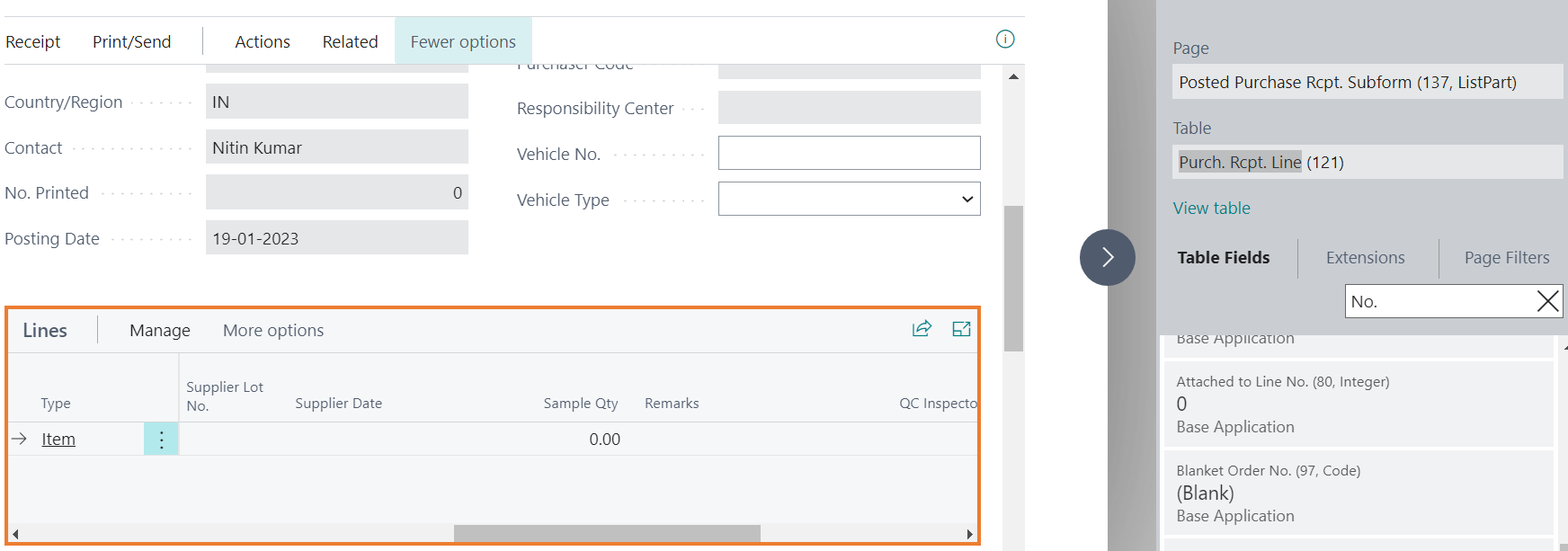
I have taken 4 fields(supplier name , supplier date , Remark , QC inspector,  on warehouse receipt line and same on Purch. Rcpt. Line as shown in image.I want to flow data from warehouse receipt line to purch receipt line when I click post receipt action on warehouse. I tried on event (on after insert) but did not work.

I Tried using Event subcriber but not Getting How and where to Wirte Code 

Can you please Help experts 

Thank in advance
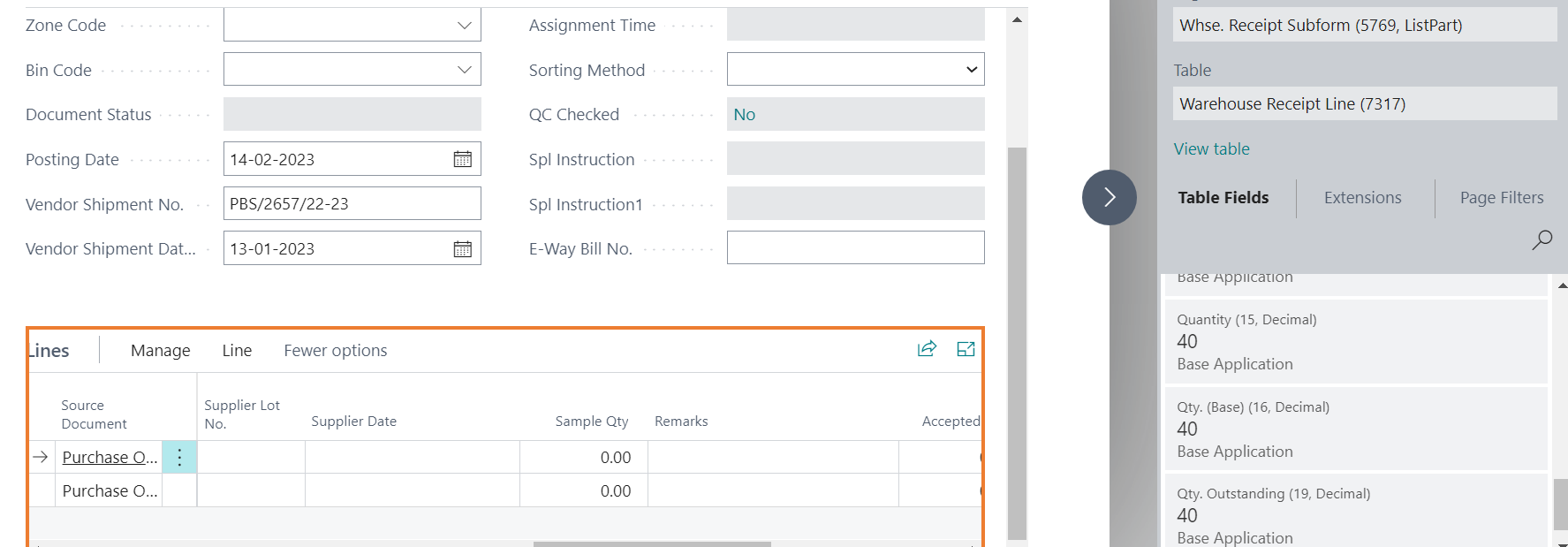
pastedimage1676358209653v2.png

pastedimage1676358153683v1.png

Thanks in Advance

I have the same question (0)
  • NAV_with_Narang Profile Picture
    2,320 Moderator on at

    Can you please highlight which Event/Publisher you have tried using? Also maybe post the code you've written

  • Suggested answer
    Nitin Verma Profile Picture
    21,794 Moderator on at

    You can try below Event from codeunit 5760 "Whse.-Post Receipt

    OnPostSourceDocumentOnBeforePostPurchaseHeader(var PurchHeader: Record "Purchase Header"; WhseRcptHeader: Record "Warehouse Receipt Header"; SuppressCommit: Boolean; var CounterSourceDocOK: Integer; var IsHandled: Boolean)

  • DineshM Profile Picture
    238 on at

    Hi sir,

    I have created saprate codunint and subscribe event as follw

    [EventSubscriber(ObjectType::Codeunit, Codeunit::"Whse.-Post Receipt", 'OnAfterPostWhseJnlLine', '', true, true)]

    local procedure OnAfterPostWhseJnlLine(var WarehouseReceiptLine: Record "Warehouse Receipt Line")

    var
         warehousereceiptLine: Record "Warehouse Receipt Line";

    begin

    warehousereceiptLine."Supllier Name" := Supllier Name" ;
    warehousereceiptLine.Remark :=Remark; 
    warehousereceiptLine."QC Inspector":= "QC Inspector";

     end;

    also at page extension also tried but not Getting

     modify("Post Receipt")
            {

                trigger OnAfterAction()
                var
                 WRL:Record "Warehouse Receipt Line";
                begin
               
                    wRl.Reset();
                    WRL.SetRange(WRL."No.",Rec."No.");
                    WRL.SetRange(WRL."Source No.",Rec.source);
                   

    WRL."Supllier Name" := Rec.?
    WRL.Remark :=REc?
    WRL."QC Inspector":= Rec?

                    rec.MODIFY;

                end;
            }
  • Verified answer
    DAnny3211 Profile Picture
    11,417 Super User 2026 Season 1 on at

    hi

    try this function OnAfterPostedWhseRcptLineInsert

    you have the two instances you are interested in: PostedWhseRcptLine, WhseRcptLine

    then within the function you create you can assign the values

    PostedWhseRcptLine. "Supllier Name". := WhseRcptLine.Supllier Name" ;

    PostedWhseRcptLine.Remark :=WhseRcptLine.Remark;

    PostedWhseRcptLine. "QC Inspector":=WhseRcptLine. "QC Inspector";

    check my answer if it helped you, thanks

    DAniele

Under review

Thank you for your reply! To ensure a great experience for everyone, your content is awaiting approval by our Community Managers. Please check back later.

Helpful resources

Quick Links

Introducing the 2026 Season 1 community Super Users

Congratulations to our 2026 Super Stars!

Congratulations to our 2025 Community Spotlights

Thanks to all of our 2025 Community Spotlight stars!

Leaderboard > Small and medium business | Business Central, NAV, RMS

#1
OussamaSabbouh Profile Picture

OussamaSabbouh 1,926 Super User 2026 Season 1

#2
YUN ZHU Profile Picture

YUN ZHU 1,158 Super User 2026 Season 1

#3
Khushbu Rajvi. Profile Picture

Khushbu Rajvi. 533 Super User 2026 Season 1

Last 30 days Overall leaderboard

Featured topics

Product updates

Dynamics 365 release plans