web
You’re offline. This is a read only version of the page.
close
Skip to main content

Announcements

No record found.

News and Announcements icon
Community site session details

Community site session details

Session Id :
Microsoft Dynamics AX (Archived)

the MT940 that i am receiving from the bank has different syntax from what Dynamics AX understands on Import, should i ask the bank to change the template or should this be update in AX XSL code?

(0) ShareShare
ReportReport
Posted on by 14,855

Dear 

the MT940 file that we are receiving from the bank is coming with some different tags from what is defined in the transform file 

now i setup my MT940 to receive bank file and it is doing that

for example case point , the DR is not something that AX is understanding , i had to change the DR to D and the CR to C manually and i imported it again for AX to understand that it is C is credit and D is debit 

:61:1709010901DR5,43NCHGNONREF//ATMTOT20170901
Debit Transaction
:61:1709010901CR6123,85NCHGNONREF//ATMTOT20170901
Credit Transaction
:61:1709010901CR43872,78NCHGNONREF//ATMTOT20170901
Credit Transaction
:61:1709010901DR27,03NCHGNONREF//ATMTOT20170901
Debit Transaction

my question is this , is this something i need to ask the bank to change or should i update this in my XSL file to understand 
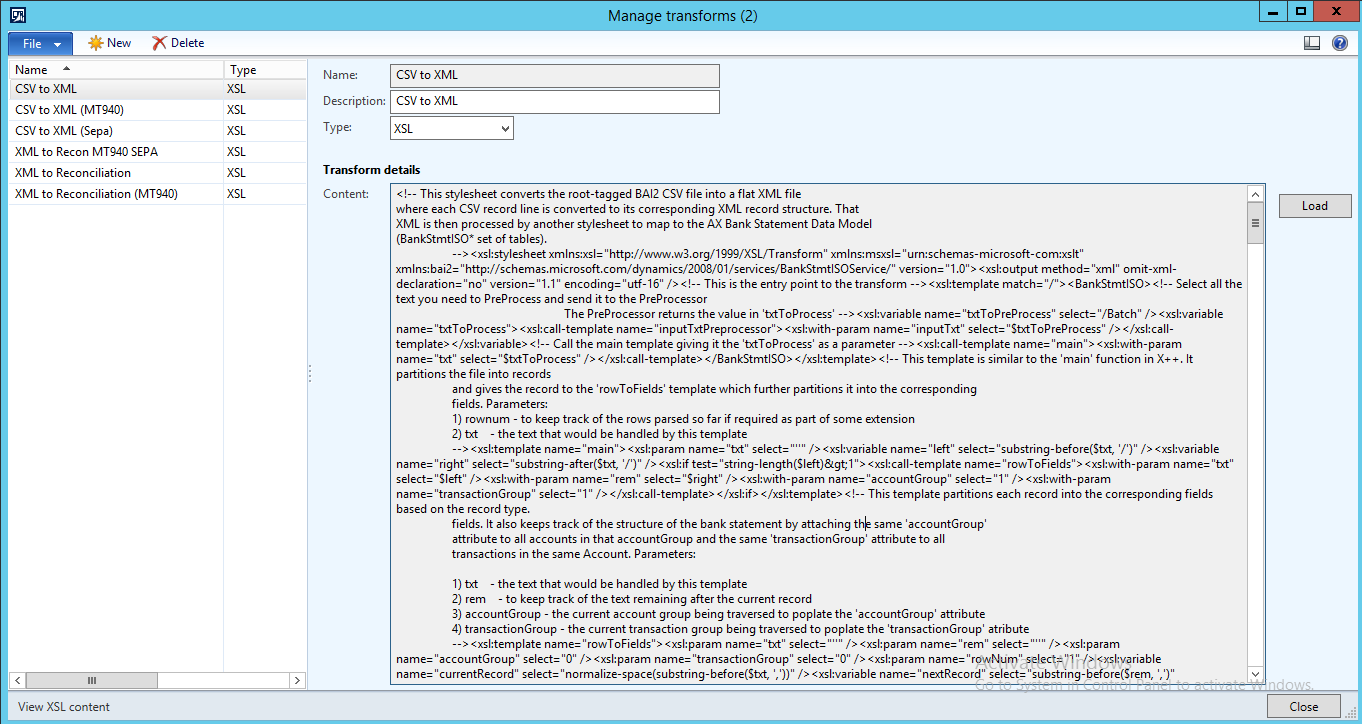
XSL.png

i am not even sure if this is something that can be changed inside Dynamics AX

please let me know 

*This post is locked for comments

I have the same question (0)
  • Suggested answer
    Ludwig Reinhard Profile Picture
    Microsoft Employee on at

    Hi Silvano,

    If you bank is offering this adjustment as a free service for you as their customer then go for it and ask them to change their file format.

    Most likely they won't do that for you and you need to modifiy the transformation yourself.

    Best regards,

    Ludwig

  • Abdo Khoury Profile Picture
    14,855 on at

    Hi Ludwig

    well as you predicted the bank is not going to modify their output file, so we need to updated our code in AX

    can you direct me as to where i should ask my developers to update this in Dynamics Ax?

    is this the correct place

    1. CTRL+D - to open AOT
    2. Tools >> Application Integration Framework >> Manage Transforms
    3. is this where the code should be updated? or is there somewhere else

    26555.Untitled.png

    thank you for your feedback

  • Verified answer
    Ludwig Reinhard Profile Picture
    Microsoft Employee on at

    Hi Silvano,

    Yes, this is where your developers have to look at.

    What will certainly help them if you have a detailed description of the bank's file format and a couple of demo bank statement files for them to test.

    Best regards,

    Ludwig

Under review

Thank you for your reply! To ensure a great experience for everyone, your content is awaiting approval by our Community Managers. Please check back later.

Helpful resources

Quick Links

Introducing the 2026 Season 1 community Super Users

Congratulations to our 2026 Super Stars!

Meet the Microsoft Dynamics 365 Contact Center Champions

We are thrilled to have these Champions in our Community!

Congratulations to the March Top 10 Community Leaders

These are the community rock stars!

Leaderboard > 🔒一 Microsoft Dynamics AX (Archived)

#1
Joris dG Profile Picture

Joris dG 5

#2
Andrew Jones a1x Profile Picture

Andrew Jones a1x 2

#3
GL-01081504-0 Profile Picture

GL-01081504-0 1

Last 30 days Overall leaderboard

Featured topics

Product updates

Dynamics 365 release plans
