web
You’re offline. This is a read only version of the page.
close
Skip to main content

Notifications

Announcements

No record found.

Community site session details

Community site session details

Session Id :
Small and medium business | Business Central, N...
Answered

Account Schedules

(0) ShareShare
ReportReport
Posted on by 69

Have Account Schedules been dropped in 365BC?

I have the same question (0)
  • Verified answer
    DAnny3211 Profile Picture
    11,397 on at

    hi

    look this

    businesscentralgeek.com/how-to-use-account-schedules-in-business-central

    DAniele

  • Suggested answer
    Amit Profile Picture
    2,559 on at

    Hi,

    See the below image for reference

    pastedimage1672765712301v1.png

    Regards

    Amit Sharma

    www.erpconsultors.com

    Linkedln: https://www.linkedin.com/in/amit-sharma-94542440/

    Press Info if info is useful.

  • Suggested answer
    Dallefeld Profile Picture
    211 User Group Leader on at

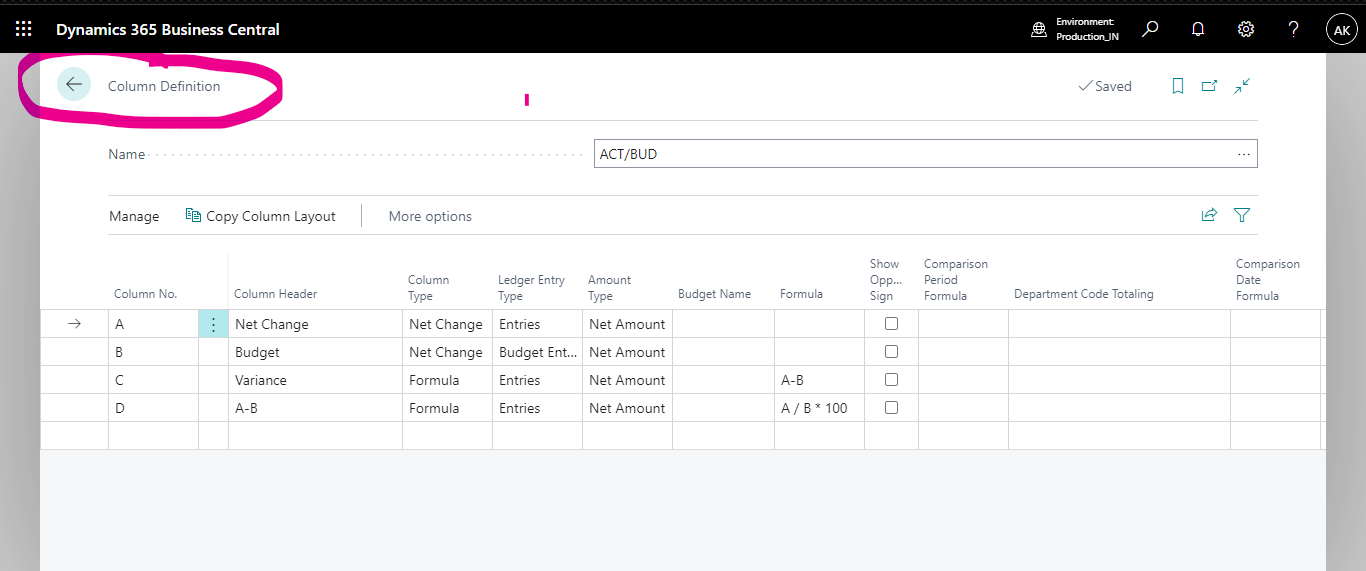
    They are now called Financial Reports. You should know that the Account Schedules became the Row Definitions, Column Layouts are Column Definitions and when you go to print you cannot mix and rows and columns. What that means is that you can setup new Financial Reports for each combination of row and column that you want to print.

  • Suggested answer
    Nitin Verma Profile Picture
    21,708 Moderator on at

    Yes, as per Kim you can go with Financial reports.

    pastedimage1672792731751v1.png

  • Verified answer
    Cbmag33 Profile Picture
    69 on at

    HI Kim,

    Thank you for assisting me with this. Yes I will use the Financial reports to get to the Edit Row and Columns Definitions. Out Environment is customized with Smart Factory Laser Cutters, Press Brakes, Tube Laser Cutting, and Bending machines. The Dynamics 365 BC Financials should be Microsoft code. We are implementing several customers. now. These are our first implementations using 365 BC Financials.

    Chris Ballard

    Project Technician, Bystronic, Inc.

    www.bystronic.com/.../en-us

    502-291-1706

  • Verified answer
    Cbmag33 Profile Picture
    69 on at

    Hi Niti,

    Thank you for assisting me with this. Yes I will use the Financial reports to get to the Edit Row and Columns Definitions. Out Environment is customized with Smart Factory Laser Cutters, Press Brakes, Tube Laser Cutting, and Bending machines. The Dynamics 365 BC Financials should be Microsoft code. We are implementing several customers. now. These are our first implementations using 365 BC Financials.

    Chris Ballard

    Project Technician, Bystronic, Inc.

    www.bystronic.com/.../en-us

    502-291-1706

  • Verified answer
    YUN ZHU Profile Picture
    95,763 Super User 2025 Season 2 on at

    Hi, just adding some info.

    Business Central 2022 wave 2 (BC21) new features: Financial reporting replaces account schedules (Account Schedules -> Financial Reports)

    https://yzhums.com/29361/

    Hope this helps as well.

    Thanks

    ZHU

  • Verified answer
    Shekhar Khatri Profile Picture
    30 on at

    Account Schedules are now called Financial Reports in Business Central. Everything is same except the name.

  • Verified answer
    Cbmag33 Profile Picture
    69 on at

    Thank you Shekhar

  • Verified answer
    Dynamics 365 Profile Picture
    6 on at

    Hello

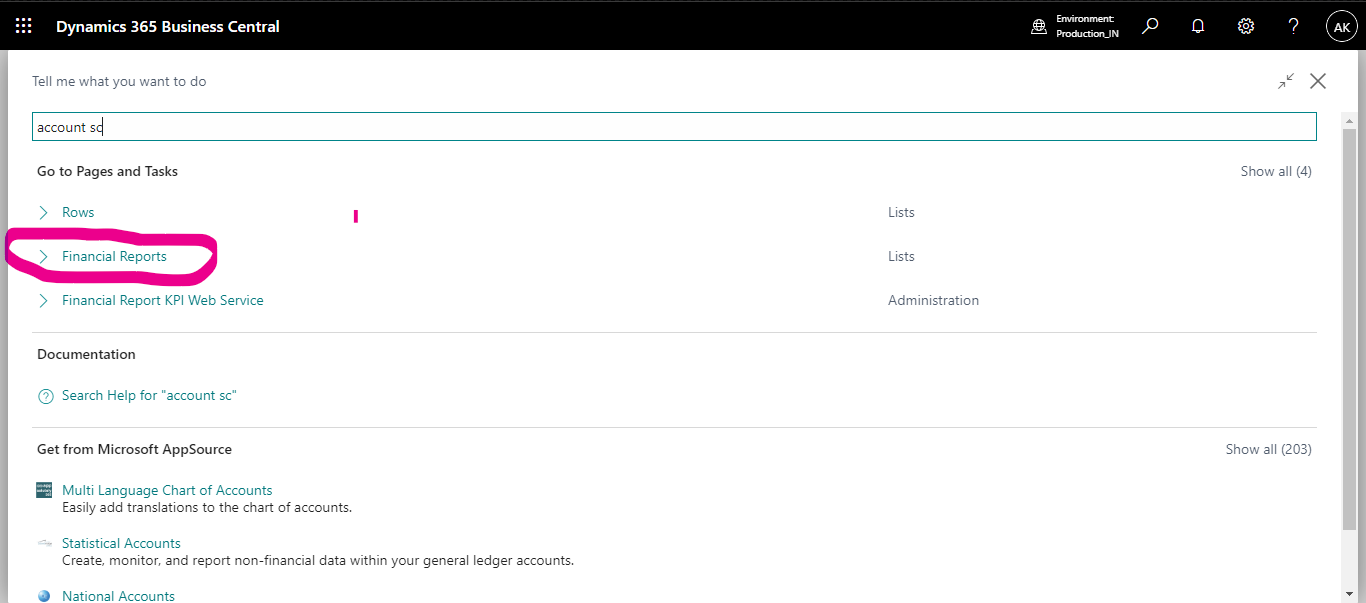
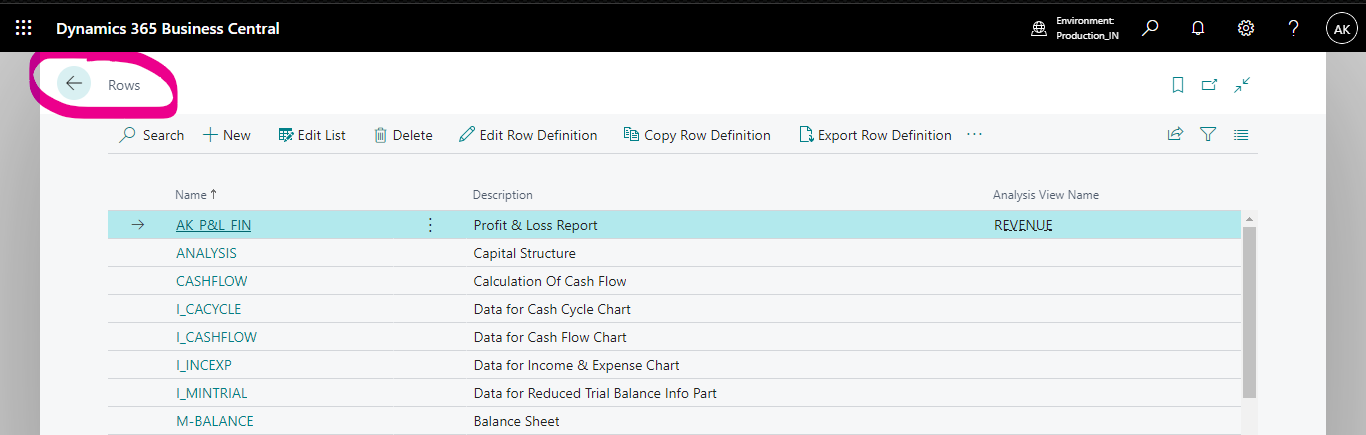
    In 2022 Release wave two release, Microsoft has renamed their Account Schedule tools within the cloud ERP. Account Schedules are now called Financial Reports. There are some minor differences in the pages, but the basic design and idea are the same. Here are the renamed pages:

    • Account Schedule Overview = Financial Reports
    • Account Schedules = Rows
    • Column Layouts = Column Definitions

    Additional Information: 

    If you search for Account Schedule, Business Central will point you towards the new Financial Reports page instead, as shown below:
    pastedimage1672822941831v1.png

    pastedimage1672823044612v2.png

    pastedimage1672823075738v3.png

    Please Verify my answer if you found relevant so it will help to others community members also.

    Thanks

Under review

Thank you for your reply! To ensure a great experience for everyone, your content is awaiting approval by our Community Managers. Please check back later.

Helpful resources

Quick Links

Responsible AI policies

As AI tools become more common, we’re introducing a Responsible AI Use…

Neeraj Kumar – Community Spotlight

We are honored to recognize Neeraj Kumar as our Community Spotlight honoree for…

Leaderboard > Small and medium business | Business Central, NAV, RMS

#1
OussamaSabbouh Profile Picture

OussamaSabbouh 2,116

#2
Khushbu Rajvi. Profile Picture

Khushbu Rajvi. 764 Super User 2025 Season 2

#3
YUN ZHU Profile Picture

YUN ZHU 635 Super User 2025 Season 2

Last 30 days Overall leaderboard

Featured topics

Product updates

Dynamics 365 release plans