web
You’re offline. This is a read only version of the page.
close
Skip to main content

Notifications

Announcements

No record found.

Community site session details

Community site session details

Session Id :
Microsoft Dynamics 365 | Integration, Dataverse...
Suggested Answer

Get the ui language when an entity form is sent

(0) ShareShare
ReportReport
Posted on by

Hi, is it possible to send the ui language from a portal entity form to the server? Maybe by using entity form metadata or something like this?

When we receive the submitted form on D365/CDS side a workflow is triggered and a confirmation email is send to the user (anonymous, enters email adress in form). We want to send the confirmation email in the language, in that the form was sent.

I have the same question (0)
  • Suggested answer
    Mahendar Pal Profile Picture
    45,095 on at

    Hi,

    I don't there is metadata attribute for the language code but you can use liquid and maybe you can create entity attribute in your entity which can store the language code from liquid and in the workflow you can check what is the language code.

    docs.microsoft.com/.../liquid-objects

  • Suggested answer
    Community Member Profile Picture
    on at

    Yeah, that is exactly what I was up to build. I created a field for the entity which the portal users create records for. My code gets the current language, searches in the list of portal languages and sets that determined portal language as the value of my custom field.

    {% assign languagecode = website.selected_language.code %}
    {% fetchxml portallanguage %}


    {% endfetchxml %}
    
    {% assign portallanguageId = portallanguage.results.entities[0].adx_portallanguageid %}
    {% assign portallanguageName = portallanguage.results.entities[0].adx_name %}


    While this appears to be working good, the lookup control for my portal language lookup field does not show any results.
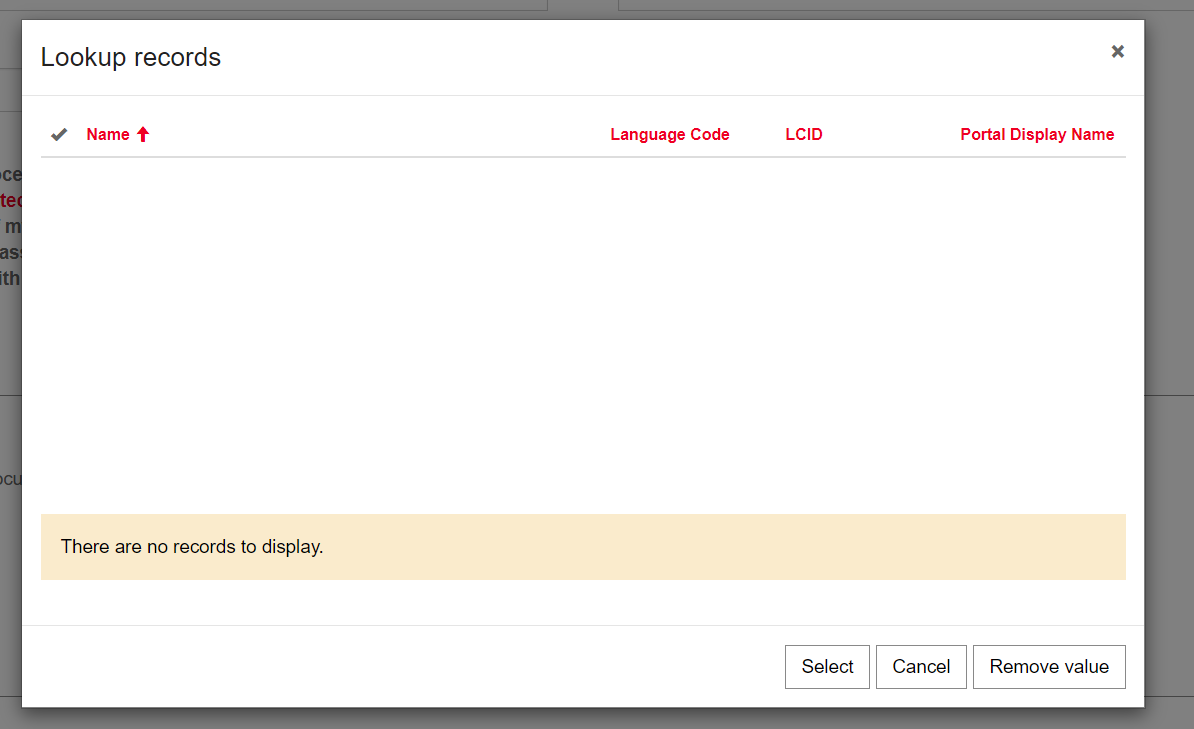
    pastedimage1579182150055v1.png

    Inside D365 on the form the lookup control works as expceted:
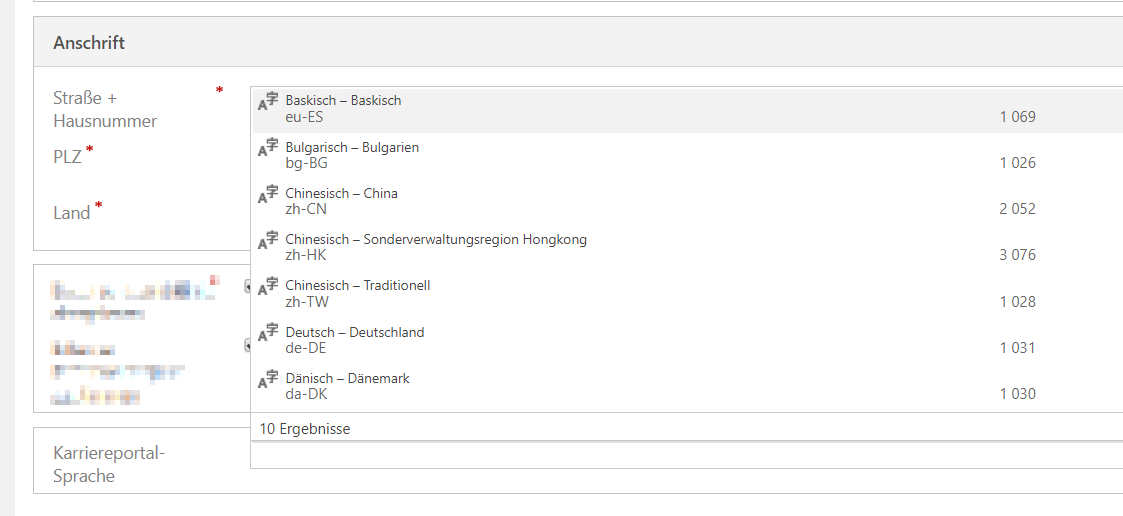
    pastedimage1579184149167v1.png

    I even played around with creating an entity list with odata feed and entity permissions and everything, but the lookup control just doesn't want to show a list of portal languages. In the odata feed however the results are showing up as expected.

    pastedimage1579182361364v2.png

    Is this some strange security behauvior around the adx_portallanguage entity or something like this? In fact it wouldn't even bother me, since in the end I will hide this field on the form, so the user won't even interact with it, but the fact that this control behaves so strange, makes me wonder if there is something wrong...

Under review

Thank you for your reply! To ensure a great experience for everyone, your content is awaiting approval by our Community Managers. Please check back later.

Helpful resources

Quick Links

Responsible AI policies

As AI tools become more common, we’re introducing a Responsible AI Use…

Neeraj Kumar – Community Spotlight

We are honored to recognize Neeraj Kumar as our Community Spotlight honoree for…

Leaderboard > Microsoft Dynamics 365 | Integration, Dataverse, and general topics

#1
Siv Sagar Profile Picture

Siv Sagar 93 Super User 2025 Season 2

#2
#ManoVerse Profile Picture

#ManoVerse 74

#3
Martin Dráb Profile Picture

Martin Dráb 64 Most Valuable Professional

Last 30 days Overall leaderboard

Product updates

Dynamics 365 release plans



