web
You’re offline. This is a read only version of the page.
close
Skip to main content

Announcements

No record found.

News and Announcements icon
Community site session details

Community site session details

Session Id :
Customer experience | Sales, Customer Insights,...
Answered

How to add user email to quote template

(0) ShareShare
ReportReport
Posted on by 115

I have been trying to set up our quote template and have got it 95% working but I want to automatically pull in the quote creator's (or lead owner) email address into the template. But I cannot locate this field anywhere when I create this template in Word. Any suggestions for me that could help?

I have the same question (0)
  • Verified answer
    Community Member Profile Picture
    on at

    Hi RicksterBC44,

    In fact, the ‘created by’ field of quote shows who created the record, which shows an 1:N relationship between User and Quote entities.

    pastedimage1624844180987v1.png

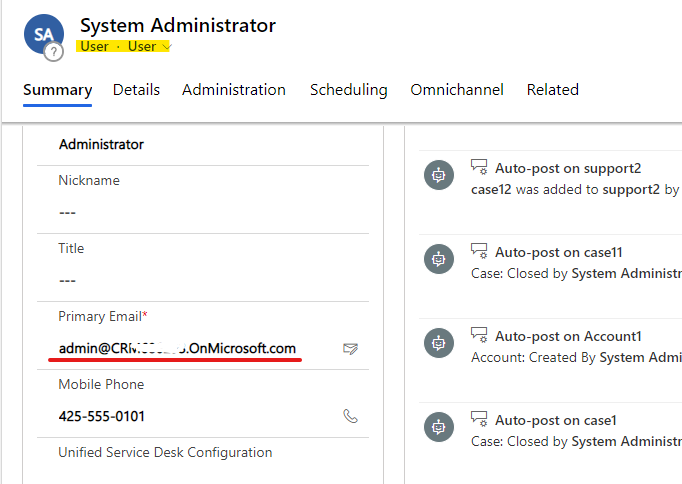
    And the ‘created by’ field just show the user name of the user in the quote entity, the email address of the quote creator is in the user entity.

    Quote view:
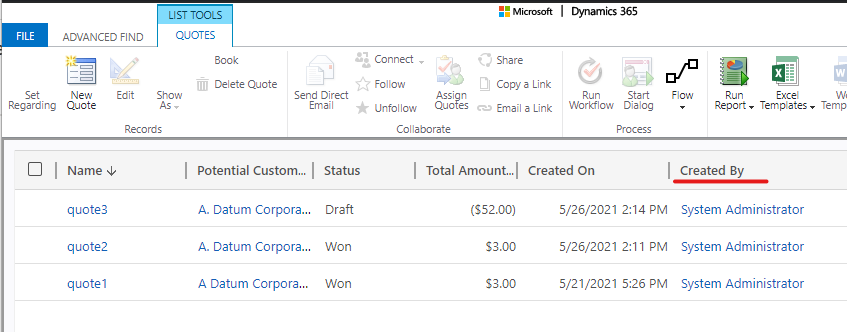
    pastedimage1624844618695v2.png

    User Form:

    pastedimage1624844703412v3.png

    So you need select related entity records(User) associated with our chosen (quote) entity when you create quote template.

    pastedimage1624845195354v4.png

    Download it and define the Word template.

    Expand the related entity(lk_quotebase_createdby) to see all available fields.

    pastedimage1624845587210v6.png

    Right-click the field(internalemailaddress) you wish to add, and then select Insert Content Control > Plain Text.

    pastedimage1624845744731v7.png

    pastedimage1624845472458v5.png

    Test:

    Upload the template to the crm.

    pastedimage1624845790633v8.png

    Open one quote record, and click the template you just uploaded.
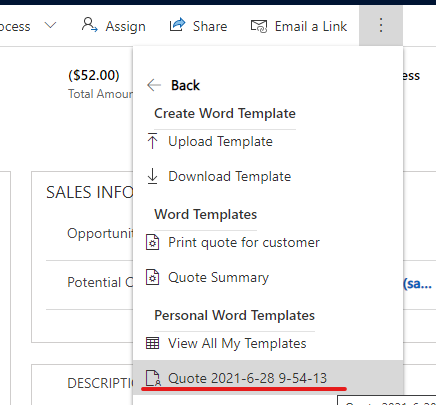
    pastedimage1624845895519v10.png

    Now, you can view quote creator's email address.

    pastedimage1624845843652v9.png

    Regards,

    Leah Ju

    Please mark as verified if the answer is helpful. Welcome to join hot discussions in Dynamics 365 Forums.

  • RicksterBC44 Profile Picture
    115 on at

    Fabulous answer Leah! Thanks so much, this got this problem solved.

  • Community Member Profile Picture
    on at

    Thanks for the in-depth response.

Under review

Thank you for your reply! To ensure a great experience for everyone, your content is awaiting approval by our Community Managers. Please check back later.

Helpful resources

Quick Links

Introducing the 2026 Season 1 community Super Users

Congratulations to our 2026 Super Stars!

Meet the Microsoft Dynamics 365 Contact Center Champions

We are thrilled to have these Champions in our Community!

Congratulations to the March Top 10 Community Leaders

These are the community rock stars!

Leaderboard > Customer experience | Sales, Customer Insights, CRM

#1
ManoVerse Profile Picture

ManoVerse 192 Super User 2026 Season 1

#2
11manish Profile Picture

11manish 129

#3
CU11031447-0 Profile Picture

CU11031447-0 100

Last 30 days Overall leaderboard

Product updates

Dynamics 365 release plans