






How to create AX (D365 F&0) Connection in SSIS

 Like
Like Share
Share
 Report
Introduction:
Creating a Connection is one of the first Steps during integration of data. While performing Integration with AX or more specifically Dynamics 365 for Finance and Operations create a connection using the following steps.
Step 1:
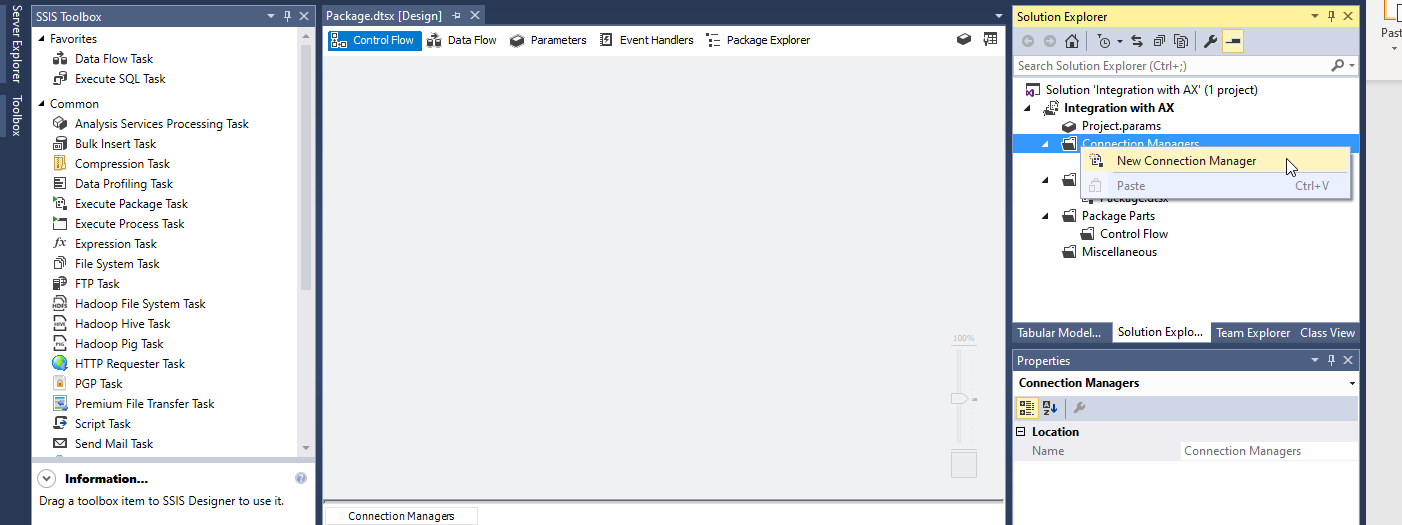
Right Click on Connection Managers and click on New Connection Manager.
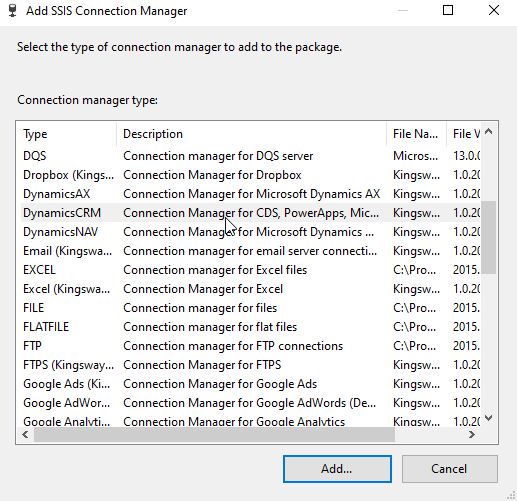
Choose the Dynamics CRM option.
Step 2:
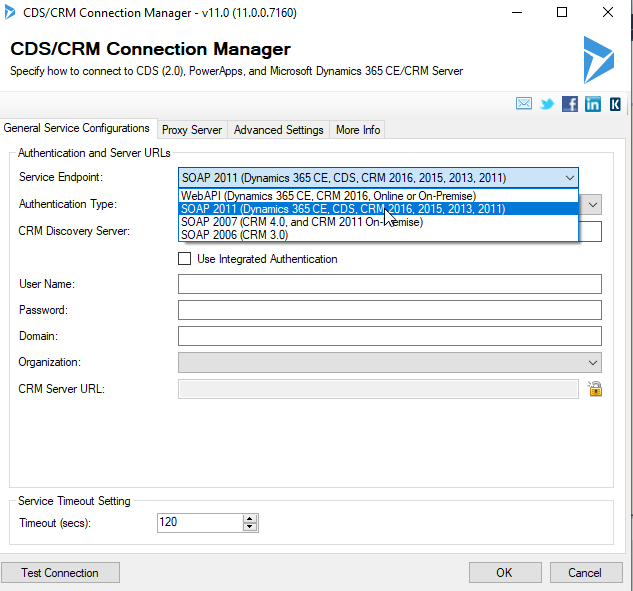
Choose the SOAP 2011 Option for Service Endpoint option.
Step 3:
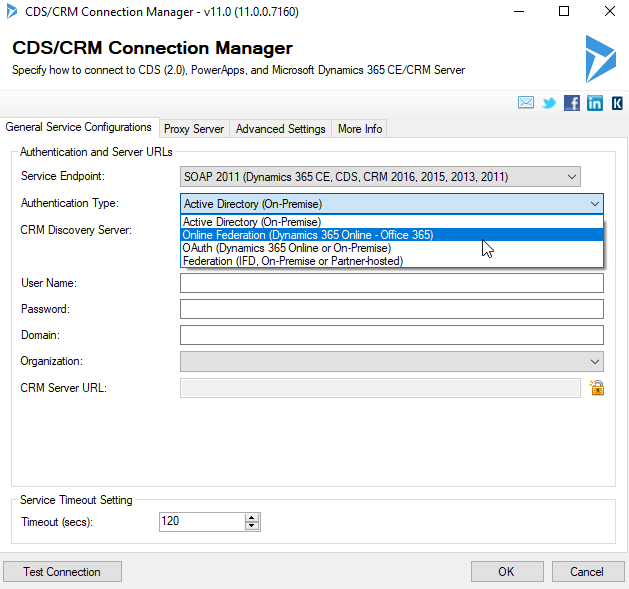
Choose the Online Federation for Authentication Type option.
Step 4:
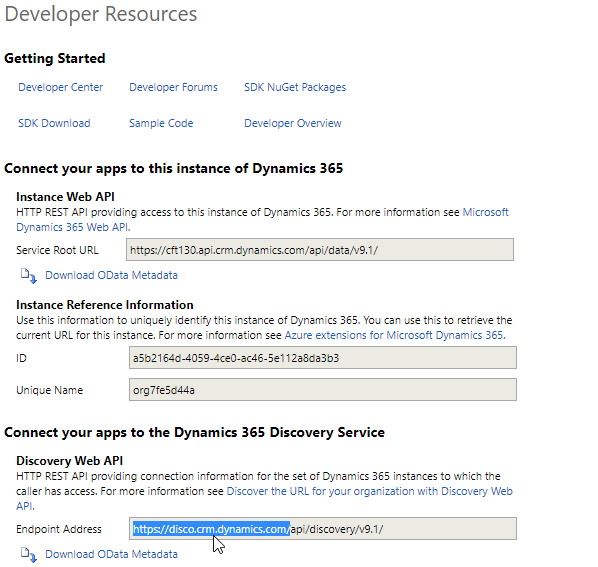
In the CRM Discovery Option copy the endpoint address from Settings > Customizations > Developer Resources > Copy Endpoint Address.
Step 5:
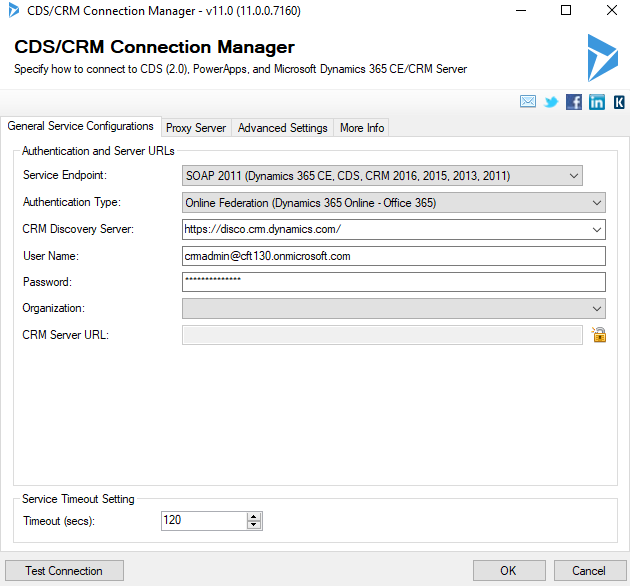
Paste this in CRM Discovery Section. Enter the Username and Password of your CRM account.
Step 6:
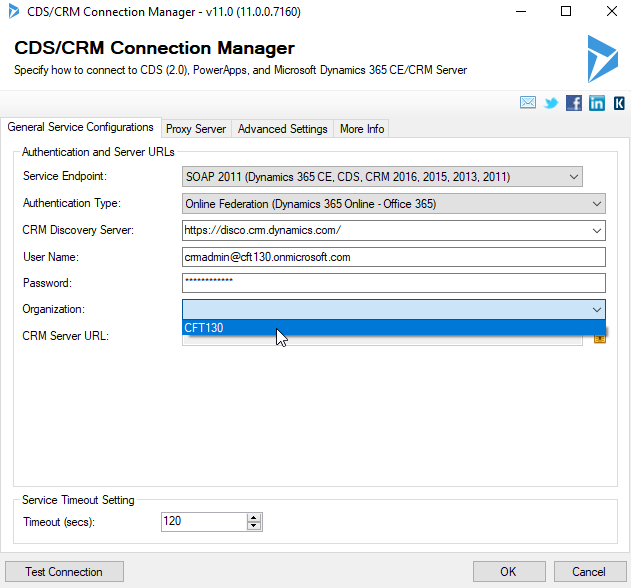
Choose the required organization from the dropdown.
Step 7:
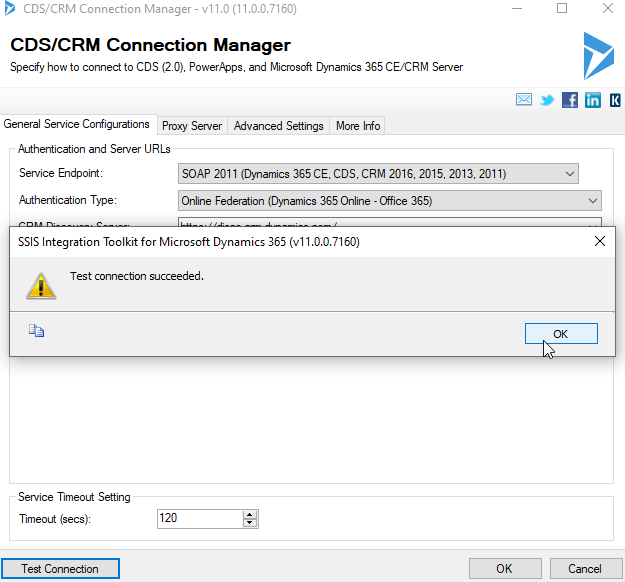
Click on Test Connection and then OK after successful testing.
Conclusion:
Thus we have successfully created a connection with Dynamics CRM and we can now Integrate data using it a source /destination.
*This post is locked for comments