




 1,164
1,164 Like
Like Share
Share
 Report
Greetings!
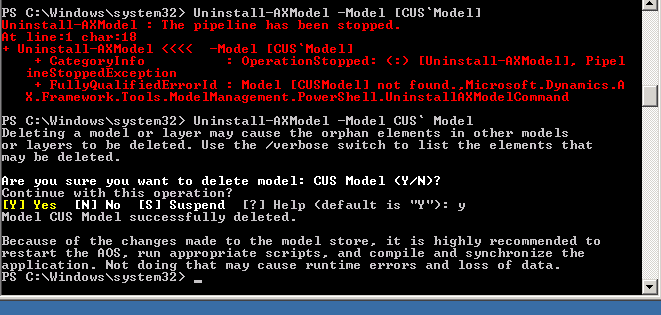
Thought to share an useful time saving tip while writing Powershell scripts. I wanted to uninstall the default CUS Model in AX 2012 from one of my local development environments. And because of the space in the model name between the words CUS and Model I got this error
For sometime, I struggled with the below error as shown below.
Solution:
However the solution was to use the escape character (grave-accent) ` which is on the left hand side of your keyboard between CUS and Model as shown above.
i.e.
Uninstall-AXModel -Model CUS` Model
*This post is locked for comments