






POWER PLATFORM RECOVER DELETED ENVIRONMENTS
Views (175)
 Charles Abi Khirs
 3,569
3,569
 Like
Like Share
Share
 Report
 You deleted an environment and you want to recover it back? You can do it from the Power Platform admin center if you are still within the time limit which is 7 days of deletion.
In the below steps, we will see how to recover a deleted environment from the admin center.
- Open the Power Platform admin center and go to Environments
- Click the Recover deleted environments button
- In the new page, you will see all the environments that were deleted within 7 days of deletion
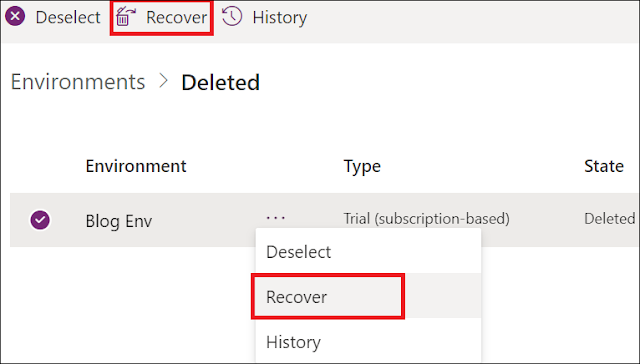
- Select an environment to recover, and click Recover
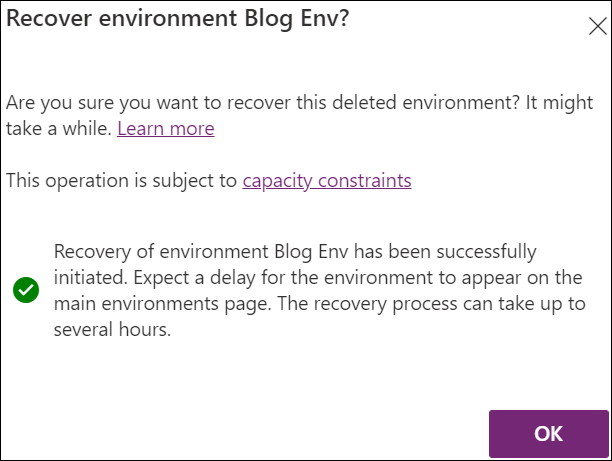
- Confirm the recovery by clicking Continue and then OK
- After some time, you will be able to see the environment again under the Environments page



Bonus Tips:
- You can recover a deleted environment by using a PowerShell cmdlet
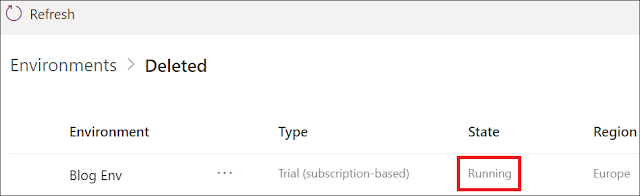
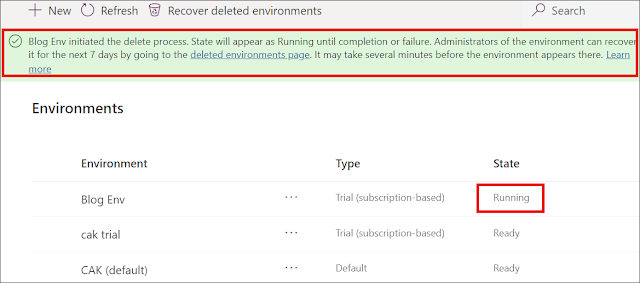
- The status of the environment during the deletion or recovery process will become running
- When you delete an environment, a message will be displayed to inform you that you can still recover it within 7 days
Hope This Helps!
This was originally posted here.
*This post is locked for comments