






Revisited: Customise the Microsoft Dynamics GP Splash Screen
 David Musgrave MVP ...
 14,151
Most Valuable Professional
14,151
Most Valuable Professional
 Like
Like Share
Share
 Report
 This is a reposting of an article I original wrote on my Developing for Dynamics GP blog. As I can no longer keep the post updated on that blog, I am reposting an updated version here.
Below is the link for the original post:
Even though support for a splash screen was added to Dexterity v3.00, Great Plains Dynamics v5.50 was the first version to include a splash.bmp file and Microsoft Business Solutions – Great Plains v8.00 was the last version to include a splash.bmp file. This uncompressed bitmap was displayed as a splash screen when the application was launched. A number of partners had worked out that the splash.bmp file could be customised to add a customer or partner logo, but now the splash.bmp file is not longer used.
What is not common knowledge is that if you copy a splash.bmp file into a Microsoft Dynamics GP v9.00 (or later) system, it will still be displayed.
Microsoft Dynamics GP v9.00 did not include a splash.bmp file and does not have a splash screen at startup. I liked the splash screens and so I created a new splash.bmp for v9.00 based on the v8.00 splash screen but with the new logo. After spending the time creating the v9.00 splash screen, I might as well let others use it if they want to.
Microsoft Dynamics GP v10.00 (or later) do not include a splash.bmp file, but has a default splash screen built in. I have grabbed a copy of this splash screen and saved it as splash.bmp. Now if you include a splash.bmp in the application folder it will be used instead of the default splash screen. I tested this on v10.00 by saving a copy of the same image after turning it upside down. Well, I do live down under in Australia.
Below are the splash screens for all versions since v5.50. They are displayed as jpg files, if you want the original bmp files, download the archive at the bottom of the article.

Great Plains Dynamics 5.50

Great Plains Dynamics 6.00

Microsoft Great Plains Business Solutions Dynamics 7.0

Microsoft Business Solutions – Great Plains 7.5

Microsoft Business Solutions – Great Plains 8.0
Microsoft Dynamics GP 9.0 (mocked up by me)
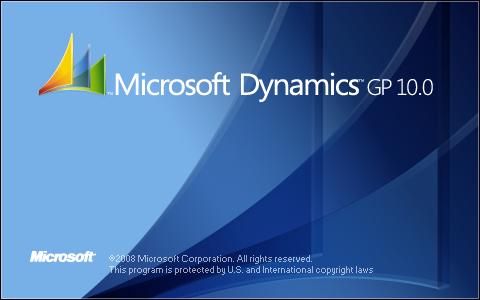
Microsoft Dynamics GP 10.0

Microsoft Dynamics GP 2010

Microsoft Dynamics GP 2013

Microsoft Dynamics GP 2015

Microsoft Dynamics GP 2015 R2

Microsoft Dynamics GP 2016

Microsoft Dynamics GP 2018
If you want any of these files as bmp files, use the link below. You can then modify them, rename them as splash.bmp and deploy them in your system.
Enjoy
David
This article was originally posted on http://www.winthropdc.com/blog.
This was originally posted here.
*This post is locked for comments