






How to block inventory location for transaction in dynamics 365?
Views (3216)
 Mahmoud Hakim
 17,887
 Like
Like Share
Share
 Report
Dynamics 365 support block input/output transaction for inventory location level storage.
you can use blocking cause form to create multiple causes
1-Inventory management > Setup > Inventory > Blocking causes.
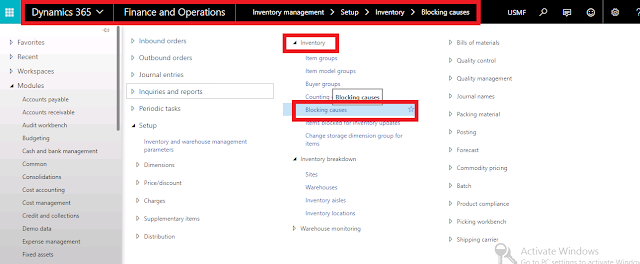
define cause of blocking id and description as the below

assign causes blocking for inventory locations
2-Inventory management > Setup > Inventory breakdown > Inventory locations
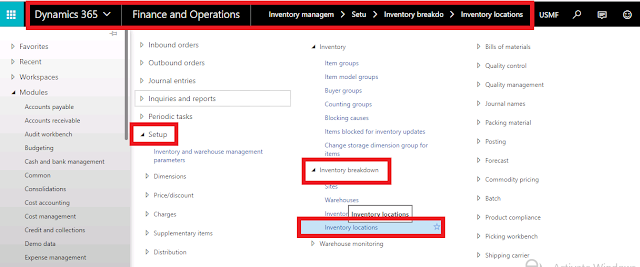
you can block inputs only , outputs only or both as the below

now , we can test this feature , just create movement journal and validate
3-Inventory management > journal entries > items > movement journal

click new and select your journals

click ok to open lines form
add item and select your location , enter qty and offset account ...etc
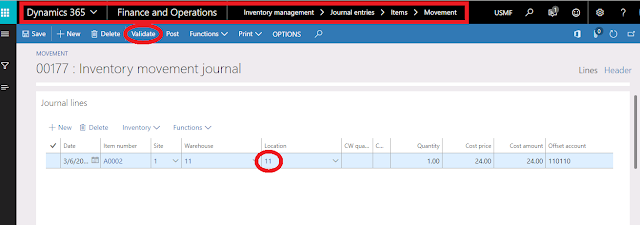
click validate to check our setup for this location

click ok , you can see the below message
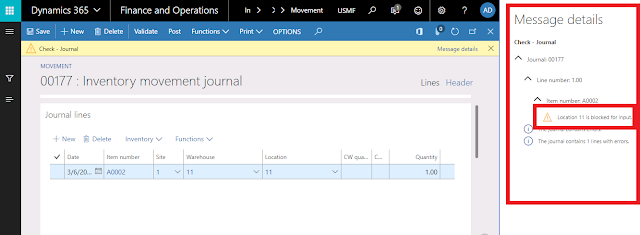
this transaction for input , you can check the same scenario for output transaction , just put qty by negative
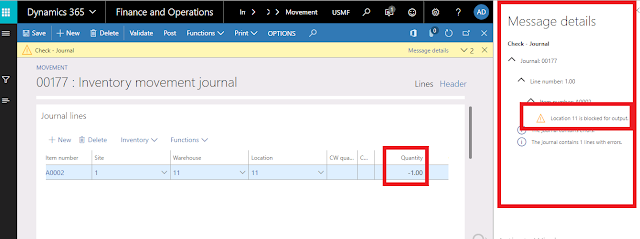
thanks ,
you can use blocking cause form to create multiple causes
1-Inventory management > Setup > Inventory > Blocking causes.
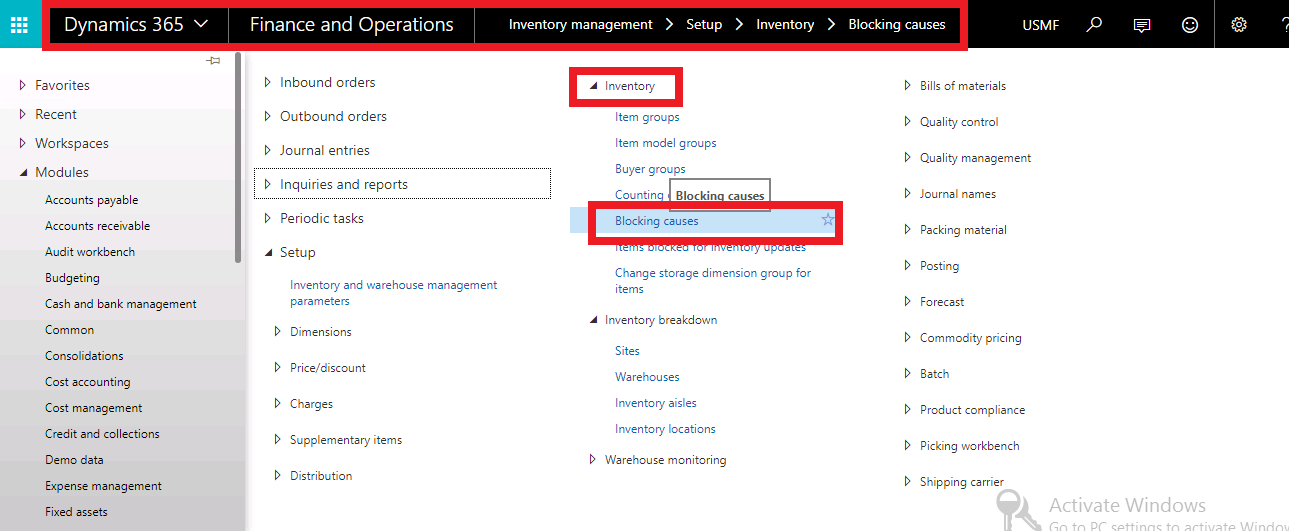
define cause of blocking id and description as the below

assign causes blocking for inventory locations
2-Inventory management > Setup > Inventory breakdown > Inventory locations
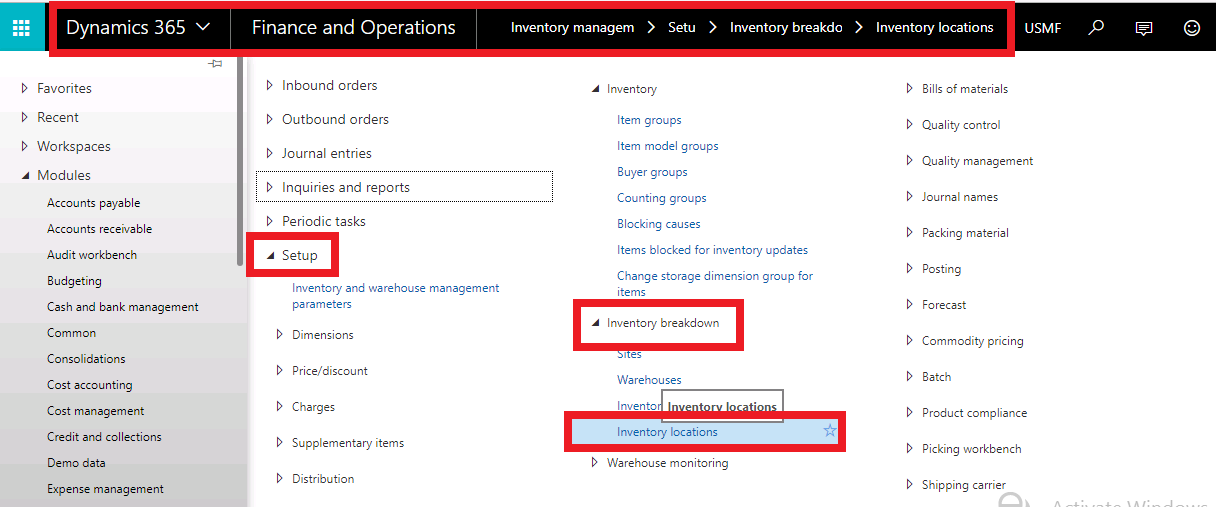
you can block inputs only , outputs only or both as the below

now , we can test this feature , just create movement journal and validate
3-Inventory management > journal entries > items > movement journal

click new and select your journals

click ok to open lines form
add item and select your location , enter qty and offset account ...etc
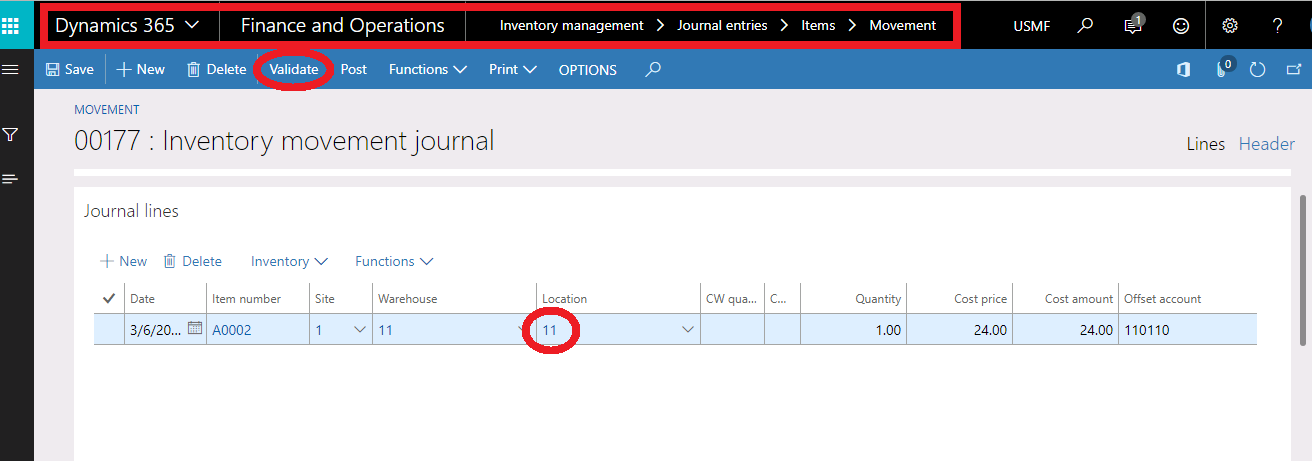
click validate to check our setup for this location

click ok , you can see the below message
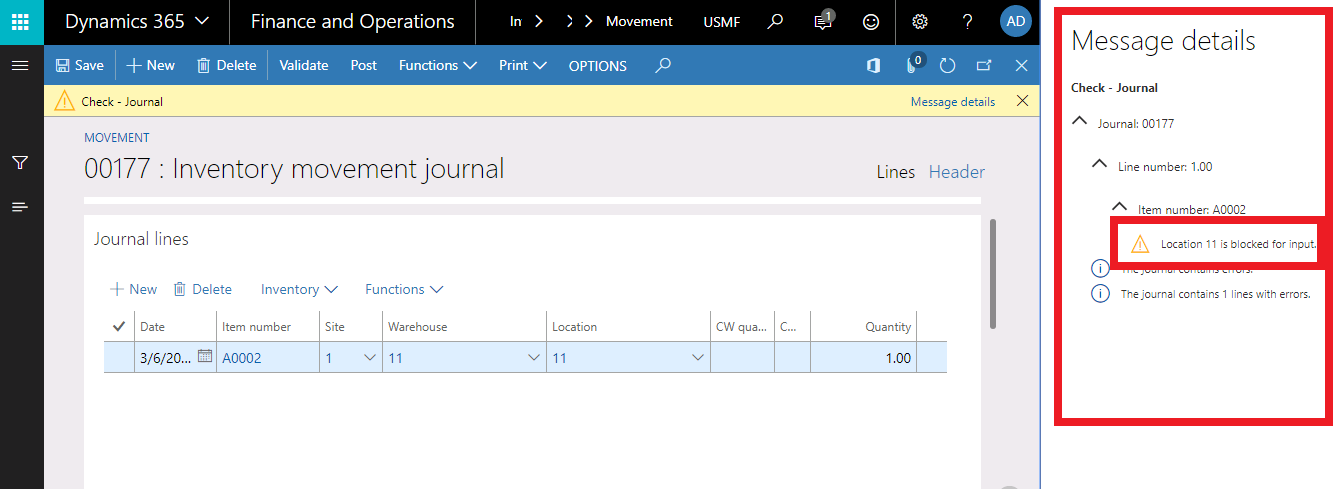
this transaction for input , you can check the same scenario for output transaction , just put qty by negative
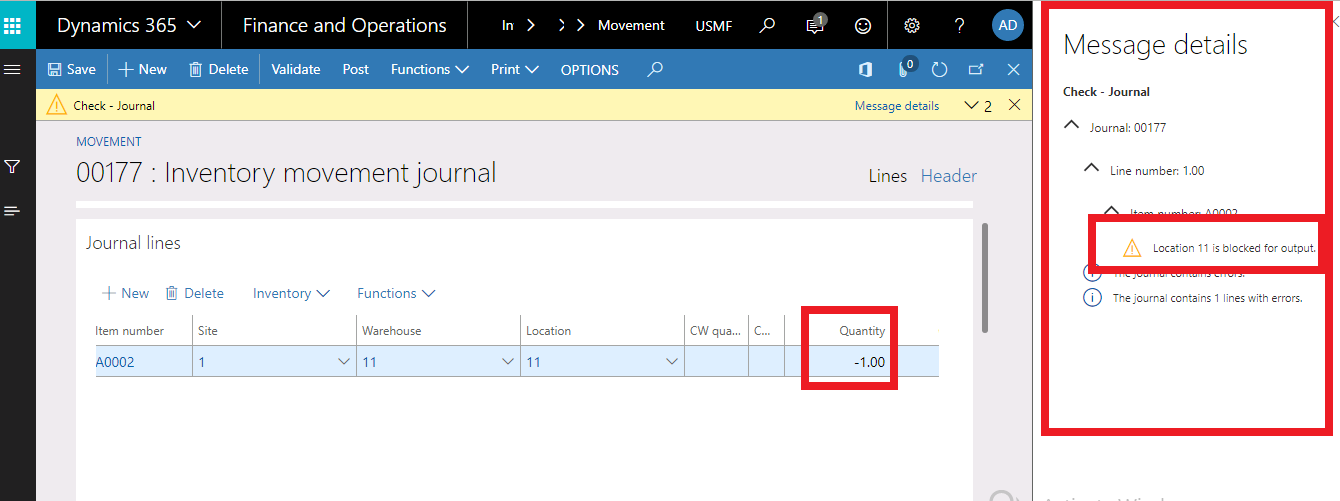
thanks ,
This was originally posted here.
*This post is locked for comments