




 10,796
 Like
Like Share
Share
 Report
Installing .DLL file into GAC folder of windows is just a drag & drop procedure and it always work. However, things can be annoyed if this simple thing does not work as it happened with me and I was having the following access denied error even I was logged in with Administrator.
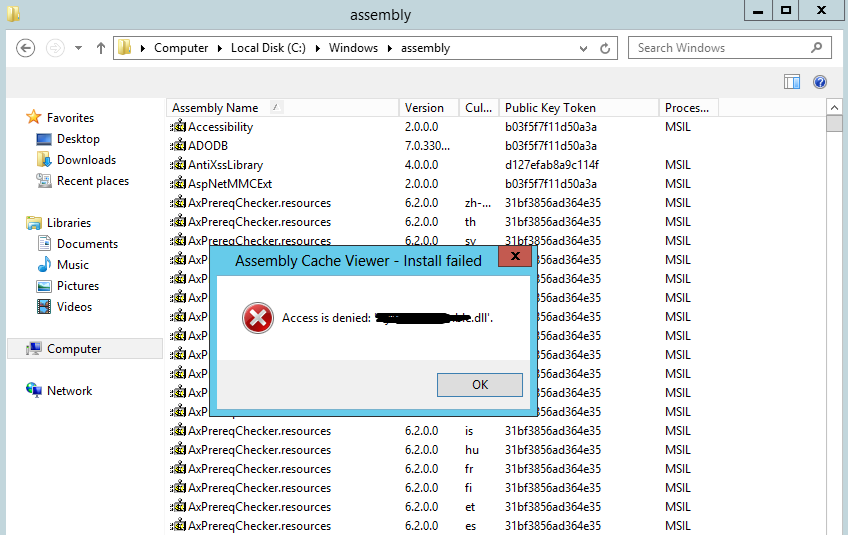
There is another way to install .DLL file through power shell and following commands can be used to install and remove .DLL from GAC folder. You can also have a look on techNet article for more details.
There is another way to install .DLL file through power shell and following commands can be used to install and remove .DLL from GAC folder. You can also have a look on techNet article for more details.
Add a DLL to the GAC
1. Run the Power Shell console as Administrator.
2. Enter the following PowerShell
2. Enter the following PowerShell
Set-location "c:\Folder Path"
[System.Reflection.Assembly]::Load("System.EnterpriseServices, Version=4.0.0.0, Culture=neutral, PublicKeyToken=b03f5f7f11d50a3a")
$publish = New-Object System.EnterpriseServices.Internal.Publish
$publish.GacInstall("c:\Folder Path\DLL.dll")
iisreset
Remove DLL to the GAC
1. Run the PowerShell console as Administrator.
2. Enter the following Power Shell
2. Enter the following Power Shell
Set-location "c:\Folder Path"
[System.Reflection.Assembly]::Load("System.EnterpriseServices, Version=4.0.0.0, Culture=neutral, PublicKeyToken=b03f5f7f11d50a3a")
$publish = New-Object System.EnterpriseServices.Internal.Publish
$publish.GacRemove("c:\Folder Path\DLL.dll")
iisreset
*This post is locked for comments