







How to track billable and non-billable time spent on Support Cases – using @ZapObjects Case Time Tracker App (Free) for Dynamics 365 for Customer Service
 Zap Objects
 924
924
 Like
Like Share
Share
 Report
A very common requirement with Customer Support teams is the ability to track time spent against Cases.
This can help in understanding:
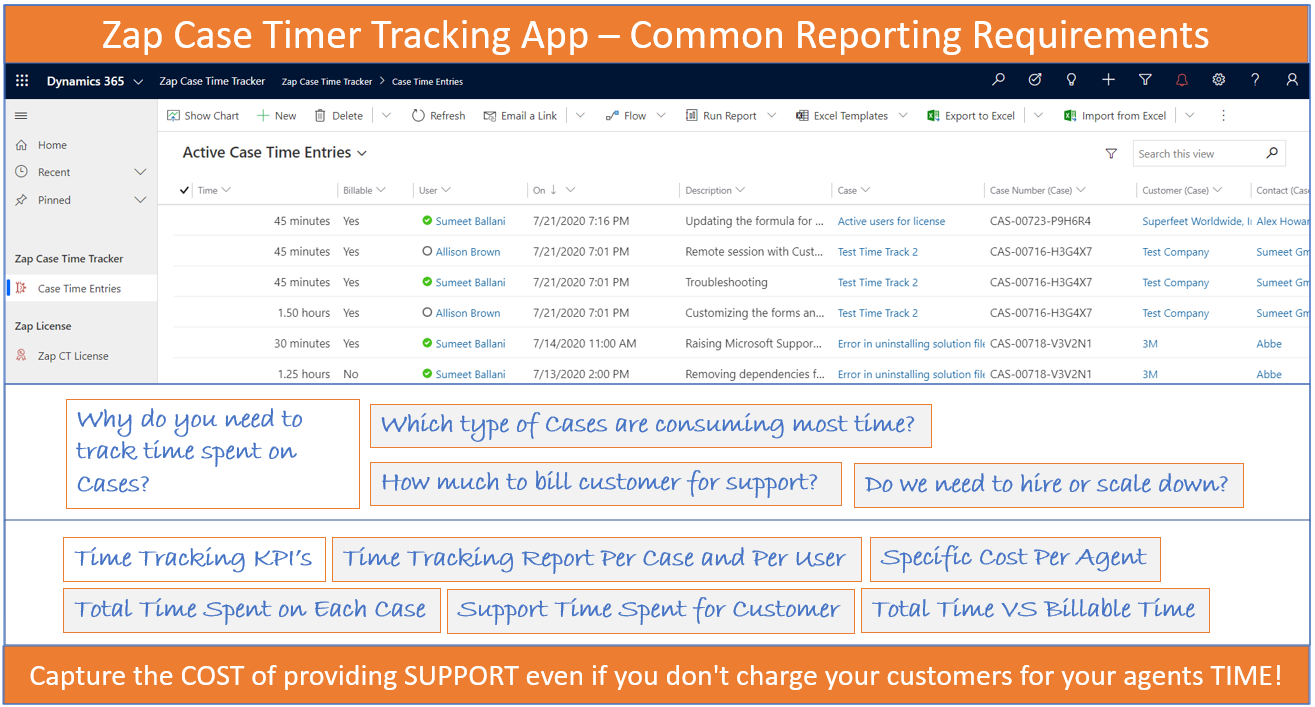
- Which type of Cases are consuming the most time
- Do we need to hire or scale down?
- How much to bill customer for support?
Now we can easily track time spent by Support agents on Cases using free Zap Case Time-Tracker App!
To add new time entry record:
Step 1: Browse to Case form, click on “+” button in “Time Tracker” Sub-Grid (as shown in below screenshot)

Step 2: Fill-in the time-entry details
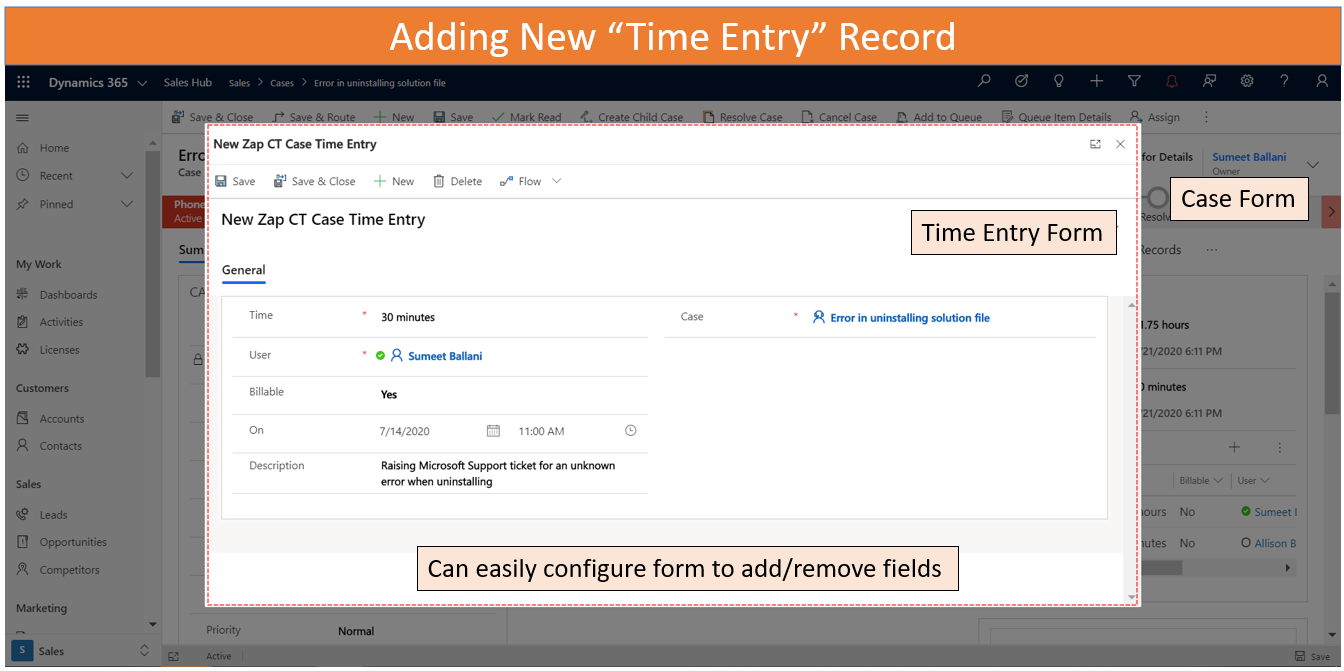
Here following fields have been automatically populated: User (with logged-in User), On (with current Date and Time)
Step 3: Close the Time-Entry form.
Now the Case form is automatically refreshed… and the roll-up fields for “Total-Time” and “Billable-Time” are re-calculated.
From Reporting perspective, below 2 views can be useful:
View 1: Case View with columns "Total Time" and "Billable Time":

View 2: Time Entry View with columns from Case Entity
Below are some useful links that will help you get started with Zap Case Time Tracker App:
Features Page: https://zapobjects.com/apps/zap-case-time-tracker/
Knowledge Base: https://support.zapobjects.com/
AppSource Solution Install Link: https://appsource.microsoft.com/en-us/product/dynamics-365/zap.zap_case_time_tracker?tab=Overview
All Zap Dynamics 365 CE / Power Apps: https://zapobjects.com/
Latest Updates from Zap Objects (Aug 2020):
1. New App Released: Zap Notifications/ Alerts: Create In-App Notifications, Announcements,Trigger-based Notification(Case\Lead assigned), Recurring Notification, Form Based Notification
2. New Build Released: Zap Report Scheduler: Now works with Power Apps (Model-Driven) too! (Schedule Reports, Views, Excel Templates + Generate & Email PDF/Excel of Reports or Document Template using Workflows)
*This post is locked for comments