






Increase / Maximum file size limit for Attachments in Dynamics 365
 Ram Prakash Duraisamy
 2,289
2,289
 Like
Like Share
Share
 Report
Introduction:
In this Blog we will see how to set the Maximum size for the attachments and how to increase size for the attachments.
Implementation Steps:
1. Navigate to https://make.powerapps.com
2. Click Gear Icon at the Top --> Select Advance Settings
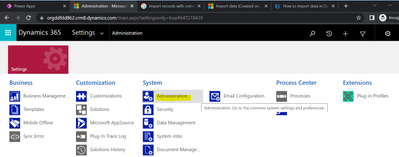
3. It will open Settings Page --> Select Administration
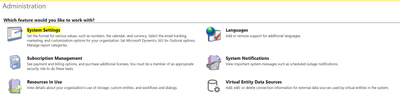
4. Click System Settings
5. Once Page Loaded Select EMAIL Tab
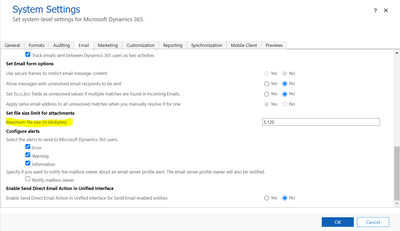
Select Maximum file size (in kilobytes) and Increase the Size the Of the Attachment.
Now Lets see what is the Maximum Size the System will Allow
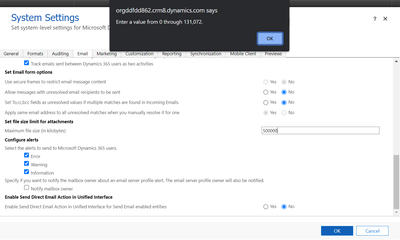
Based on Dataverse Environment it will only allow Values between 0 through 131,072.
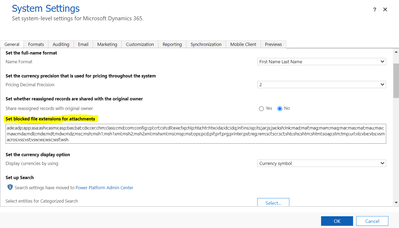
Now Let's See how to Block Unwanted Field Extension Attachments.
Click General tab --> Look for Set blocked file extensions for attachments
That's it 
This was originally posted here.
*This post is locked for comments